
Top 10 AI Writing Tools for Bloggers (2026): Create High-Ranking, Human-Like Content
By SM Mehedi Hasan
This post contains affiliate links. If you make a purchase, I may earn a commission at no extra cost to you.
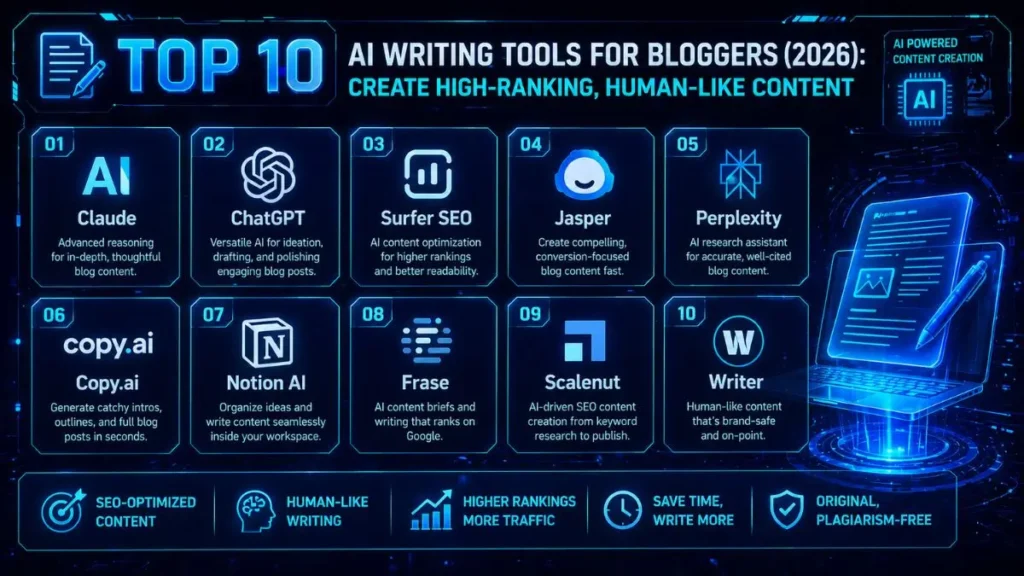
If your goal in 2026 is to publish high-ranking content that actually feels human, then one thing becomes obvious pretty quickly—not all AI tools are built the same.
Right now, Claude clearly stands out as the overall winner, mainly because of how well it understands tone and adapts to different writing styles. It doesn’t just generate text—it actually sounds like a real person wrote it.
But here’s the catch: its safety filters can be a bit too strict. Sometimes, even perfectly fine aggressive marketing-style copy gets blocked, which can slow you down if you’re writing for conversions.
🏆 Best Overall: Claude
💰 Best Value: ChatGPT
⚡ Best for Long-Form SEO: Surfer SEO
That said, the “best” tool really depends on how you work day-to-day. What feels fast and efficient for one blogger might feel frustrating for another. So instead of guessing, let’s break down why these tools made the list.
From my own workflow, testing these tools didn’t just improve quality—it completely changed how fast I could publish. I went from writing one article a day to handling multiple without that usual drop in quality.
Practically speaking, the right stack doesn’t just help you write—it helps you scale.
Table Of Contents
ToggleQuick Comparison: AI Writing Tools for Bloggers
| Tool Name | Starting Price | Exclusive Deal |
|---|---|---|
| Claude | $20/month | Free Trial |
| ChatGPT | $20/month | Free Trial |
| Surfer SEO | $89/month | Try for Free |
| Jasper | $39/month | 7-Day Free Trial |
| Perplexity | $20/month | Free Basic Version |
| Copy.ai | $36/month | Free Basic Version |
| Notion AI | $10/month | Try for Free |
| Frase | $14.99/month | 5-Day Trial for $1 |
| Scalenut | $39/month | 7-Day Free Trial |
| Writer | $18/month | 14-Day Free Trial |
If you want something simple and flexible → go with ChatGPT.
If your focus is automation and scaling content production, then Jasper has a clear edge.
At the end of the day, it comes down to budget vs output quality. Also, In practice, what works best is what fits smoothly into your daily workflow.
So don’t overthink it—start with a free trial, test it in your real use case, and see if it actually saves you time.
1. Claude
Claude has quietly become my go-to tool for writing blog posts that don’t sound like AI at all. It’s built by Anthropic, and where it really shines is in handling complex brand voice instructions without going off-track or sounding robotic.
If you’ve ever struggled with AI writing that feels “off,” Claude fixes that problem surprisingly well.
Key Features:
- Massive context window — you can upload full brand guidelines and it actually follows them (this alone cut down a lot of editing time for me).
- Strong reasoning ability — great for breaking down complex or technical topics clearly.
- Document parsing — you can drop in long PDFs and turn them into structured blog content.
Who It’s Best For:
Bloggers who care more about natural tone and readability than just pumping out content fast.
Pros:
- Very natural, human-like writing style
- Follows specific instructions extremely well (even negative ones)
- Keeps context consistent across long conversations
Cons:
- Safety filters can feel restrictive at times
- No built-in live web browsing in the base version
In My Experience
One thing I didn’t expect at first was how accurately Claude can mirror writing style. I tested this by pasting a few of my previous blog posts and asking it to match the tone.
It didn’t just copy the style—it picked up on sentence flow, pacing, and even how I structure explanations.
Where it slowed me down: formatting.
When I asked it to generate complex markdown tables, especially with nested data, it didn’t always get the alignment right. I usually had to run a quick follow-up prompt to fix it.
👉 Small example: I used it to rewrite a product review in my own tone, and it came out publish-ready with almost no editing—except the table section.
💰 Claude
Starting: $20/mo (Pro).
Current Deal: Free version available for daily tasks — includes access to Claude 3.5 Sonnet.
The Expert Verdict:
If you’re someone who hates spending time fixing robotic AI writing, then Claude is easily worth it.
But if you’re expecting built-in SEO tools or keyword optimization, you’ll need to pair it with something like Surfer SEO.
2. ChatGPT
ChatGPT is still the most flexible, all-in-one tool you can have as a blogger. It doesn’t just write—it helps with research, idea generation, structuring, and even basic visuals.
That’s why it’s such a strong value pick.
Key Features:
- Custom GPTs — you can build your own writing assistant tailored to your workflow
- Real-time web browsing — useful for fact-checking and staying updated
- DALL·E integration — quick way to generate blog images
Who It’s Best For:
Bloggers who want one tool that can handle multiple parts of the workflow—from research to drafting.
Pros:
- Extremely versatile
- Learns your preferences with custom instructions
- Constantly improving with updates
Cons:
- Can default to a generic AI tone if not guided properly
- Occasional slowdowns during peak usage
In My Experience
The biggest workflow upgrade for me was Custom GPTs. I created one specifically for handling keyword clustering from Ahrefs exports.
Instead of manually sorting everything, I just dropped in the data and let it organize it.
Where things got tricky: long-form writing.
When I tried generating full articles in one go, I noticed it would lose consistency midway, especially in longer sections.
So what worked better was breaking it down—section by section instead of one full draft.
👉 Small example: I used it to outline and draft a comparison article, but finalized each section separately to keep the flow consistent.
💰 ChatGPT
Starting: $20/mo (Plus).
Current Deal: Free version available — includes limited access to GPT-4o and custom GPTs.
👉 Check ChatGPT Pricing
The Expert Verdict:
Every blogger should have access to ChatGPT—it’s just too useful across different tasks.
But for best results, use it for research, outlining, and structured drafting, not as a one-click full article generator.
3. Surfer SEO
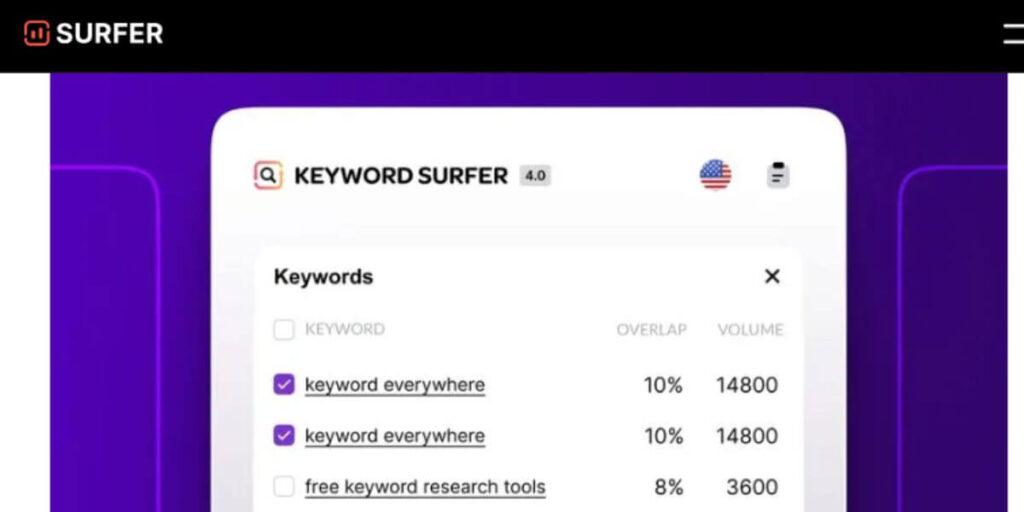
Surfer SEO is where content writing meets actual ranking strategy. Instead of guessing what Google wants, it shows you—based on what’s already ranking.
Key Features:
- Live content score while writing
- Auto-generated outlines from top-ranking pages
- Built-in plagiarism and AI detection checks
Who It’s Best For:
Bloggers focused on organic traffic, especially affiliate marketers.
Pros:
- Removes guesswork from SEO optimization
- Works smoothly with WordPress and Google Docs
- Creates structured, easy-to-scan content
Cons:
- Can get expensive if you publish frequently
- Writing tone can feel a bit stiff compared to Claude
In My Experience
The first thing I noticed was how accurate the outline builder is. It pulled in semantic keywords and angles I hadn’t even considered.
I used it to build a long-form pillar post, and honestly, the structure was solid from the start.
But here’s the trade-off:
The AI sometimes focuses too much on fitting in keywords, which affects readability.
So I usually rewrite the intro and conclusion to make them feel more natural.
👉 Small example: I followed Surfer’s outline for an affiliate post, but rewrote the opening to make it sound more conversational.
💰 Surfer SEO
Starting: $89/mo (Essential).
Current Deal: Try for free or get a custom demo — includes Content Editor and Keyword Research.
👉 Check Surfer SEO Pricing
The Expert Verdict:
If your traffic depends on Google rankings, Surfer SEO is almost non-negotiable.
But if your content is more personal or story-driven, the heavy SEO structure can make it feel a bit rigid.
4. Jasper
Jasper is built for people who don’t just “blog”—they run their blog like a business. What makes it stand out is its structured, template-driven workflows, which make producing things like listicles, product reviews, and sales content much faster and more consistent.
Key Features:
- Brand Voice feature — it scans your site and adapts to your tone (this removed a lot of rewriting work for me).
- Boss Mode — designed for generating long-form content quickly without constant prompting.
- Built-in integrations with Surfer SEO and Copyscape for optimization and plagiarism checks.
Who It’s Best For:
Agencies and high-volume bloggers who need consistent, conversion-focused content at scale.
Pros:
- Large library of templates for different blog formats
- Strong at writing persuasive, sales-driven content
- Built-in team collaboration features
Cons:
- Output can sometimes feel too salesy or aggressive
- Takes time to fully understand how to use its workflows effectively
In My Experience
In my regular workflow, the direct integration with Surfer SEO made a noticeable difference. I didn’t have to switch tabs to optimize content—it all happened in one place while the draft was being generated.
Where it struggled a bit: technical accuracy.
When I tried using Jasper for more technical tutorials, it occasionally introduced details that weren’t actually correct. That meant I had to double-check anything beyond general marketing content.
👉 Small example: I used it to generate a product roundup, and the structure and copy were solid—but I still verified specs manually before publishing.
💰 Jasper
Starting: $39/mo (Creator).
Current Deal: 7-Day Free Trial — includes AI templates and brand voice customization.
👉 Check Jasper Pricing
The Expert Verdict:
If your focus is affiliate marketing or conversion-heavy content, Jasper fits naturally into that workflow.
But if you’re blogging casually or not producing content at scale, the pricing and learning curve may not be worth it.
5. Perplexity
Perplexity doesn’t behave like a typical AI writer. It’s more like a research assistant that pulls real, up-to-date information from the web, complete with sources you can actually verify.
Key Features:
- Real-time web search with citations — you get clickable sources instantly
- Pro Search — asks follow-up questions to refine your query
- Ability to combine local files with live web data
Who It’s Best For:
Bloggers working in fact-heavy niches like tech, finance, or health—where accuracy really matters.
Pros:
- Minimizes hallucination issues by relying on sources
- Lets you verify information quickly
- Great for pulling fresh stats and references
Cons:
- Not built for generating full long-form articles in one go
- Tone feels more informational than engaging
In My Experience
What really stood out was how smoothly it handled recent or time-sensitive topics. I tested it on a recent tech event, and it pulled relevant details, quotes, and sources without me having to dig through multiple pages.
The workflow limitation: it’s not a writing tool.
You still need to take that research and pass it into something like Claude to turn it into a proper blog post.
👉 Small example: I used it to gather stats for an intro, then moved that data into another tool to write the actual content.
💰 Perplexity
Starting: $20/mo (Pro).
Current Deal: Free Basic Version available — includes real-time search and file uploads.
👉 Check Perplexity Pricing
The Expert Verdict:
Use Perplexity for research—it’s one of the most reliable tools out there.
Just don’t expect it to replace your writing tool—it works best as part of a stack.
6. Copy.ai
Copy.ai is designed to solve one very common problem—getting started when you’re staring at a blank page. It focuses on quick idea generation and short-form content that supports your main blog.
Key Features:
- Workflow automation — repurpose content into multiple formats instantly
- Brand voice settings for consistent messaging
- Infobase to store and reuse niche-specific information
Who It’s Best For:
Bloggers who handle their own social media, emails, and supporting content.
Pros:
- Simple and clean interface
- Generates multiple headline and intro options quickly
- Solid free plan for beginners
Cons:
- Not ideal for deep, technical long-form content
- Can feel repetitive when generating multiple sections
In My Experience
I found Copy.ai particularly useful for supporting content, like emails and social posts. The workflow automation helped maintain a consistent tone without much effort.
Where it needed manual work: blog flow.
When I used it for full blog drafts, the transitions between sections didn’t always connect smoothly, so I had to refine the flow myself.
👉 Small example: I used it to create email sequences for a blog launch, then manually adjusted the blog post to improve readability.
💰 Copy.ai
Starting: $36/mo (Pro).
Current Deal: Free Basic Version for individuals — includes unlimited chat and workflows.
The Expert Verdict:
If you want help with content promotion and quick drafts, Copy.ai works well.
But for serious long-form SEO content, you’ll likely need a stronger writing tool.
7. Notion AI
Notion AI is all about convenience. Instead of switching between tools, it brings AI directly into the workspace where you already plan and write your content.
Key Features:
- Built directly into Notion databases
- One-click editing tools for rewriting, summarizing, or changing tone
- Ability to interact with your own notes using Q&A
Who It’s Best For:
Bloggers who already rely on Notion for planning and content management.
Pros:
- Everything in one place — no switching tools
- Good at turning rough notes into structured content
- Clean, distraction-free writing environment
Cons:
- AI output isn’t as strong as dedicated tools like Claude
- Limited SEO-focused features
In My Experience
The biggest advantage is how seamless everything feels. I often highlight rough notes and use the “improve writing” option to expand them into usable drafts.
Where it fell short: depth and tone.
When I tried using it for a detailed review-style post, the writing felt too flat and predictable, especially compared to more advanced AI tools.
👉 Small example: I used it to expand bullet points into a draft, then refined it later in another tool for better tone.
💰 Notion AI
Starting: $10/mo (Add-on).
Current Deal: Try for free with limited responses — integrates directly into your Notion workspace.
The Expert Verdict:
If you already use Notion daily, adding AI makes your workflow smoother.
But if you’re looking purely for high-quality content generation, this alone won’t be enough.
8. Frase
Frase focuses heavily on content research and structuring, helping you build posts that directly match what people are searching for.
Key Features:
- Automated content briefs based on top-ranking pages
- Topic modeling to guide what concepts to include
- AI writer aligned with search intent optimization
Who It’s Best For:
SEO-focused bloggers and niche site builders who care about structure and ranking strategy.
Pros:
- One of the strongest brief-building tools available
- Focuses on intent, not just word count
- Helps uncover content gaps competitors missed
Cons:
- Interface can feel overwhelming at first
- AI writing output may feel repetitive in longer content
In My Experience
One thing that stood out was how well it identified “People Also Ask” questions. I used those directly to shape my headings, and it made the structure much more aligned with search intent.
The hidden limitation: writing quality.
The outline it generates is solid, but the actual content often needs heavy editing to sound natural.
👉 Small example: I built a full outline with Frase, then rewrote sections manually to improve readability.
💰 Frase
Starting: $14.99/mo (Solo).
Current Deal: 5-Day Trial for just $1 — optimized for content briefs and SEO writing.
The Expert Verdict:
Frase is excellent if your goal is to build well-structured, SEO-focused content plans.
Just be prepared to handle the writing or editing yourself for the best results.
9. Scalenut
Scalenut is built for speed. It combines keyword research, SERP analysis, and AI writing into one workflow called “Cruise Mode”, which walks you through the entire process from idea to draft.
The main appeal here is simple—you go from topic to a full draft without jumping between tools.
Key Features:
- Cruise Mode — guides you through title, outline, and draft step-by-step
- NLP keyword integration — helps naturally include important SEO terms
- Content Optimizer — scores and improves existing posts
Who It’s Best For:
Bloggers and publishers who need to produce large volumes of SEO-focused content quickly.
Pros:
- Guided workflow removes decision fatigue
- Good balance of SEO + AI writing in one place
- More cost-effective than using multiple tools separately
Cons:
- “Quick drafts” still need serious editing before publishing
- Not ideal for creative or opinion-heavy content
In My Experience
In my regular workflow, Scalenut’s Cruise Mode works best for straightforward topics where the goal is to answer a clear question.
For example, when I used it for a simple how-to guide, the structure and content came together quickly without much effort.
Where it struggled: originality.
When I tried using it for more opinion-based or thought-leadership content, the output leaned heavily on summarizing existing information instead of adding anything new.
So Put simply, you still need to inject your own perspective if you want the content to stand out.
👉 Small example: I used it for an informational post and kept most of the structure, but added my own insights to avoid sounding like every other article online.
💰 Scalenut
Starting: $39/mo (Essential).
Current Deal: 7-Day Free Trial — includes SEO Docs and Cruise Mode for long-form blogs.
👉 Check Scalenut Pricing
The Expert Verdict:
If your goal is scaling content fast (especially programmatic SEO or niche sites), Scalenut is extremely efficient.
But if you’re building a personal brand, relying on it too much can make your content feel generic.
10. Writer
Writer (formerly Writer.com) is designed with a completely different focus. Instead of creativity or speed, it prioritizes accuracy, compliance, and brand consistency—especially for teams working in regulated industries.
Key Features:
- Custom terminology banks — ensures correct language across all content
- Palmyra LLM — optimized for business writing
- Integrations with Chrome, Word, and Figma
Who It’s Best For:
Corporate teams, B2B writers, and organizations with strict brand and compliance requirements.
Pros:
- Strong brand voice control across teams
- High level of data security and privacy
- Consistently maintains a professional tone
Cons:
- Expensive for individual bloggers
- Limited flexibility for casual or conversational writing
In My Experience
What stood out most was how strict the terminology control is. When I was working on content for a B2B client, it flagged every instance where I didn’t follow their exact wording.
The downside: flexibility.
Because it’s so focused on compliance, getting it to write something more engaging or conversational takes extra effort.
👉 Small example: I used it for a product description, and while it was technically perfect, I had to manually tweak the intro to make it more engaging.
💰 Writer
Starting: $18/mo (Team).
Current Deal: 14-Day Free Trial — focus on enterprise-grade AI writing and security.
👉 Check Writer Pricing
The Expert Verdict:
If you’re managing multiple writers or working in a compliance-heavy niche, Writer is extremely reliable.
But for solo bloggers, there are more flexible and affordable options that fit better.
My Actual Workflow Using These Tools
Honestly, no single tool does everything perfectly. What works best is combining them in a way that fits your workflow.
Here’s how I actually handle a blog post from start to finish:
Step 1: Ideation and Research (Perplexity)
I start by feeding my topic into Perplexity to gather recent data, statistics, and verified information.
Because it provides sources, I don’t have to spend time double-checking everything manually.
If this applies to your workflow, your content starts with accurate, trustworthy data, not guesses.
Step 2: SEO Structuring (Surfer SEO)
Once I have the research, I move into Surfer SEO.
I input my target keyword, analyze the top results, and build my structure based on what’s already ranking and what’s missing.
This ensures that before writing anything, the content is already aligned with search intent.
Step 3: Drafting and Refining (Claude)
Finally, I combine everything—research + outline—and feed it into Claude.
Instead of generating everything at once, I usually work section by section, which keeps the tone consistent and the quality high.
The end result is content that feels:
- Natural to read
- Optimized for SEO
- Based on real data
Frequently Asked Questions
Claude is easier for writing natural content without much prompting.
On the other hand, ChatGPT is more flexible and works better for brainstorming and general tasks.
Yes—standard outputs can still be detected.
But when you guide tools like Claude with your specific writing style and structure, the output becomes much harder to flag.
For general use, ChatGPT’s free version is still the most versatile.
For research and accuracy, Perplexity’s free tier works better.
