
10 Best AI SEO Tools in 2026: Rank Higher Today
By SM Mehedi Hasan
This post contains affiliate links. If you make a purchase, I may earn a commission at no extra cost to you.
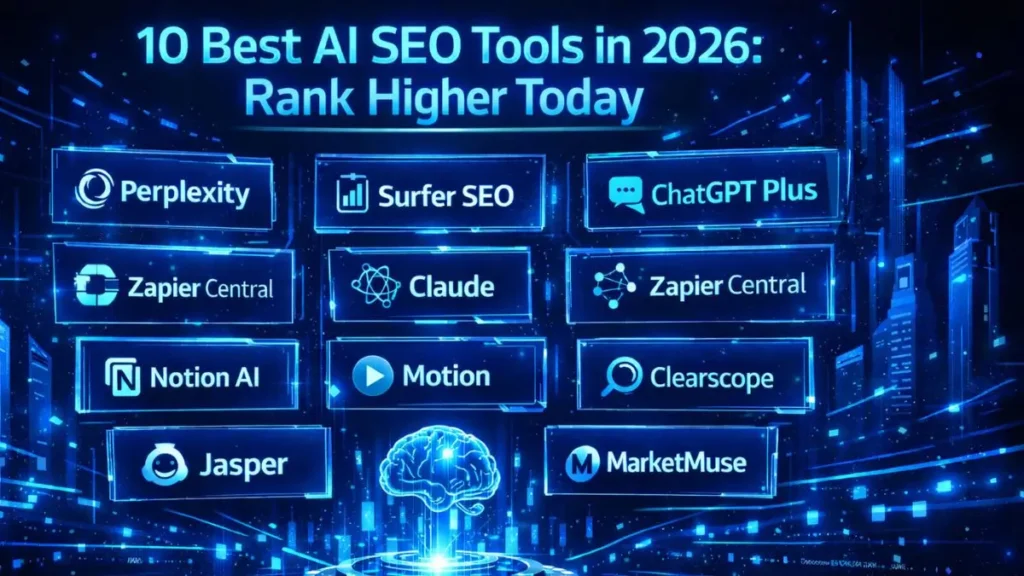
After testing dozens of platforms across my own niche sites, Perplexity clearly stands out as the winner for content builders in 2026. What really stood out during my testing was how accurately it maps real-time search intent, especially for fresh or fast-moving topics.
That said, there’s a catch you should know about. It doesn’t provide traditional SEO metrics, such as search volume or keyword difficulty.
This means you’ll need a hybrid approach: use this tool for its unique insights, while relying on other SEO platforms for metrics like search volume and keyword difficulty, to get a complete picture.
🏆 Best Overall: Perplexity
💰 Best Value: ChatGPT Plus
⚡ Best for Automation: Zapier Central
Honestly, though, the right tool depends heavily on your workflow. To make the most of your choices, consider how these platforms fit different needs.
What works perfectly for a solo blogger might not be enough for an agency handling multiple clients—so let’s break down exactly why these tools made the cut. The 2026 search landscape looks completely different compared to even a few years ago.
I’ve spent the last six months rebuilding my entire SEO tech stack to adapt to AI-driven discovery, and I’m going to walk you through what’s actually working right now—not theory.
Table Of Contents
ToggleThe 2026 AI SEO Tool Comparison
| Tool Name | Starting Price | Exclusive Deal / Offer |
|---|---|---|
| Perplexity | $20/month | Free basic version |
| Surfer SEO | $89/month | 7-day money-back guarantee |
| ChatGPT Plus | $20/month | Free tier available |
| Zapier Central | $20/month | Try for Free |
| Notion AI | $10/month | Add-on to free workspace |
| Claude | $20/month | Free basic access |
| Motion | $19/month | 7-day Free Trial |
| Clearscope | $170/month | Custom demo available |
| Jasper | $39/month | 7-day Free Trial |
| MarketMuse | $149/month | Free limited plan |
Choosing the right mix really comes down to your budget and the amount of content you’re producing.
- If you’re a solo site builder, I’d strongly lean toward ChatGPT Plus and Perplexity to keep things efficient without overspending.
On the other hand, if you’re scaling or running an agency, tools like Surfer SEO and MarketMuse give you the depth and data you’ll need to compete.
The 2026 AI Search Landscape
Traditional SEO tools are honestly struggling to keep up with how fast search is evolving. Keyword volume alone just doesn’t guarantee traffic anymore.
What I noticed while testing is that search engines are now heavily focused on contextual relevance and real-time answers. If your content doesn’t directly solve what the user is asking, it simply won’t rank—no matter how well you optimize keywords.
I actually learned this the hard way when a few of my previously top-performing niche sites started losing traffic. Once I shifted toward AI-native tools and intent-focused content, things started to recover—and in some cases, grow even faster than before.
Understanding Generative Search Experience (GSE)
Generative Search Experience (GSE) is changing how results are delivered. Instead of showing just links, search engines now synthesize answers directly on the results page.
Users are asking more complex questions—and expecting clear, layered answers instantly.
So what does that mean for you?
Your content needs to be structured in a way that feeds these AI systems properly. That means focusing less on exact-match keywords and more on semantic entities and the depth of the topic.
The tools below are designed specifically for this shift. They help bridge the gap between traditional SEO practices and modern AI-driven discovery, which is exactly where most people are struggling right now.
Top 10 AI SEO Tools Reviewed
1. Perplexity (Content Strategy and Research)

Perplexity works more like an AI-powered search engine, which makes it incredibly useful for reverse-engineering how AI understands a topic.
I use it almost daily before writing—especially when I want to see how AI summarizes a topic and what angles it prioritizes first (for example, before drafting a new blog post outline).
Key Features:
- Real-time web browsing and source citation
- Contextual follow-up question generation
- Deep research capabilities for niche topics
Who It’s Best For:
Content strategists and niche site builders need to quickly and accurately understand real-time user intent.
Pros and Cons:
Pro: Provides incredibly accurate, up-to-date research with direct source links.
Con: Does not provide standard SEO metrics, such as search volume or keyword difficulty.
💰 Perplexity Pro
- Starting: $20/mo (Standard) or $200/year (Annual).
- Current Deal: Free basic version available with limited Pro searches.
- 👉 Upgrade to Perplexity Pro
The Expert Verdict:
Perplexity is an absolutemust-have for modern content research. It replaces hours of manual Googling and gives you a much clearer picture of what users actually want.
2. Surfer SEO (On-Page Optimization)
Surfer SEO is still a core tool for on-page optimization, especially if you’re trying to align your content with top-ranking competitors. What stood out to me in the latest version is how heavily it now leans into semantic entities and NLP (Natural Language Processing).
Key Features:
- Real-time content scoring based on top SERP competitors
- Automated internal linking suggestions
- AI outline generation focused on semantic relevance.
Who It’s Best For:
Freelance writers and agency owners who want to optimize content with clear, data-backed direction.
Pros and Cons:
Pro: Takes the guesswork out of optimization by giving you clear, measurable targets.
Con: The scoring system can sometimes push you toward unnatural phrasing if you follow it too strictly.
💰 Surfer SEO (Essential)
- Starting: $89/mo (Annual) or $99/mo (Monthly).
- Current Deal: 7-day money-back guarantee for all new users.
- 👉 Optimize Content with Surfer
The Expert Verdict:
Surfer is a smart investment if you want a data-driven edge in both traditional and AI-influenced search results—but you’ll need to apply some human judgment while using it.
3. ChatGPT Plus (Workflow & Strategy)
ChatGPT Plus, powered by the latest OpenAI models, has become my go-to tool for brainstorming, automation, and even technical SEO tasks.
One thing I personally liked is how flexible it is—I’ve used it to analyze competitor sitemaps, generate schema markup, and even process large SEO datasets (for example, cleaning up Search Console exports).
Key Features:
- Advanced data analysis for handling large Google Search Console exports
- Custom GPT creation for repeatable SEO workflows
- Seamless generation of structured data (JSON-LD)
Who It’s Best For:
Solo users and technical SEOs who want to automate complex, repetitive tasks without writing code from scratch.
Pros and Cons:
Pro: Extremely versatile—it can handle everything from scripting to strategy planning.
Con: You’ll need strong prompt skills to consistently get high-quality, non-generic results.
ChatGPT Plus
- Starting: $20/mo (Access to GPT-4.5 & Search).
- Current Deal: Free tier available for basic conversational AI.
- 👉 Get ChatGPT Plus
The Expert Verdict:
This is a non-negotiable tool in 2026. For the price, it delivers one of the highest ROI across any SEO tool in your stack.
4. Zapier Central (Automation and Workflow)
Zapier Central allows you to build AI agents that handle tasks on your behalf, which is a huge time-saver once everything is set up properly.
I’ve been using it to automatically track brand mentions and update ranking spreadsheets—and once it’s running, it basically takes care of itself (for example, new mentions get logged without me touching anything).
Key Features:
- Custom AI agents that trigger workflows across 6,000+ apps
- Automated tracking of SERP position changes.
- Hands-free distribution of new blog posts to social channels
Who It’s Best For:
SEO managers and site owners who want to eliminate repetitive manual work, especially reporting and data entry.
Pros and Cons:
Pro: Connects conversational AI directly to your live databases and CMS, which makes automation actually useful—not just theoretical.
Con: Setting up advanced workflows can feel complex at first, especially when dealing with conditional logic chains.
💰 Zapier Central
- Starting: $20/mo (Build and deploy AI agents).
- Current Deal: Try for Free and automate your first workflow.
- 👉 Build AI Agents with Zapier
The Expert Verdict:
Zapier Central is a serious scaling tool. For most writers is simple—it turns hours of repetitive admin work into something that runs quietly in the background.
5. Notion AI (On-Page and Technical Optimization)
Notion AI integrates directly into your workspace, making it incredibly convenient if you’re already managing content there.
I mainly use it to structure content briefs and clean up messy research, and it does a great job turning raw notes into something writers can actually use (for example, converting rough bullet points into a clean outline).
Key Features:
- In-line text generation and summarizing
- Automatic extraction of action items from SEO audit notes
- Instant translation and tone adjustment
Who It’s Best For:
Teams and solo creators who are already using Notion to manage editorial calendars and workflows.
Pros and Cons:
Pro: Keeps everything—AI writing, notes, and project management—inside one single platform.
Con: It doesn’t offer deep SEO-specific data, so you’ll still need other tools for serious optimization work.
💰 Notion AI
- Starting: $10/mo (Per member, billed monthly).
- Current Deal: Add-on to free workspace to summarize and write notes.
- 👉 Supercharge Notion with AI
The Expert Verdict:
It’s a strong productivity booster for organizing your SEO workflow. Just keep in mind—it’s not built to replace dedicated SEO tools.
6. Claude (Advanced Analysis)
Claude by Anthropic is especially powerful at handling large amounts of data at once.
One thing I found interesting was, how well it manages massive context—I’ve uploaded full technical SEO audits (PDFs), and it can break down what actually matters without losing context (for example, highlighting the most critical technical fixes from a long report).
Key Features:
- Massive context window for analyzing long documents
- Nuanced, natural-sounding writing capabilities
- Strong reasoning for technical SEO troubleshooting
Who It’s Best For:
Content editors and technical SEOs working with large datasets, long documents, or full-site audits.
Pros and Cons:
Pro: Produces more natural, human-like writing, which reduces the need for heavy editing.
Con: The safety filters can sometimes be restrictive, blocking certain harmless scraping or automation requests.
💰 Claude Pro
- Starting: $20/mo (Priority access & Claude Code).
- Current Deal: Free basic access to Claude 3.5 Sonnet model.
- 👉 Try Claude Pro Today
The Expert Verdict:
Claude is my go-to tool when I need content to sound genuinely human and authoritative, especially after generating drafts elsewhere.
7. Motion (Productivity and Performance Tracking)
Motion uses AI to automatically plan your schedule and prioritize tasks, which is incredibly helpful when you’re juggling multiple SEO projects.
Managing several sites can get chaotic fast, and Motion helps keep everything on track (for example, it automatically reschedules tasks if a meeting runs over).
Key Features:
- AI-driven task scheduling and dynamic calendar management
- Automated alerts for missed SEO deliverables
- Built-in project management designed for tight deadlines
Who It’s Best For:
Busy agency owners and portfolio managers who are balancing multiple campaigns, deadlines, and priorities.
Pros and Cons:
Pro: Fully automates your schedule and adjusts in real time, which removes a lot of planning stress.
Con: It’s relatively expensive for a task manager and requires you to fully commit to the system to see results.
💰 Motion (Individual)
- Starting: $19/mo (Annual) or $34/mo (Monthly).
- Current Deal: 7-day Free Trial to automate your schedule.
- 👉 Plan Your Day with Motion
The Expert Verdict:
If your workflow feels scattered or overwhelming, Motion can give you back hours of focused time by handling the planning side for you.
8. Clearscope (Technical/On-Page Optimization)
Clearscope is a premium content optimization platform that focuses heavily on readability and complete topic coverage.
I typically rely on it when targeting highly competitive keywords, especially in niches where small improvements can make a significant difference in revenue (e.g., finance or SaaS).
Key Features:
- Intuitive grading system based on top-ranking content
- Deep entity extraction for building comprehensive topic coverage
- Smooth integrations with Google Docs and WordPress
Who It’s Best For:
Enterprise teams and high-level publishers who need to get search intent exactly right every time.
Pros and Cons:
Pro: One of the cleanest and easiest interfaces for writers to follow without confusion.
Con: The high price point can be difficult to justify if you’re just starting out.
Clearscope (Essentials)
- Starting: $170/mo (Professional content optimization).
- Current Deal: Custom demo available for advanced enterprise features.
- 👉 Get Clearscope Insights
The Expert Verdict:
Clearscope is a premium-level tool for serious content teams. If ranking at the top directly impacts revenue, this is where it really proves its value.
9. Jasper (Content Strategy and Scaling)
Jasper has come a long way from being just a basic writing assistant. At this point, it feels more like a full-scale AI marketing copilot, especially if you’re managing large volumes of content.
I mainly lean on it to maintain a consistent brand voice across multiple landing pages, which can otherwise get messy fast (for example, keeping tone consistent across dozens of service pages).
Key Features:
- Brand voice memory to keep content aligned with your style and messaging
- SEO mode integration (commonly paired with Surfer)
- Campaign generation for turning blog posts into multi-channel content clusters
Who It’s Best For:
Marketing agencies and SaaS teams that need to produce high volumes of branded content without losing consistency.
Pros and Cons:
Pro: Extremely effective at learning and replicating your brand voice at scale.
Con: You’ll still need a human editor to verify facts, especially statistics and claims.
💰 Jasper (Creator)
- Starting: $39/mo (Annual) or $49/mo (Monthly).
- Current Deal: 7-day Free Trial to test all marketing templates.
- 👉 Start Writing with Jasper
The Expert Verdict:
Jasper is ideal if you’re scaling content production and need volume without sacrificing brand identity. It handles consistency well—but final polishing still needs a human touch.
10. MarketMuse (Performance & Strategy)
MarketMuse is a strategic advantage tool, especially for long-term SEO growth. It analyzes your entire site and tells you exactly where your content gaps are and what to publish next to build authority (for example, identifying missing subtopics within a cluster).
Key Features:
- Automated content audits and gap analysis across your site
- Personalized difficulty scores based on your site’s authority
- Deep topical modeling for building strong content clusters
Who It’s Best For:
Advanced SEO strategists manage large websites with extensive content libraries.
Pros and Cons:
Pro: The personalized difficulty score is surprisingly accurate when predicting ranking potential.
Con: The interface can feel dense and overwhelming at first, especially for new users.
💰 MarketMuse (Standard)
- Starting: $149/mo (Deep content auditing).
- Current Deal: Free limited plan for single users (10 queries/mo).
- 👉 Audit Content with MarketMuse
The Expert Verdict:
If your goal is to dominate a niche through topical authority, MarketMuse gives you one of the clearest strategic roadmaps available.
First-Hand Testing Methodology
I didn’t build this list by skimming landing pages or relying on marketing claims. Each tool was tested in real-world scenarios across three active content sites in different niches.
What I focused on was simple:
- How much time each tool actually saved
- And whether the output quality improved rankings or not
If a tool produced generic, robotic content—or didn’t move the needle in terms of traffic—it was immediately ruled out.
I also paid close attention to ROI. If a tool costs $100/month, it needs to clearly justify that cost—either by saving time, improving rankings, or ideally both.
Making the Choice: Building Your 2026 SEO Tech Stack
You don’t need all ten tools to succeed—and honestly, trying to use everything at once usually creates more confusion than results.
The better approach is to identify your biggest bottleneck first.
- If research is slowing you down → go with Perplexity.
- If your content isn’t ranking → invest in Surfer SEO or Clearscope
So if you’re in this situation is keeping your stack lean and focused. Master one or two tools fully before adding more complexity to your workflow.
Future-Proofing Your Rankings
Search will keep evolving—it always does. But one thing hasn’t changed: the best content is the one that answers the user’s question better than anything else.
AI should support your workflow, not replace your thinking.
Put simply, publishing low-effort AI content at scale just doesn’t work anymore. Instead, use these tools to handle the heavy lifting—research, structuring, and data analysis—so you can focus on adding real human insight.
Take some time to audit your current setup. Drop outdated tools, bring in smarter AI solutions, and start building content that actually competes in today’s search environment.
Frequently Asked Questions
Yes—when it comes to real-time research, Perplexity has a clear edge. It automatically browses the live web and cites sources, which makes it much more reliable for understanding current search intent.
Most AI detection tools are unreliable at this point. What matters more is how you use the output.
Heavily editing AI-generated content and adding a real human perspective remains critical—not just for rankings, but also for user engagement.
The free versions of ChatGPT and Claude are great for brainstorming and outlining.
At the same time, Perplexity’s free tier is especially useful for initial topic research, since it gives you quick, source-backed insights right away.
