
Top 10 AI Productivity Tools for 2026
By SM Mehedi Hasan
This post contains affiliate links. If you make a purchase, I may earn a commission at no extra cost to you.
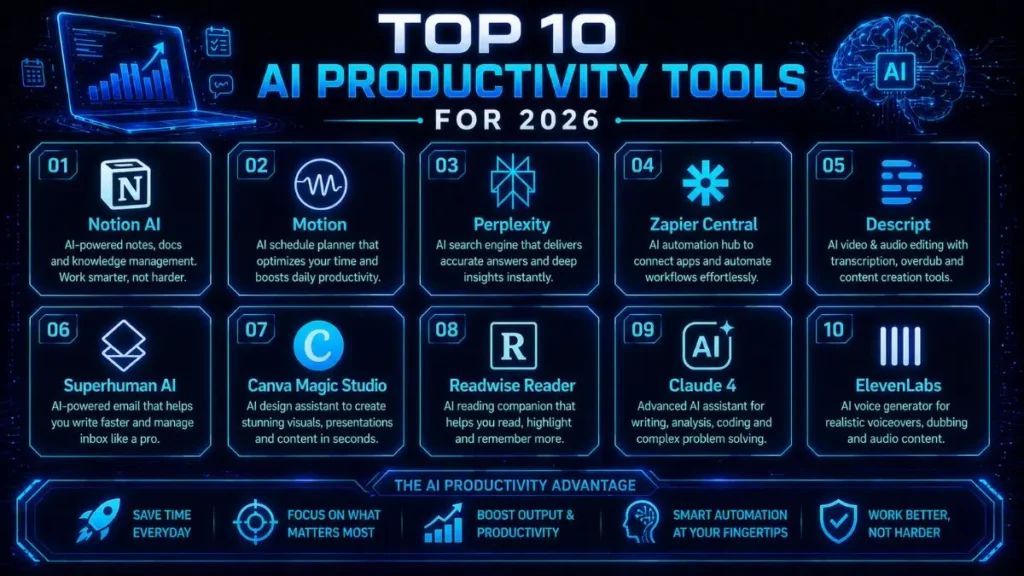
For content creators and founders in 2026, Notion AI is the absolute winner. It essentially pulls your entire digital brain into one organized workspace, so everything stays connected and easy to access.
The biggest advantage here is seamless database intelligence—it doesn’t just store information, it actually understands and uses it. But here’s the reality: there’s a steep learning curve, and getting fully comfortable with it can take a few weeks.
🏆 Best Overall: Notion AI
💰 Best Value: Claude 3.5/4
⚡ Best for Automated Scheduling: Motion
That said, the right tool really depends on how you work day-to-day—so let’s break down exactly why these tools made the cut. Testing AI tools has basically become my full-time job while building and monetizing content sites over the past year.
I noticed that, the amount of marketing noise in this space. So I focused on one thing: which tools actually give you your time back.
Table Of Contents
ToggleQuick Comparison: 2026 AI Tech Stack
| Tool Name | Starting Price | Exclusive Deal / Offer |
|---|---|---|
| Notion AI | $10/month | Free Trial Available |
| Motion | $19/month | 7-Day Free Trial |
| Perplexity | $20/month | Try Basic for Free |
| Zapier Central | $20/month | Free Tier Available |
| Descript | $15/month | Try for Free |
| Superhuman AI | $30/month | 1-Month Free Trial |
| Canva Magic Studio | $15/month | 30-Day Pro Trial |
| Readwise Reader | $9.99/month | 30-Day Free Trial |
| Claude 4 | $20/month | Try Basic for Free |
| ElevenLabs | $5/month | Free Starter Tier |
Choosing the right tool really comes down to balancing your monthly budget with your actual workload needs.
So if you’re in this situation, start with tools that remove your biggest daily bottlenecks—like research or scheduling—then expand your stack once those are handled.
The Productivity Landscape in 2026
Saving a few minutes here and there just doesn’t cut it anymore. If your software stack isn’t buying back at least 20 hours a week, you’re already behind.
Modern AI agents and workflow tools now handle entire chunks of project management and content creation. They handle the repetitive, time-consuming tasks so you can stay focused on strategy and growth.
In day-to-day use, the difference between average and high-performing creators today often comes down to how well their tools are integrated—not just which tools they use.
I’ve tested hundreds of applications to build a system that actually works. These ten tools aren’t random picks—they’re the exact ones I rely on daily to scale content and operations efficiently.
1. Notion AI: The Connected Intelligence Workspace

Notion AI turns a simple digital notebook into something much more powerful—a proactive assistant that understands your workflow.
It connects your documents, databases, and meeting notes in a way that feels seamless once everything is set up properly.
I use it to draft content briefs and summarize user research without switching tabs. One thing I personally liked is how it pulls context directly from existing pages, so the output feels tailored instead of generic.
Example: drafting a blog outline using past notes instantly.
Key Features
- Context-aware writing and editing.
- Automated database property filling.
- Instant meeting summaries and action item extraction.
Who It’s Best For
Digital agencies, content teams, and solo founders are managing complex projects.
Pros and Cons
Pros: Deeply integrated into your existing knowledge base.
Cons: It can feel overwhelming to set up initially.
💰 Notion AI
- Starting: $10/mo (Add-on for Plus/Business plans).
- Current Deal: Free Trial Available (Limited responses) or Free for Students via Education Plus.
- 👉 Add to Plan
The Expert Verdict:
A must-have central hub if you already use Notion. Just be ready to invest some upfront time to structure it properly—once that’s done, it becomes incredibly powerful.
2. Motion: Algorithmic Scheduling
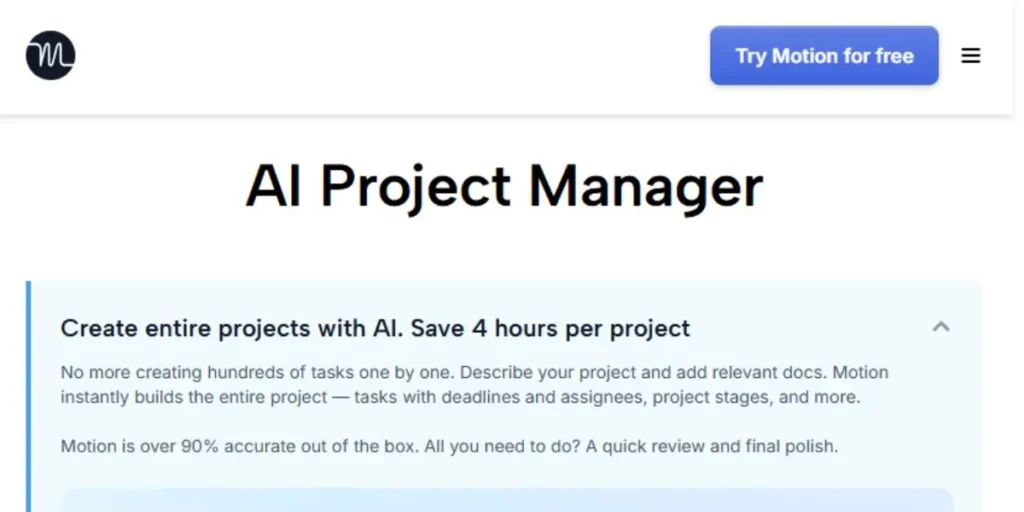
Motion removes the headache of manually planning your entire workweek. It uses smart algorithms to automatically schedule tasks on your calendar based on priority and deadlines.
I noticed that when I tried to juggle multiple deadlines, Motion handled the chaos surprisingly well. If a meeting suddenly pops up, it instantly reshuffles everything—so you don’t have to rethink your entire day.
Example: rescheduling a full day automatically after one client call gets added.
Key Features
- Intelligent auto-scheduling for tasks and meetings.
- Hard and soft deadline prioritization.
- Automated meeting booking pages.
Who It’s Best For
Busy executives, freelancers, and anyone who struggles with time blocking.
Pros and Cons
Pros: Completely automates daily planning.
Cons: Expensive compared to standard calendar apps.
💰 Motion (Individual)
- Starting: $19/mo (Billed annually) or $29/mo (Billed monthly).
- Current Deal: 7-Day Free Trial with full access to autonomous scheduling.
- 👉 Start 7-Day Trial
The Expert Verdict:
If you’re dealing with multiple overlapping deadlines, this is a must-have. The time it saves easily justifies the higher monthly cost.
3. Perplexity: Instant Cited Research
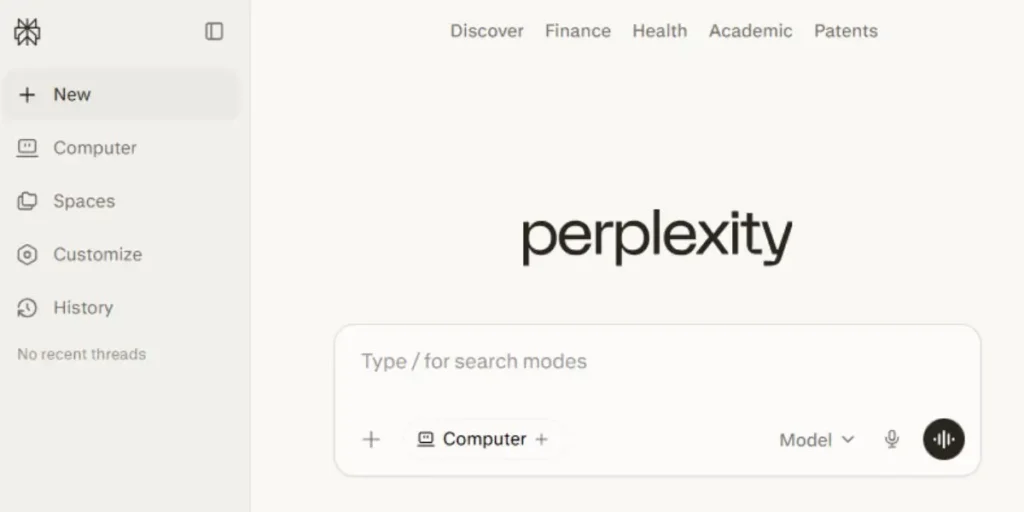
Perplexity has practically replaced traditional search engines in my workflow. Instead of digging through multiple tabs, it gives you direct, summarized answers pulled from live sources—with citations included.
Something worth mentioning: this tool dramatically cuts down research time. Instead of spending 30–40 minutes gathering information, you get a solid overview in seconds.
Example: researching a niche topic without opening multiple browser tabs.
Key Features
- Real-time web browsing and synthesis.
- Inline citations for easy fact-checking.
- Pro search mode for deep-dive multi-step queries.
Who It’s Best For
Writers, researchers, and strategists who need accurate data fast.
Pros and Cons
Pros: Drastically cuts down research time.
Cons: Occasionally misinterprets highly technical source material.
💰 Perplexity Pro
- Starting: $20/mo (Individual) or $200/year (Annual).
- Current Deal: Try Basic for Free with unlimited standard searches and citations.
- 👉 Upgrade to Pro
The Expert Verdict:
An absolute essential if accuracy and speed matter in your workflow. It’s one of the fastest ways to move through the research phase without sacrificing quality.
4. Zapier Central: Custom AI Agents
Zapier Central lets you build AI agents that can handle complex workflows across thousands of apps. You don’t need to code—just describe what you want in plain language.
One thing I found interesting was, how flexible this system is. I set up an agent to monitor invoice emails and log them automatically into my accounting tool—and it runs quietly in the background without constant supervision.
Example: auto-logging invoices from email into accounting software.
Key Features
- Natural language bot training.
- Direct integration with over 6,000 apps.
- Trigger-based autonomous actions.
Who It’s Best For
Operations managers and tech-savvy business owners who want to automate workflows.
Pros and Cons
Pros: Incredibly powerful cross-platform automation.
Cons: Requires clear logic and careful testing to avoid mistakes.
💰 Zapier Central
- Starting: $20/mo (For unlimited AI agents and 750 tasks).
- Current Deal: Free Tier Available for building your first 2 AI agents.
- 👉 Build AI Agents
The Expert Verdict:
A must-have for scaling businesses that want to eliminate repetitive operational work—without needing to write a single line of code.
5. Descript: Next-Gen Video and Audio Editing
Descript approaches video editing in a way that just makes sense—it treats it like editing a text document.
You simply edit the transcript, and the software automatically updates the video to match. After testing this, how quickly it handled tedious editing tasks.
The AI can clean up background noise and remove filler words in seconds, a task that previously required significant manual effort. It has genuinely streamlined my podcast and YouTube workflows.
Example: deleting “um” and “uh” from a transcript to instantly clean up audio.
Key Features
- Text-based video and audio editing.
- Studio Sound AI for professional audio quality.
- AI eye contact correction and green screen effects.
Who It’s Best For
Podcasters, YouTubers, and social media managers.
Pros and Cons
Pros: Makes video editing accessible to non-editors.
Cons: Cloud syncing can occasionally be slow with massive files.
💰 Descript (Hobbyist)
- Starting: $15/mo (Billed annually) or $19/mo (Billed monthly).
- Current Deal: Try for Free (60 minutes of transcription per month).
- 👉 Edit with Descript
The Expert Verdict:
A game-changing tool for content creators. For most writers, it can turn a 5-hour editing process into something closer to 45 minutes without sacrificing quality.
6. Superhuman AI: Achieving Inbox Zero
Superhuman is a premium email client built for one thing: speed. Everything about it—from navigation to AI features—is designed to help you move through your inbox faster.
One thing I personally liked is how the AI drafts complete, context-aware replies from just a short prompt. Over time, it also learns your tone and automatically sorts emails into priority categories, which removes a lot of mental load.
Example: replying to multiple client emails in seconds with AI-drafted responses.
Key Features
- AI-generated email drafting that mimics your style.
- Lightning-fast keyboard shortcuts.
- Intelligent email triaging.
Who It’s Best For
Founders, sales professionals, and managers dealing with high email volume.
Pros and Cons
Pros: The fastest email experience available.
Cons: High monthly cost for an email client.
💰 Superhuman AI (Starter)
- Starting: $30/mo (Billed monthly) or $25/mo (Billed annually).
- Current Deal: 1-Month Free Trial via referral or standard signup.
- 👉 Get 1 Month Free
The Expert Verdict:
For most people, it’s a premium upgrade. But if you’re handling 100+ emails a day, it quickly becomes a genuine productivity lifeline.
7. Canva Magic Studio: High-End Design Simplified
Canva Magic Studio brings powerful AI design tools directly into your browser, making it incredibly easy to go from idea to finished visual in minutes.
After using it regularly, this tool removes a lot of friction for non-designers. I regularly use it to resize graphics across platforms and remove unwanted elements from images without needing advanced tools.
Example: turning one Instagram post into multiple platform sizes in one click.
Key Features
- Text-to-image and text-to-video generation.
- Magic Resize and Magic Eraser tools.
- Automated presentation creation from text prompts.
Who It’s Best For
Marketers, bloggers, and small business owners without a design background.
Pros and Cons
Pros: Incredibly intuitive and fast.
Cons: Lacks the granular control of Adobe Photoshop.
💰 Canva Magic Studio (Pro)
- Starting: $12.99/mo (Individual) or $119.99/year.
- Current Deal: 30-Day Pro Trial (Full access to Magic Expand & Magic Media).
- 👉 Start 30-Day Trial
The Expert Verdict:
An essential tool for solo creators and marketers who need high-quality visuals quickly—without relying on expensive designers.
8. Readwise Reader: AI Reading Synthesizer
Readwise Reader is more than just a read-it-later app—it’s a central hub for consuming and organizing information. It handles newsletters, PDFs, and long-form content in a single, clean interface.
One thing I noticed: the Ghostreader feature makes a noticeable difference when dealing with dense content. It summarizes long articles and explains complex terms, making it much easier to process information quickly.
Example: summarizing a long industry report into key insights in seconds.
Key Features
- Unified inbox for articles, RSS, and PDFs.
- AI-generated document summaries.
- Automatic syncing of highlights to Notion or Obsidian.
Who It’s Best For
Information workers, students, and avid readers.
Pros and Cons
Pros: Best-in-class highlighting and syncing.
Cons: The mobile app interface feels slightly cluttered.
💰 Readwise Reader
- Starting: $9.99/mo (Billed annually) or $12.99/mo (Billed monthly).
- Current Deal: 30-Day Free Trial for all new subscribers.
- 👉 Claim 30-Day Trial
The Expert Verdict:
A must-have for heavy readers. If your work depends on efficiently consuming and organizing information, this tool makes a real difference.
9. Claude 3.5/4: Complex Coding and Writing
Claude has become my go-to AI assistant whenever I’m dealing with complex reasoning or detailed writing tasks.
One thing that really stands out is how effortlessly it handles massive context windows—you can feed it entire documents, long reports, or even large codebases, and it processes everything smoothly.
Based on my experience, the writing quality feels noticeably more natural and human-like than that of many other tools. I rely on it daily to review code and refine long-form blog drafts, especially when clarity and tone really matter.
Example: analyzing a full blog draft and improving its flow in a single pass.
Key Features
- Massive context window for large document analysis.
- Highly natural, conversational writing style.
- Advanced coding and logic capabilities.
Who It’s Best For
Developers, authors, and data analysts.
Pros and Cons
Pros: Superior writing tone and fewer AI hallucinations.
Cons: Strict safety filters can occasionally block harmless prompts.
💰 Claude 4.6 (Pro)
- Starting: $20/mo (Standard) or $100/mo (Max Plan).
- Current Deal: Try Basic for Free with standard usage of Sonnet models.
- 👉 Try Claude Pro
The Expert Verdict:
A must-have subscription if you do heavy writing or programming. Practically speaking, it delivers some of the best ROI in 2026 when used consistently for high-value tasks.
10. ElevenLabs: Professional Voice Cloning
ElevenLabs produces some of the most realistic AI-generated audio available today. You can either clone your own voice or choose from a range of expressive stock voices, depending on your content needs.
Something that caught my attention was, the level of emotional nuance in the output. It doesn’t sound robotic—it actually captures tone and expression in a way that feels very close to human narration.
I use it to turn blog posts into audio and to dub videos into different languages without needing voice actors.
Example: converting a written blog post into a natural-sounding voiceover.
Key Features
- Hyper-realistic voice cloning.
- High-quality text-to-speech with emotional control.
- Automated multi-language video dubbing.
Who It’s Best For
Video creators, audiobook producers, and global marketers.
Pros and Cons
Pros: Unmatched audio quality and realism.
Cons: Pricing increases quickly with heavy usage.
💰 ElevenLabs (Starter)
- Starting: $5/mo (Includes commercial rights & voice cloning).
- Current Deal: Free Starter Tier (10,000 characters/mo for non-commercial use).
- 👉 Clone Your Voice
The Expert Verdict:
A must-have for creators expanding into audio and global content. If reach and quality matter, this tool gives you a serious edge.
Integrating Your 2026 Tech Stack
Buying great tools alone won’t move the needle if they don’t work together. The real power comes from stacking them into a seamless workflow.
Here’s how I structure it: I use Perplexity for research, then Claude to outline the brief. After that, I move everything into Notion AI for drafting, and use Canva Magic Studio to create visuals.
Finally, Zapier Central takes over distribution, automatically pushing published content to my social channels. If this applies to your workflow is a system in which each tool plays a specific role without overlap or friction.
Choosing Your Next Steps Carefully
You don’t need to jump into all ten tools at once. In fact, doing that usually leads to overwhelm and tool fatigue.
A better approach is to identify your biggest bottleneck right now. If research is slowing you down, start with Perplexity. If your calendar feels chaotic, Motion is the better first step.
From what I’ve seen, the most effective way to build a system is simple: adopt one tool, master its core features, then move on to the next. That’s how you create a workflow that actually sticks.
Frequently Asked Questions
Notion AI excels at organizing and enhancing existing notes, while Claude is stronger for complex writing and coding tasks.
Yes, heavily automated content can still be detected. The reality is, you’ll need to edit and refine outputs to add your own voice and perspective.
Claude offers a generous free tier that works really well for drafting, outlining, and editing blog content.
