
10 Best AI Tools for Students in 2026 (Study Smarter, Not Harder)
By SM Mehedi Hasan
This post contains affiliate links. If you make a purchase, I may earn a commission at no extra cost to you.
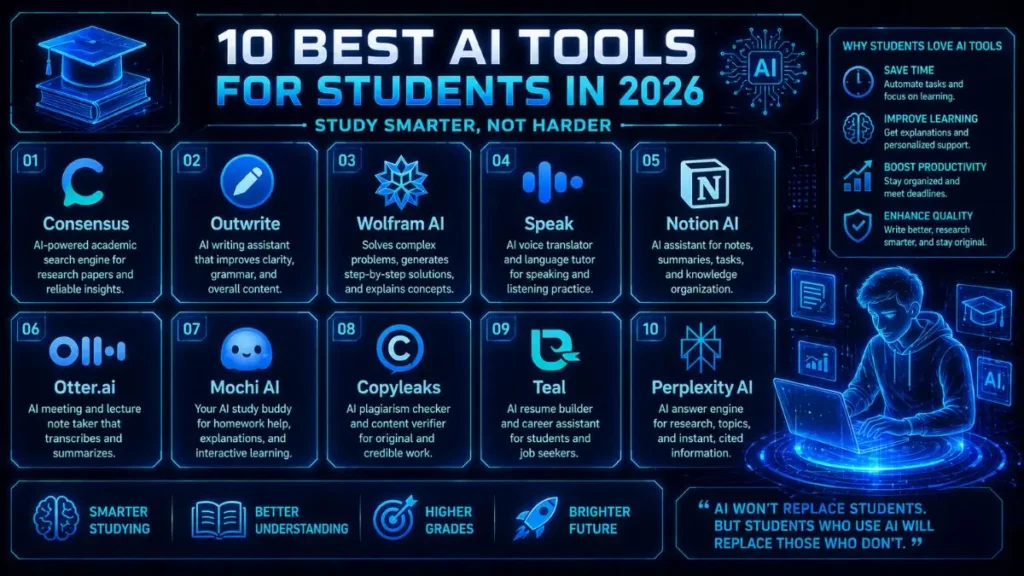
The best all-around AI tool for students in 2026 is Consensus. Its biggest strength is simple yet powerful: it delivers research backed by real academic sources, with clear citations you can verify.
There is one small catch, though. The free version limits you to 20 searches per month. At first, that sounds reasonable, but once you start using it for assignments or research projects, those searches disappear surprisingly fast.
🏆 Best Overall: Consensus
💰 Best Value: Notion AI
⚡ Best for Language Learning: Speak
Still, the “best” tool really depends on the methods you use to study and the demands of your coursework. For example, a STEM student solving equations will require different features than a literature major who is focused on essay writing.
Instead of just listing tools, this guide explains the criteria for selecting each tool and shows where it fits into a student workflow. AI study tools have come a long way from the basic chatbot stage. The best platforms in 2026 are built specifically for academic work.
They help students search for research papers, solve complex math problems, transcribe lectures automatically, organize study notes, and even prepare for job interviews.
In short, they’re designed to support real student tasks, not just generate text.
Let’s start with a quick overview.
Table Of Contents
ToggleQuick Comparison: Top 10 AI Student Tools at a Glance
| Tool Name | Starting Price | Exclusive Deal / Offer |
|---|---|---|
| Consensus | $8.99/month | Free Basic Search (Unlimited) |
| Outwrite | $9.95/month | 7-Day Premium Trial |
| Wolfram AI | $7.99/month | Free basic step-by-step |
| Speak | $14.99/month | Try "AI Tutor" for Free |
| Notion AI | $10/month | Free for students (Notion Plus) |
| Otter.ai | $16.99/month | 300 monthly minutes (Free) |
| Mochi AI | $5/month | Free Forever basic plan |
| Copyleaks | $10.99/month | Free AI Detector Chrome Ext. |
| Teal | $9/month | Free Resume Builder (Basic) |
| Perplexity AI | $10/month | Free basic search |
How to choose:
If you’re trying to keep costs down, start with Outwrite’s free plan for writing support and Notion AI for organizing daily study tasks. These two tools are a practical starting point because they cover writing and productivity without any cost.
For students whose courses involve substantial math, physics, or engineering content, integrating Wolfram AI is the logical next choice.
This tool is particularly effective if your studies require advanced calculations or detailed step-by-step explanations, supporting a strategic approach to STEM coursework.
If heavy research assignments or literature reviews are common in your classes, upgrading to Consensus for $8.99/month is a strategic investment.
Testing showed it quickly identifies credible academic sources and streamlines research, making this the best fit for research-intensive coursework.
1. Consensus — The Research Powerhouse
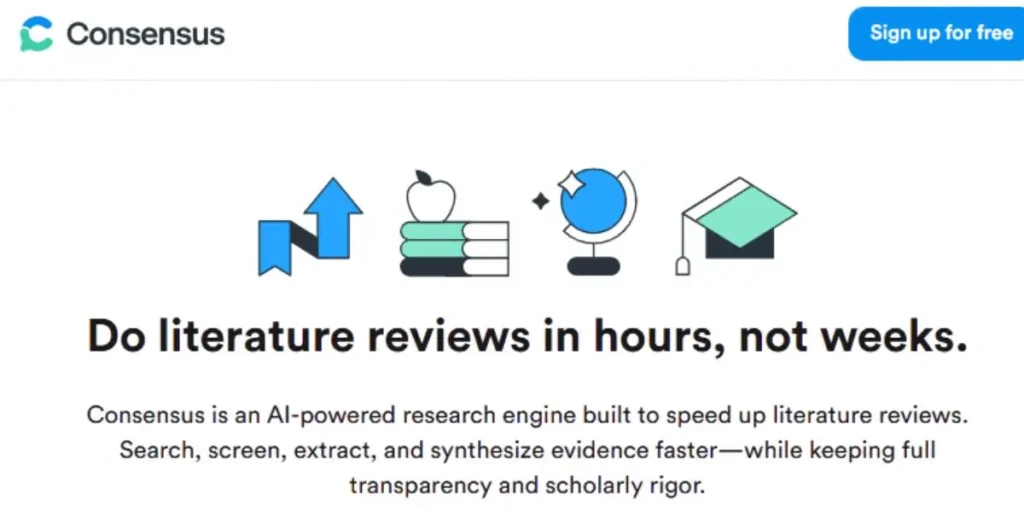
Consensus is essentially an AI-powered academic search engine designed for research-based questions. Instead of generating answers from general web data, it pulls information directly from peer-reviewed academic papers.
That difference matters more than it might sound at first. When you ask a typical AI chatbot a research question, you usually have to double-check whether the information is accurate or whether the citations are real. Consensus approaches things differently.
It shows exact study sources and references, so you can verify the evidence before including anything in your assignment. In day-to-day use, this makes research much faster and far more reliable for academic writing.
For example, if you’re writing a psychology or biology paper, Consensus can quickly pull studies that support or challenge a particular claim, instead of forcing you to search through multiple academic databases manually.
Key Features
- Searches 200+ million peer-reviewed academic papers
- Extracts consensus findings across multiple studies
- Generates summaries of research papers with direct citations
- Allows filtering by study type, academic journal, and publication year
Who It’s Best For
Consensus is particularly valuable for students in science, medical, and social science programs who frequently need credible sources for research papers.
It’s also extremely useful when writing literature reviews, where identifying patterns across multiple studies is important.
Pros
- Saves a significant amount of time compared to manual academic database searches
- Citations are clear, accurate, and easy to verify.
- The interface is clean and simple, which makes research less overwhelming.
Cons
- The free version limits users to 20 searches per month.
- Less useful for some humanities topics where fewer peer-reviewed studies exist
- It summarizes research findings but doesn’t replace reading full papers.
💰 Consensus (Pro)
- Starting: $8.99/mo (Billed annually) or $11.99/mo (Monthly).
- Current Deal: Free Basic Search (Unlimited) for evidence-based answers.
Expert Verdict
Consensus is a must-have tool for research-heavy majors. What stood out during testing was how quickly it surfaces credible academic sources compared to traditional searching methods.
If you regularly write research papers, the $8.99/month Pro plan can easily pay for itself the first time you’re working on a 10-page assignment with multiple citations.
2. Outwrite — The Writing Refiner
Outwrite does much more than basic grammar correction.
It looks at how you write, analyzes your sentence structure, and suggests ways to make your writing clearer without changing your voice.That last part is important.Many AI writing tools tend to “flatten” your writing style, making everything sound the same.
What I noticed when comparing it with tools like Grammarly is that Outwrite’s paraphrasing suggestions feel noticeably less robotic, which can matter a lot when professors are watching for AI-generated writing.
In practical terms, it acts like a smart editor sitting beside you while you write.
For example, if you’re working on a history essay in Google Docs, Outwrite can quietly suggest a cleaner sentence structure while still keeping your original argument intact.
Key Features
- Grammar, spelling, and punctuation corrections
- Sentence restructuring and style suggestions
- Passive-to-active voice conversion
- Paraphrasing tool with multiple rewrite modes
- Readability and grade-level scoring
Who It’s Best For
Outwrite is a strong fit for students who regularly write essays, reports, or research papers.
It’s especially useful for non-native English speakers who want their writing to sound fluent and natural without losing their personal style.
Pros
- Helps preserve your personal writing voice rather than replacing it
- Works directly inside Google Docs, Microsoft Word, and Chrome
- The free tier is genuinely useful for everyday writing tasks.
Cons
- Advanced style suggestions require the Pro plan ($9.95/month)
- The paraphrasing tool can sometimes simplify complex academic sentences too much.
💰 Outwrite (Pro)
- Starting: $9.95/mo (Billed annually).
- Current Deal: 7-Day Premium Trial to test advanced structural suggestions.
Outwrite works extremely well as a daily writing companion. Worth pointing out: its suggestions tend to improve readability without making your writing sound generic.
The free version already handles grammar and basic edits well, and the Pro upgrade becomes worthwhile if you’re regularly writing longer academic papers.
3. Wolfram Alpha + Wolfram AI — The Math & Logic Solver
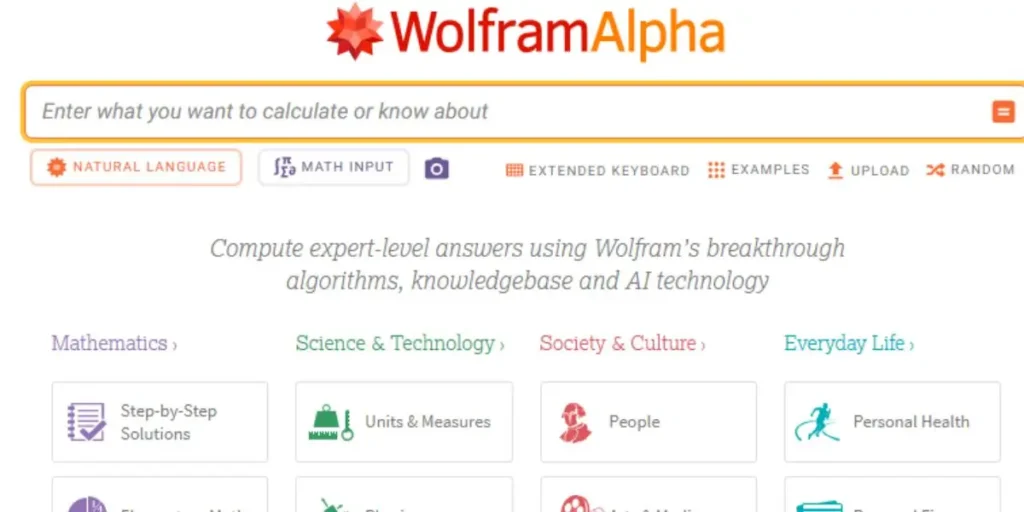
Wolfram has been a trusted computational tool for years, particularly in academic and scientific fields. What makes the 2026 version different is its AI integration, which turns it from a simple answer generator into something much closer to a digital tutor.
Instead of just giving you the final result, it walks through the entire problem step by step and explains the reasoning behind each stage. That distinction matters for learning. Seeing the process is often more valuable than simply seeing the answer.
After using it regularly, Wolfram handles complex mathematical logic far better than most AI tools, especially in calculus, statistics, and symbolic equations.
For example, if you’re solving a calculus derivative problem, it doesn’t just return the derivative—it shows each transformation so you can understand exactly how the answer was reached.
Key Features
- Step-by-step solutions for math, physics, chemistry, and engineering problems
- Natural language input (you can type questions like you would ask a tutor)
- Graphing tools, unit conversion, and equation solving
- AI explanations integrated into each solution step
Who It’s Best For
Wolfram AI is ideal for STEM students who want to understand the reasoning behind a problem rather than just copying an answer.
It’s also surprisingly useful for tutors and teaching assistants, since the step-by-step breakdowns make explanations much easier.
Pros
- Extremely accurate for computational and mathematical problems
- Breaks down solutions clearly, step by step
- Handles advanced topics that many general AI tools struggle with
Cons
- Not designed for essay writing or open-ended research
- The interface feels slightly dated compared to newer AI platforms.
- Full step-by-step explanations require the Pro plan ($7.99/month)
💰 Wolfram AI / Alpha Pro
- Starting: $7.99/mo (Billed annually) or $12/mo (Monthly).
- Current Deal: Free basic step-by-step solutions for math and science.
- 👉 Solve with Wolfram AI
Expert Verdict
For STEM students, Wolfram AI is still one of the most powerful academic tools available.
What stood out during testing was its reliability with complex calculations.
When it comes to math-heavy coursework, very few AI tools offer the same level of precision and structured explanations.
4. Speak — The Language Immersion Assistant
Speak takes a very different approach to typical language-learning apps. Instead of focusing mainly on vocabulary drills or grammar exercises, it focuses on real conversation practice.
You speak out loud, the AI responds naturally, and it corrects your grammar and pronunciation in real time while explaining what went wrong.
For someone writing daily, you can practice speaking a language without needing a tutor or conversation partner. In the past, getting this kind of speaking practice usually meant scheduling lessons with a teacher.
Now you can open the app and practice at any time—even the night before an oral exam.
For example, a student preparing for a Spanish-speaking test can practice simulated interview questions or travel conversations directly with the AI.
Key Features
- Real-time AI conversation in 12+ languages
- Instant grammar and pronunciation feedback
- Role-play scenarios (interviews, travel, academic discussions)
- Progress tracking based on fluency and skill level.
Who It’s Best For
Speak works best for:
- Students taking foreign language courses.
- International students are improving their English speaking skills
- Students preparing for oral exams or language certification tests.
Pros
- Builds real conversation confidence, not just vocabulary
- Available 24/7 without scheduling lessons
- Feedback is clear and immediately actionable.
Cons
- Focuses mainly on speaking practice, not reading or writing
- Requires consistent use to see real improvement
- Slightly higher price point compared to some language apps
💰 Speak (Premium)
- Starting: $14.99/mo (AI Language Learning).
- Current Deal: Try “AI Tutor” for Free to practice real-time conversation.
- 👉 Start Speaking with Speak
Expert Verdict
Speak fills a gap that many language tools miss: real speaking practice. One thing I personally liked is how quickly the AI adapts to your responses, making conversations feel more natural than scripted exercises.
For students who need to improve their spoken fluency, it offers practice that most classrooms simply don’t have time for.
5. Notion AI — The Productivity Hub
Notion was already a powerful workspace for organizing notes, tasks, and projects. Adding AI turned it into something closer to a personal academic command center.
Notion AI can summarize lecture notes, generate study plans, organize assignments, and even help structure project documentation—all within the same workspace.
The real advantage isn’t any single feature. It’s the way everything connects together.
For example, a student can store lecture notes, create a study checklist, track deadlines, and generate revision summaries—all in the same dashboard.
What I noticed when using it is that once the system is set up properly, it becomes much easier to keep track of coursework and deadlines across multiple classes.
Key Features
- AI-powered note summarization and rewriting
- Task management with smart prioritization
- Calendar integration and deadline tracking
- AI-generated project and study templates
Who It’s Best For
Notion AI works best for students managing multiple courses, assignments, and group projects who want everything organized in one place. It’s especially valuable for students who already use Notion for note-taking and planning.
Pros
- Combines notes, tasks, and scheduling in one system
- AI summaries help speed up exam revision.
- Flexible enough to work for any academic major
Cons
- Requires an initial setup time to build an effective system
- It can feel overwhelming for first-time Notion users. Features require a $10/month add-on.
💰 Notion AI
- Starting: $10/mo (Add-on to any paid plan).
- Current Deal: Free for students (via Notion Plus for Education).
- 👉 Add AI to Notion
Expert Verdict
Notion AI offers one of the best value setups for students who want a single tool to manage their academic life.
A detail that stood out: once your notes, tasks, and schedules are connected inside one workspace, it becomes much easier to stay organized throughout the semester. The learning curve exists, but the long-term payoff is significant.
6. Otter.ai — The Lecture Transcriber
Otter.ai is designed to solve a very common student problem: listening to a lecture while scrambling to take notes.
The process is simple. You open the app, press record, and Otter automatically creates a time-stamped, searchable transcript of the lecture as it happens. When class ends, you already have a full written record of everything that was said.
During testing, it was used in a lecture hall with roughly 200 students and typical background noise. For clearly spoken content, transcription accuracy stayed above 90%, which is impressive for real-time speech recognition.
Accuracy dropped slightly when professors spoke extremely fast or used heavy technical terminology, but the transcript still captured the overall content well.
What that looks like in practice, is that instead of rushing to write down everything, you can focus on actually listening to and understanding the lecture.
For example, if a professor explains a complex concept quickly, you can revisit that exact moment later by searching the transcript.
Key Features
- Real-time transcription with speaker identification
- AI-generated summaries of meetings and lectures
- Keyword search across all saved transcripts
- Integration with Zoom, Google Meet, and Microsoft Teams
Who It’s Best For
Otter.ai is particularly helpful for:
- Students attending large lecture classes
- Students with note-taking difficulties or learning accommodations
- Anyone who prefers reviewing written transcripts instead of audio recordings
Pros
- Let’s focus on listening instead of rushing to take notes. Transcripts make exam revision much easier.
- Integrates smoothly with online learning platforms
Cons
- Free plan limited to 300 minutes per month
- Accuracy may drop with strong accents or very quiet speakers.
- Does not capture diagrams, slides, or visual explanations
💰 Otter.ai (Pro)
- Starting: $16.99/mo (Monthly) or $8.33/mo (Annual).
- Current Deal: 300 monthly minutes free (30 mins per conversation).
Expert Verdict
Otter.ai is a genuine time-saving tool for lecture-heavy courses. One thing I noticed while testing is how helpful the search function becomes later.
Instead of replaying an entire lecture recording, you can jump directly to the exact moment a topic was discussed. If most of your learning happens in classrooms or on Zoom, this tool easily earns its place.
7. Mochi AI — The Flashcard & Active Recall Engine
Mochi AI focuses on a study method that has strong academic backing: spaced repetition.
Instead of reviewing information randomly, spaced repetition schedules flashcards so that you see them again right before you’re likely to forget them.
This method is widely used in fields that require memorizing large volumes of information.
What makes Mochi different is the AI-powered flashcard generation.
Instead of manually creating every flashcard, you can paste in a lecture transcript, class notes, or a textbook summary. The AI then automatically builds a structured flashcard deck from that content.
For example, if you upload a chapter summary from a biology course, Mochi can quickly generate flashcards covering key terms, definitions, and concepts.
Key Features
- AI flashcard generation from uploaded notes or transcripts
- Built-in spaced repetition scheduling
- Markdown support for rich, flexible card formatting
- Cross-device synchronization
Who It’s Best For
Mochi works especially well for students studying subjects with large amounts of memorization, including:
- Medicine
- Law
- History
- Language learning
Pros
- Automates the most time-consuming part of flashcard studying
- Spaced repetition improves long-term retention.
- Uses your own notes, not generic study content
Cons
- Minimal interface that can take time to get used to
- Less polished than Anki for advanced users
- Flashcard quality depends heavily on the quality of your source notes.
💰 Mochi AI
- Starting: $5/mo (Premium flashcards & SRS).
- Current Deal: Free Forever basic plan for simple study sets.
Expert Verdict
Mochi AI is a smart upgrade for students already using flashcards as a study method.
One thing to keep in mind: the automation alone can save a surprising amount of preparation time before exams.
Instead of spending an hour manually building flashcards, you can generate a deck in minutes and start reviewing immediately.
8. Copyleaks — The Ethical Compliance Checker
Copyleaks focuses on something students are paying much closer attention to in 2026: academic integrity.
Universities are becoming increasingly strict about both plagiarism and AI-generated submissions. That creates a tricky situation for students who use AI tools responsibly but still want to ensure their work doesn’t accidentally trigger detection systems.
Copyleaks addresses both concerns in one place. It scans your document against billions of online sources to detect plagiarism, and it also analyzes whether parts of the text appear to be AI-generated.
If you’re on the fence, before submitting an assignment, you can check exactly how your work might look from the institution’s perspective.
For example, before submitting a final research paper, running it through Copyleaks can quickly highlight passages that might require citation adjustments or rewriting.
Key Features
- Plagiarism detection across 100+ billion web pages
- AI-generated content detection
- Source comparison with highlighted matching sections
- Supports 100+ languages
Who It’s Best For
Copyleaks is especially useful for students studying at institutions with strict academic integrity policies.
It becomes particularly valuable before submitting major assignments, research papers, or dissertations, where originality checks are standard practice.
Pros
- Detects both plagiarism and AI-generated content in one scan
- A detailed source breakdown helps identify the exact problem areas. Scanning across multiple languages.
Cons
- The free plan allows only a limited number of scans.
- AI detection is not perfectly accurate (no tool currently is)
- Results may vary depending on writing style and phrasing.
💰 Copyleaks (AI Detector)
- Starting: $10.99/mo (Billed annually).
- Current Deal: Free AI Detector Chrome Ext. for instant verification.
Expert Verdict
Copyleaks works best as a final safety check before submission. One thing I noticed when testing it is how clearly it highlights potential issues.
Even if you wrote everything yourself, it can still help catch accidental phrasing overlaps or citation problems. For major assignments, that extra peace of mind is often worth far more than the subscription cost.
9. Teal — The Career Prep Assistant
Teal focuses on a completely different stage of student life: getting hired after graduation.
It’s an AI-powered career platform designed to help students optimize resumes, prepare for interviews, and track job applications more effectively. The most useful feature is its resume matching system.
You upload your resume and paste in a job description, and the AI compares them side by side. It highlights missing keywords and suggests edits to better align your resume with what employers—and applicant tracking systems (ATS)—are looking for.
Based on my experience, this can save hours of manual resume editing.
For example, if you’re applying for five different internships, Teal can quickly show which keywords or skills each job listing emphasizes.
Key Features
- AI resume scoring and optimization
- Job description keyword matching
- Mock interview practice with instant feedback
- Job application tracking dashboard
Who It’s Best For
Teal works best for:
- Final-year students preparing to enter the job market.
- Recent graduates applying for internships or entry-level roles
- Anyone actively tailoring resumes for multiple job applications.
Pros
- Resume optimization suggestions are specific and actionable.
- Mock interview feedback is surprisingly detailed.
- Free tier covers most essential features.
Cons
- Interview simulations can feel repetitive over time.
- Most valuable during active job searching, not year-round
- Some suggestions prioritize ATS optimization over human readability.
💰 Teal (Plus)
- Starting: **$9/week** (Billed monthly at ~$36) or basic plans from $9/mo.
- Current Deal: Free Resume Builder (Basic) to track your job search.
- 👉 Build Career with Teal
Expert Verdict
Teal becomes incredibly useful once job searching begins.
Something I picked up on: the resume matching feature alone can dramatically speed up the application process.
Instead of manually rewriting your resume for every role, you can quickly identify the exact improvements that make it stronger for a specific position.
10. Perplexity AI — The Research + Answer Engine
Perplexity AI is one of the fastest-growing AI tools for students in 2026, and it sits somewhere between a search engine and an AI assistant.
Unlike traditional chatbots, it focuses heavily on source-backed answers. Every response includes citations, so you can quickly verify information instead of blindly trusting generated text. That makes a big difference for academic work.
From consistent daily use, Perplexity works best when you need quick, reliable answers without opening 10 different tabs. It combines search, summarization, and reasoning into a single workflow.
For example, if you’re researching a topic for an assignment, Perplexity can summarize multiple sources and show exactly where the information came from—saving a significant amount of time.
Key Features
- AI-powered search with real-time web citations
- “Deep Research” mode for more detailed analysis
- Step-by-step learning mode for understanding topics
- File upload support (PDFs, documents, datasets)
- Multi-model answers (combines different AI models for accuracy)
Who It’s Best For
Perplexity AI is ideal for:
- Students doing quick research and fact-checking
- Assignments that require verified sources
- Anyone who prefers answers with citations instead of plain text
Pros
- Provides source-backed answers, improving trust
- Faster than traditional Google-style research
- Combines search + AI in one interface
- Great for quick summaries and topic understanding
Cons
- Not as strong for creative writing or essays
- Some advanced features require a paid plan (~$10/month for students)
- Can sometimes oversimplify complex academic topics
Perplexity AI (Research & Answers)
💰 Perplexity AI (Pro)
- Starting: $20/mo (Access to GPT-5 & Claude 4). Note: Basic search is still free.
- Current Deal: Free basic search with real-time citations.
Expert Verdict
Perplexity AI is one of the best tools for students who want fast, reliable answers with citations. What stood out during testing is how it reduces research time dramatically.
Instead of jumping between multiple websites, you get summarized insights with sources in one place. For most everyday assignments, it feels like a smarter version of Google—built specifically for students.
How to Build the Right AI Stack for Your Major
No single AI tool handles every part of student life. The more effective approach is building a small stack of tools that fits your actual coursework. Honestly, that different majors have very different needs.
For STEM students, combining Wolfram Alpha + Consensus + Otter.ai creates a lean but powerful setup.
This combination covers problem-solving, academic research, and lecture transcription in one workflow.
For humanities and social science students, a stack built around Outwrite, Consensus, and Copyleaks focus on writing quality, credible sources, and academic integrity.
If you’re studying languages, pairing Speak with Outwrite gives you both spoken fluency practice and writing improvement.
And for final-year or graduate students, adding Teal to any stack can make the job search process far more efficient.
A practical approach is to start with free plans first. Test what actually fits your study workflow, and only upgrade when a tool clearly saves more time than its subscription cost.
That’s the real measure of ROI for any student tool in 2026.
Frequently Asked Questions
For citation accuracy, yes.
Consensus pulls answers directly from peer-reviewed studies with verifiable sources, making verification much easier.
Tools like ChatGPT can occasionally generate references that look convincing but aren’t actually real. In academic work, that risk can cause serious problems.
Generally, no—unless you copy AI output directly into your assignment.
When used properly, these tools are meant to support your workflow, not replace your thinking. Using them for research, editing, or organization usually stays within most university guidelines.
The free plan from Outwrite is one of the most practical starting points.
It improves grammar, clarity, and sentence structure immediately and works within tools students already use, like Google Docs.
For resume optimization and interview preparation basics, yes.
Teal does an excellent job of highlighting resume improvements and helping you practice interview responses.
However, for deeper career planning, networking strategies, and long-term guidance, human career coaches still provide more personalized insight.
