How to Monetize AI Art in 2026: A Real, Compliant Guide That Actually Pays
By SM Mehedi Hasan
You monetize AI art by selling it as print-on-demand products, digital downloads, stock images, or client commissions. The real catch in 2026 is that purely AI-generated images cannot be copyrighted, so your human editing and niche choice are what actually protect and sell the work.
Most guides on this topic still talk as if it were 2023. They tell you to generate a hundred images and dump them on stock sites for passive income. That exact playbook is now the fastest way to get an account suspended.
So this guide takes a different path: what genuinely pays in 2026, what each platform actually allows right now, and how to stay safe on copyright, disclosure, and ad-revenue rules.
Table Of Contents
ToggleWhat Does It Mean to Monetize AI Art?
To monetize AI art means turning images you generate with tools like Midjourney, DALL-E, Stable Diffusion, or Adobe Firefly into income through products, licenses, or services.
You are not selling the act of typing a prompt. You are selling a finished, usable visual that someone wants to print, license, or hang on a wall.
Here is where people get confused. Generating an image is the easy 5% of the job. The other 95% is picking a niche that buyers actually search for, cleaning up the output, formatting it correctly, and listing it on a platform that allows it.
The tool is a paintbrush, not the painting. If you are brand new, this matters because it sets expectations. The money does not come from the AI being clever.
It comes from you treating AI art like a small product business with real customers, real platforms, and real rules.
Can You Legally Sell AI Art in 2026?
Yes, you can legally sell AI art in 2026, and no major US marketplace bans it outright. But selling it and owning it are two completely different things, and that gap is where most sellers get burned.
The selling part is settled. Etsy, Redbubble, Adobe Stock, Gelato, Printful, and Society6 all permit AI-generated work under specific conditions. The ownership part is where 2026 got stricter and clearer at the same time.
Do You Own the Copyright to AI Art You Sell?
You do not own copyright on a purely AI-generated image. The US Copyright Office requires human authorship, and a prompt by itself does not count as authorship.
In its January 2025 report on copyrightability, the Office concluded that prompts function as instructions conveying unprotectable ideas, rather than as the creative expression copyright is designed to protect.
So what does that mean in plain money terms? If you generate a raw image and sell it as-is, and a competitor right-clicks it and lists the same design, you likely have no legal standing to file a successful takedown.
You cannot defend something that the law says you never owned. There is a way to build ownership back in, though. When you make meaningful human contributions, like significant edits, original compositing, hand-drawn elements, or combining the AI piece with your own typography, the parts you actually created can qualify for protection.
You still have to disclaim the AI-generated portions when registering, but your human layer becomes defensible.
What Did the March 2026 Supreme Court Decision Change?
On March 2, 2026, the US Supreme Court declined to hear Thaler v. Perlmutter, thereby firmly locking the human-authorship rule in place.
The case involved an image the creator admitted was made entirely by an AI system with no human creative input. Every court that touched it agreed: no human author, no copyright.
The practical takeaway is simple and a little uncomfortable. Pure AI output sits in a strange zone where you can sell it but cannot fully own it.
One related case, Allen v. Perlmutter, is still working through the system and involves an image refined with more than 600 prompts, so the line between “enough human input” and “not enough” is still being drawn. Honestly, when I first dug into this, I expected the rules to be murkier than they are.
They are not. Add real human work, document it, and you move from “I sell unprotected images” to “I sell work I can actually defend.” That single shift changes your whole risk profile.
What Are the Best Ways to Monetize AI Art?
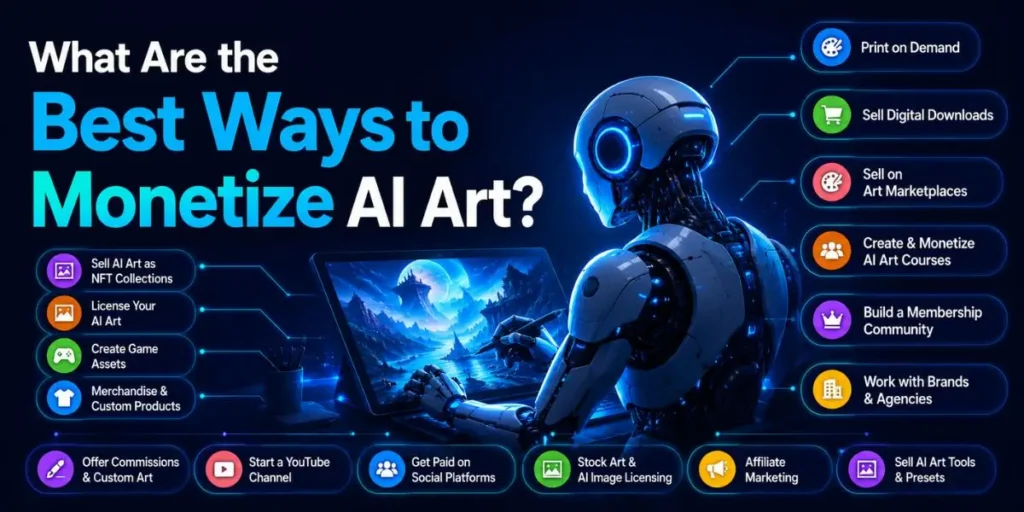
There are seven monetization paths that still work in 2026, ranging from passive product sales to active client services. The table below sorts them by how hard they are to start and how the income behaves.
| Method | Startup difficulty | Income type |
|---|---|---|
| Print-on-demand products | Low | Passive, recurring |
| Etsy digital downloads | Low | Passive, recurring |
| Stock image licensing | Medium | Passive, slow build |
| Wall art and prints | Medium | One-time per sale |
| Licensing to businesses | High | High value, irregular |
| Commissions and freelance | Medium | Active, fast cash |
| Selling prompts | Low | Passive, niche |
If you are short on time and want the lowest-friction start, print-on-demand and Etsy digital files are where most beginners see their first sale.
Licensing and commissions pay more per job, but you need a portfolio and outreach. Pick one lane and go deep before adding a second.
How Do You Make Money With Print-on-Demand AI Art?
Print-on-demand (POD) lets you put AI designs on physical products without holding inventory, making it the most beginner-friendly way to monetize AI art in 2026.
You upload a design, the platform prints and ships it when someone buys, and you keep the margin.
Follow these steps to set up a POD income stream:
- Generate a niche design. Pick a specific buyer, like a cat lover, cottagecore, or retro gym motivation. Generate art aimed at that exact person, not generic “cool wallpaper.”
- Upscale and clean the file. Run the image through an upscaler like Topaz Gigapixel AI or Let’s Enhance to print it sharply. Fix warped hands, broken text, and weird edges before anything else.
- Add a human layer. Edit in Photoshop or a free tool, recolor, add original typography, or combine pieces. This improves quality and gives you something closer to ownership.
- Pick the right products. Enable only the mockups where your design looks centered and crisp. Disable items where they crop badly, like socks or curved mugs.
- Write honest, searchable listings. Use a clear title, accurate tags, and a disclosure line that the art is AI-assisted and refined by you.
After these five steps, you should see live product listings that are sharp, niche-specific, and compliant, which is exactly what the platform algorithms reward over raw volume.
The reason this order works is that quality and compliance now decide visibility, not upload speed. Skip the upscaling, and you end up with blurry prints. Skip the human layer, and you compete with a thousand identical raw outputs.
Which POD Platforms Allow AI Art in 2026?
All major print-on-demand platforms allow AI art in 2026, but each has its own disclosure rules and spam penalties. Here is where the big names stand right now.
| Platform | AI art status | Key 2026 rule |
|---|---|---|
| Redbubble | Allowed | Disclose AI; mass low-quality uploads trigger spam tier |
| Printful | Allowed | Standard POD; you handle IP and disclosure |
| Printify | Allowed | Allowed with IP compliance |
| Gelato | Allowed | Global POD with automation support |
| Society6 | Allowed | Original, non-infringing work only |
Redbubble deserves a specific warning. It permits AI art, but flooding it with hundreds of unedited daily uploads can drop your account into the Standard tier, which carries higher fees pulled straight from your earnings, and it can lead to shadowbanning or termination. Quality over quantity is not a slogan here; it is account protection.
Pro tip: Spread your designs across two or three POD platforms instead of betting everything on one. If a single platform changes its rules overnight, as several did in 2025, you do not lose your whole income in a day.
In My Experience
The thing that surprised me most was how fast generic AI designs die in search. I uploaded a batch of broad, pretty images, expecting at least slow drip sales. Nothing moved for weeks.
Then I narrowed one design to a hyper-specific niche, added hand-placed typography, and that single edited piece outperformed the entire generic batch.
What I did not expect was how much the editing step mattered for trust, not just quality. Buyers can feel a flat, untouched AI output.
The pieces with a real human pass, slight recoloring, a custom font, and a cleaned background simply converted better. The lesson stuck: one curated design beats fifty raw ones, every time.
How Do You Sell AI Art on Etsy Without Getting Suspended?
To sell AI art on Etsy safely in 2026, you must disclose AI use in every listing description and categorize the item as “Designed by a seller,” not handmade.
Etsy did not ban AI art, but it tightened the rules hard, and missing a disclosure is now an automated removal trigger.
Etsy’s current position breaks down into a few firm rules:
- Disclosure is mandatory. If AI touched the product, the listing description must clearly say so. A buyer scrolling past should reasonably notice it, not have it buried in gray text.
- Use the right category. Seller-prompted AI art goes under “Designed by a seller.” You cannot list it as handmade or select “I made it” when a machine generated the primary visual.
- AI prompt bundles are banned. You can sell AI art, but you cannot sell collections of prompts as a product on Etsy.
- Avoid spam-farm patterns. Sellers report that uploading 20 to 30 near-identical AI listings per day consistently triggers review and suspension, often with no warning.
There is a timeline detail worth knowing. On June 10, 2025, Etsy quietly rewrote its Creativity Standards and removed the old exception for templated designs, so “based on a seller’s original design” became the standard.
A new Seller Policy version also takes effect on July 9, 2026, which keeps the AI disclosure requirement front and center.
Compared to the old days of dumping designs and walking away, this is a different game. Etsy now runs detection that matches your disclosure against its own image analysis.
A clean, honest disclosure is not just ethics; it is what keeps your listings out of the suppressed-search penalty box.
One trick worth trying: Write your disclosure so it doubles as a trust signal.
Something like “created with AI-assisted generation, then upscaled, color-checked, and formatted by the seller” tells the buyer the truth while showing your human work in a single sentence. It protects you, and it sells.
Can You Sell AI Images on Stock Photo Sites?
You can sell AI images on some stock sites but not others, and getting this wrong wastes weeks of uploads. The single biggest mistake I see is treating “stock sites” as a single group when their AI policies are now sharply different.
| Stock site | Accepts AI? | Condition |
|---|---|---|
| Adobe Stock | Yes | Must label as "Generative AI"; releases for real people |
| Shutterstock | No | Does not accept contributor AI-generated content |
| Getty Images | No | Bans AI-generated content |
| Freepik | Yes | Accepts AI with proper tagging |
Adobe Stock is the main verified home for AI stock work right now. It accepts AI-generated images, vectors, and video as long as you tick the “Created using generative AI tools” checkbox.
You also cannot use prompts referencing real artists, named people, fictional characters, or branded property, and any identifiable person needs a model release.
Shutterstock is the trap. Despite building its own AI generator, Shutterstock does not accept AI-generated submissions from contributors, and its 2026 pipeline scans metadata like C2PA content credentials and AI tool signatures before a human even reviews.
Getty maintains a full ban, citing unresolved ownership of training data. So if stock licensing is your plan, build for Adobe Stock first, tag honestly, and do not waste time pushing pure AI files to Shutterstock or Getty. A slow, compliant Adobe portfolio beats a fast portfolio that gets rejected on upload.
How Do You Sell AI Art as Digital Downloads and Prints?
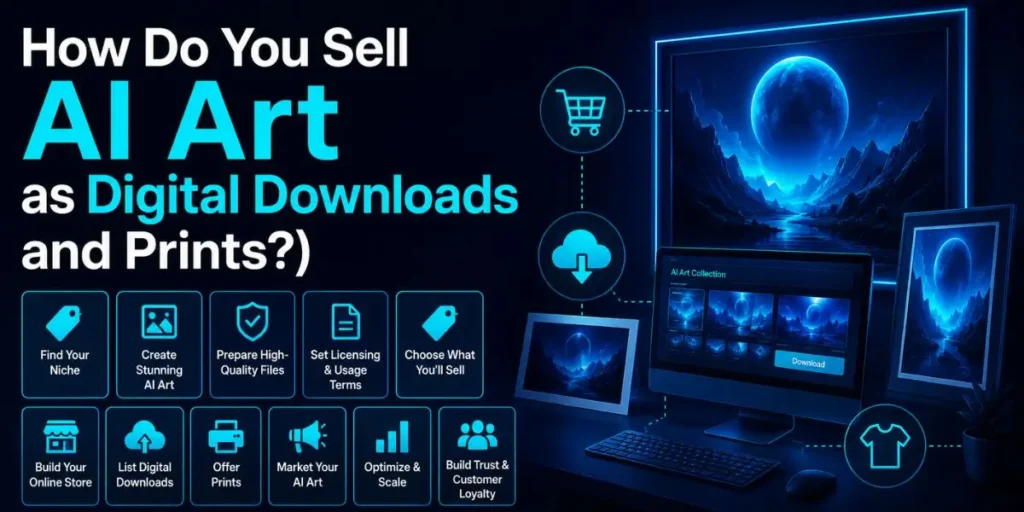
Selling AI art as digital downloads means delivering instant files like printable wall art, clipart, or coloring pages, while prints involve shipping a physical product.
Digital downloads are the higher-margin option because there is no printing or shipping cost eating into your profit.
Printable wall art is a strong 2026 niche. A buyer pays once, downloads a high-resolution file, and prints it at home or through a local shop.
Your job is to deliver clean, correctly sized files and to describe exactly what they get: file type, pixel dimensions, print ratios, and resolution.
If you go physical, you have two routes. Run it through a POD partner that handles fulfillment, or sell limited-run prints yourself at a premium.
The premium route works when you have built a recognizable style and a small audience that trusts your taste.
Clipart and design assets are quietly profitable too. Niche clipart sets, planner stickers, and seamless patterns sell repeatedly on marketplaces because small business owners and crafters need fresh assets constantly.
The key is solving a specific need, not flooding the market with another generic floral pack.
What About Licensing, Commissions, and Freelance AI Art Work?
Licensing and commissions are the highest-paying AI art income streams because you sell expertise and usage rights, not cheap files. A single licensing deal or custom commission can earn more than dozens of POD sales combined.
Licensing means a business pays to use your art for a specific purpose, like packaging, an ad campaign, or a video. You keep the work and can license it again, so one strong piece can generate income from multiple clients over time.
This path needs a portfolio that proves you can hit a brief. Commissions are custom pieces made to a client’s request. Someone wants a stylized pet portrait, a fantasy scene, or a brand illustration, and you deliver it.
Platforms like Fiverr and Upwork are full of buyers who want AI-assisted visuals but do not want to learn the tools themselves.
Freelance AI art work is the fastest cash because you get paid per job, not per slow-building product.
If you can generate, edit, and deliver polished visuals on deadline, small businesses will hire you for social graphics, logos as starting points, and marketing assets. Your edge is reliability and finish, not raw generation.
Compared to passive product sales, this lane trades scalability for speed and dollar value. You cannot fully automate it, but you also do not wait three months for a trickle of royalties.
Are NFTs Still Worth It for AI Art in 2026?
NFTs are a shrunken, high-risk channel for AI art in 2026, and they are nowhere near the income source they were marketed as a few years ago.
The speculative boom cooled dramatically, so treat any NFT effort as a small experiment, not a core plan.
If you still want to try it, the honest framing matters. You would be selling a digital collectible to a niche community, not minting easy money.
The same copyright limits apply, since a purely AI-generated image does not gain protection just because it is tokenized.
For most people reading this, your time pays off far better on POD, Etsy downloads, Adobe Stock, and commissions.
I include NFTs here only because every other guide hypes them, and you deserve the unhyped version: possible, but not where the steady money lives anymore.
How Should You Price Your AI Art?
Price your AI art based on the format and the human value you add, not on what it costs you to generate, which is close to nothing.
Buyers pay for the finished result, and the time you saved them, so pricing based on your generation cost leaves money on the table.
Use these rough anchors as a starting frame:
- Digital downloads: Often a few dollars to low double digits, depending on niche and file value. Bundles and sets justify higher prices.
- POD products: Set your margin on top of the base cost. Stronger niches and designs support premium margins.
- Commissions: Charge for your time and skill. Beginners start low to gather reviews, then raise rates as proof builds.
- Licensing: Price by usage scope. A small social use is cheap; commercial packaging or ad use is not.
A common beginner error is racing to the bottom on price to compete with the flood of cheap AI art. That just trains buyers to expect cheap. Position on niche fit and finish quality instead, and let the bargain-bin sellers fight over pennies.
What Are the Common Pitfalls When Monetizing AI Art?
The most common pitfalls in monetizing AI art are skipping disclosure, mass-uploading raw files, and assuming you own copyright you do not have. Each one quietly sabotages income, and beginners hit all three.
- Mass-dumping raw AI output. This feels productive, but platforms now read it as spam. It tanks your search visibility, drops you into penalty tiers, and risks suspension. Quality beats quantity, full stop.
- Skipping disclosure. Etsy, Redbubble, and Adobe Stock all require it, and automated detection is scheduled for 2026. Missing it results in listings being filtered, removed, or your account being flagged.
- Assuming copyright protection. Selling raw AI art and expecting to defend it legally fails because purely AI-generated work is not protected. Add human contribution, or accept that you cannot stop copycats.
- Using protected elements. Generating recognizable characters, logos, celebrity faces, or “in the style of” a living artist invites takedowns and account loss. Removing the brand name does not make a recognizable character safe.
- Ignoring file quality. Uploading low-resolution or artifact-filled images results in refunds and negative reviews. Upscale and inspect every file before listing.
Why do these happen so often? Because the old advice rewarded speed, it spreads faster than the new rules. The sellers who slow down, disclose, edit, and niche down are the ones still standing in 2026.
Workflow Example: From Prompt to First Sale
Here is a realistic end-to-end flow so you can see the full process, not just theory.
Input: You decide to target a niche, say minimalist line-art for new-baby nursery prints. You write a specific prompt for a soft, single-line illustration of a sleeping fox in muted tones.
Process: You generate four variations, pick the cleanest, and upscale it with Topaz Gigapixel AI for print sharpness.
In your editor, you fix a broken line, adjust the palette to match nursery trends, and add a small original border. You export it as a high-resolution printable file in standard frame ratios.
Output: You list it on Etsy under “Designed by a seller,” with an accurate title, niche tags, file details, and a clear AI-assisted disclosure line. You enable matching POD products on Printful for buyers who want a physical print.
Result: A search-friendly, compliant listing goes live. Within the niche, the specific, edited piece rises above generic competitors, and your first sale comes from a parent searching for exactly what you made.
The same file now earns from both digital downloads and physical prints. That is the whole loop.
Notice that the generation took two minutes, and everything that made it sellable took the rest of the hour. That ratio is the real job.
Frequently Asked Questions
Yes. Print-on-demand and Etsy digital downloads need no design degree, just a niche focus, basic editing, and honest listings. Expect a slow start while you learn what your specific buyers actually search for and want.
Yes, on most major platforms. Etsy, Redbubble, and Adobe Stock require AI disclosure in 2026, and automated detection enforces it. A clear disclosure line protects your account and reduces the risk of refunds from confused buyers.
Not if it is purely AI-generated. The US Copyright Office requires human authorship, as confirmed by the Supreme Court’s rejection of the Thaler case in March 2026. Significant human editing or original elements can make your contributions protectable.
There is no single best one. Etsy and POD sites suit beginners, Adobe Stock suits licensing, and commissions pay most. Spreading across two or three platforms protects you from sudden policy changes.
Mostly from mass-uploading raw, unedited images, which platforms read as spam, plus skipped disclosures and using protected characters or brands. Editing your work, disclosing AI use, and avoiding trademarks keep accounts safe.

Is an SEO Specialist and AI Tools Researcher with over 4 years of hands-on experience in search engine optimization. As the founder of Smart AI Helper Pro, he tests and reviews AI writing, SEO, and marketing tools to help creators and business owners grow faster with practical, research-backed strategies.