
InVideo AI Review 2026: Create Viral Videos in Minutes
By SM Mehedi Hasan
This post contains affiliate links. If you make a purchase, I may earn a commission at no extra cost to you.
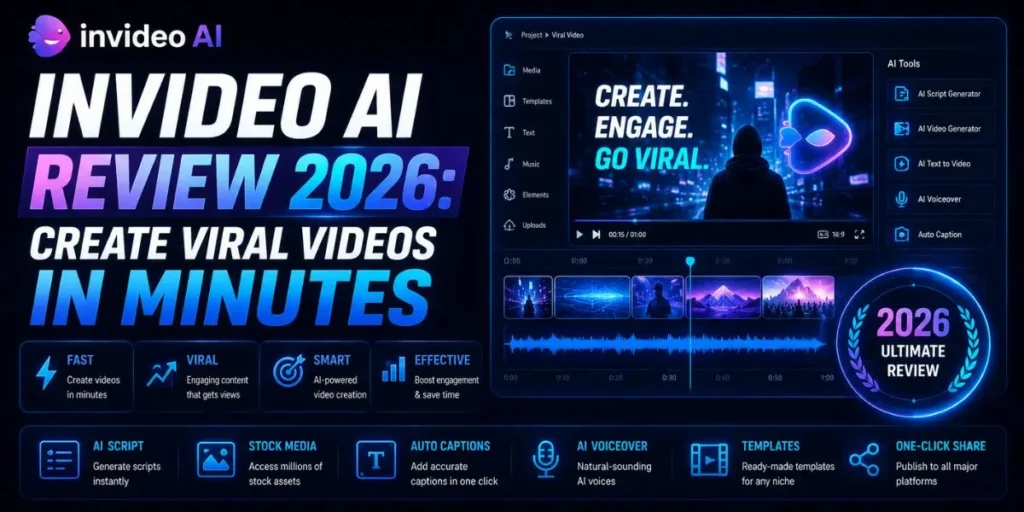
InVideo AI in 2026 is a powerhouse for turning text into video. It offers massive ROI for creators needing scale, automating b-roll and voiceovers brilliantly.
While the editor occasionally lags on complex timelines, it remains the top choice for rapid, automated short-form content.
I noticed the video content landscape has completely shifted over the last year. Creating one decent video used to mean sitting inside Premiere Pro for hours, hunting down stock clips, fixing audio levels, and constantly tweaking timelines.
Now? Algorithms expect daily uploads just to keep your reach alive. If you stop posting consistently, visibility drops fast.
My own jump into AI video generation came from pure workload pressure. Running multiple monetized content sites meant I needed a faster way to turn blog posts into YouTube Shorts and TikToks without bringing on a full-time editor.
So I started testing almost every AI video tool I could find. Some had painfully robotic voice-overs. Others paired scripts with visuals that made absolutely no sense.
Most people assume all AI video generators work roughly the same way, but actually, the difference in workflow quality is huge once you spend real time with them.
InVideo AI grabbed my attention because of one very specific promise: type a prompt, and get something publish-ready within minutes.
To give you some context before getting deeper into the review, here’s a quick comparison of how InVideo stacks up against some of the biggest competitors right now.
Table Of Contents
ToggleTool | Best For | Price |
InVideo AI | Rapid text-to-video | |
Pictory | Long blog-to-video | $23/mo |
Runway Gen-3 | Custom AI visual generation | $15/mo |
Choosing the right platform really comes down to your biggest bottleneck. If you’re trying to generate surreal AI visuals or highly customized cinematic scenes, Runway makes more sense.
But if your goal is scaling short-form content production from scripts, prompts, or blog posts, InVideo AI feels far more practical for everyday publishing.
Does InVideo AI make a good first impression?
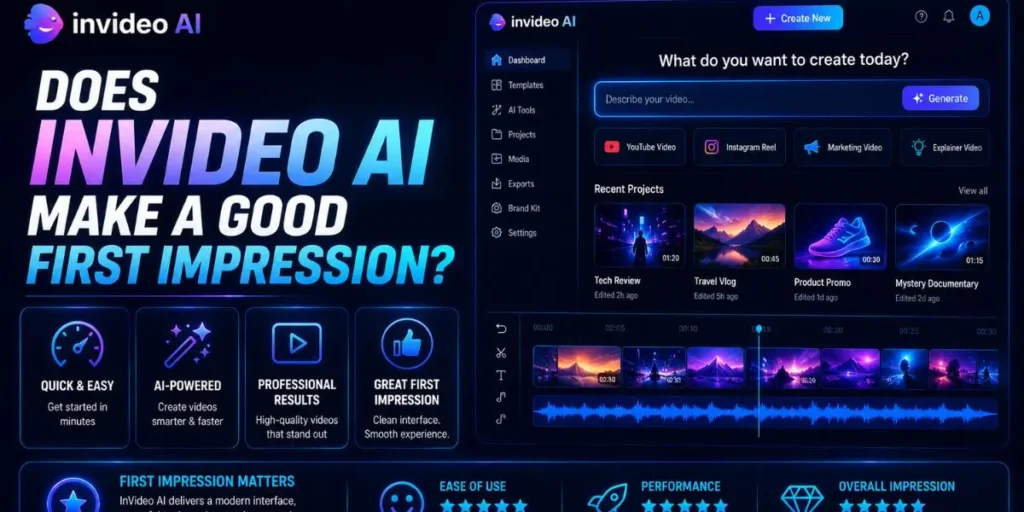
Yes, and honestly, the onboarding feels unusually smooth for a video platform. You open the browser version, log in, and immediately land on a clean, prompt-focused interface instead of a complicated editing dashboard.
Ease of Use: 9/10. The UI is clearly designed around speed. Beginners can literally type something like “make a 60-second video about the history of coffee” and get a usable draft almost immediately.
There’s barely any learning curve when creating your first project, although the deeper editing controls still take a little time to get comfortable with.
Compared to what I’ve tried before, the dashboard feels refreshingly uncluttered. When I was exploring the workspace, everything seemed built around getting you from idea to output as fast as possible.
The text-input area stays front and center, and the initial interface response feels surprisingly fast. Honestly, I expected more friction here, given older versions of the platform.
They’ve removed a lot of the timeline complexity that normally scares beginners away from video editing. The thing is, the asset loading can still feel slightly sluggish if your account is packed with older projects or longer video drafts.
How does the text-to-video core functionality work?
The process starts the second you feed the AI a script, topic, or rough idea. InVideo AI uses natural language processing to automatically break your text into scenes, then matches visuals, transitions, voiceovers, and pacing behind the scenes.
Brief Overview
InVideo AI is a cloud-based text-to-video generator built to automate almost the entire production workflow.
As content creation becomes more volume-driven, tools like this are becoming less a convenience and more a necessity for creators trying to keep up consistently.
Key Features & Use Cases:
- Prompt-to-video generation: Type an idea, and the platform generates the script, visuals, transitions, and voiceover automatically.
- Article-to-video: Paste a blog URL, and the AI extracts key points to create a condensed video version.
- Automated voiceovers: The AI voices sound far more natural now, especially with pacing and emotional inflection.
- Dynamic stock matching: The system pulls clips from a massive premium stock library based on scene context rather than basic keyword matching.
When I was testing different script styles, the contextual understanding genuinely surprised me. It doesn’t just scan for isolated keywords.
It reads tone and intent, too. So if your script mentions something serious or emotional, the platform tends to pull darker, cinematic B-roll rather than random, generic clips that break immersion.
In My Experience
After using this for a week to build out a faceless YouTube channel, I decided to test it with a highly technical script focused on SEO automation workflows.
Normally, tools in this category default to generic office footage and awkward laptop clips for topics like that.
What I didn’t expect was how accurately InVideo matched the narration’s pacing and mood. It pulled server rack visuals, abstract data animations, coding environments, and tech-focused motion graphics that actually fit the script naturally. Plus, the AI voice synced surprisingly well with scene transitions.
So here is what actually happened: instead of spending hours manually digging through Envato for matching stock footage, I only needed to make a few small clip swaps to publish the video.
Can you customize the AI-generated output?
Yes, and this is where InVideo AI starts to feel less like a simple AI gimmick and more like an actual production tool. You are not locked into the first draft the system generates, which honestly makes a huge difference for serious content workflows.
The editor itself is surprisingly capable for a browser-based platform. When I was adjusting scenes, swapping visuals felt extremely fast. You can search the built-in stock library, drag a replacement clip over the old one, and the timeline updates instantly.
Also, trimming scene durations is simple enough that even beginners can figure it out without watching an hour-long tutorial.
Most people assume AI voiceovers still sound robotic, but actually, InVideo’s newer voices are much more natural than they used to be. The pacing feels smoother, pauses sound intentional, and certain voice styles even carry realistic emotional inflection.
I tested the platform with my own uploaded narration, too, and the generated B-roll synced surprisingly well with my speaking rhythm. Compared to older AI video tools I’ve used, the audio workflow here feels far less frustrating.
Music and sound effects are already built into the platform, so you don’t have to constantly jump between multiple subscriptions just to finish one video.
The stock music quality is perfectly usable for YouTube content. Though if you’re targeting TikTok heavily, you will probably still want to layer in trending audio manually for better reach.
The text animations and subtitle effects also deserve credit. They mimic those fast-paced caption styles dominating Shorts, Reels, and TikTok feeds right now. So even basic videos end up looking more polished than you’d expect from an automated workflow.
What are the standout tools in 2026?
The AI Assistant is easily the most impressive part of the platform right now. Instead of manually tweaking every tiny timeline detail, you can literally type instructions into the prompt box, almost like you’re talking to an editor.
For example, if a scene feels rushed, you can type something like “slow down the pacing and use darker background music”, and the platform rebuilds the sequence around those instructions.
That level of workflow simplicity saves an absurd amount of time when you are producing content at scale. What I didn’t expect was how useful the brand kit system becomes once you manage multiple projects.
You can store your logos, fonts, colors, and styling presets, then switch between brands without constantly re-uploading assets. Small thing. But when you’re publishing videos every week, it eliminates much of the repetitive setup work.
And collaboration tools have improved quite a bit, too. Team members can leave comments directly on specific frames inside the editor, which feels much cleaner than endless Slack messages or messy email threads with freelancers and virtual assistants.
Is "viral" quality truly achievable?
Yes, although the quality of the result still depends heavily on your prompt quality and opening hook. The exports themselves look sharp.
Videos render in crisp 4K, and the stock footage partnerships help the final output feel visually premium instead of cheap or outdated. When I was generating short-form clips for testing, rendering speeds stayed consistently fast.
A typical 60-second Short usually finishes within a few minutes on a stable fiber connection, which honestly feels impressive considering how much automation is happening behind the scenes.
The thing is, people constantly debate whether AI-generated videos still “look AI.” And sometimes… they do. If you rely entirely on the default script structure and never customize the visuals, the end result can feel slightly sterile.
But if you spend even five extra minutes refining the prompt, swapping a few scenes, and injecting your own tone into the script, the videos start feeling far more original. That extra layer of personalization matters a lot.
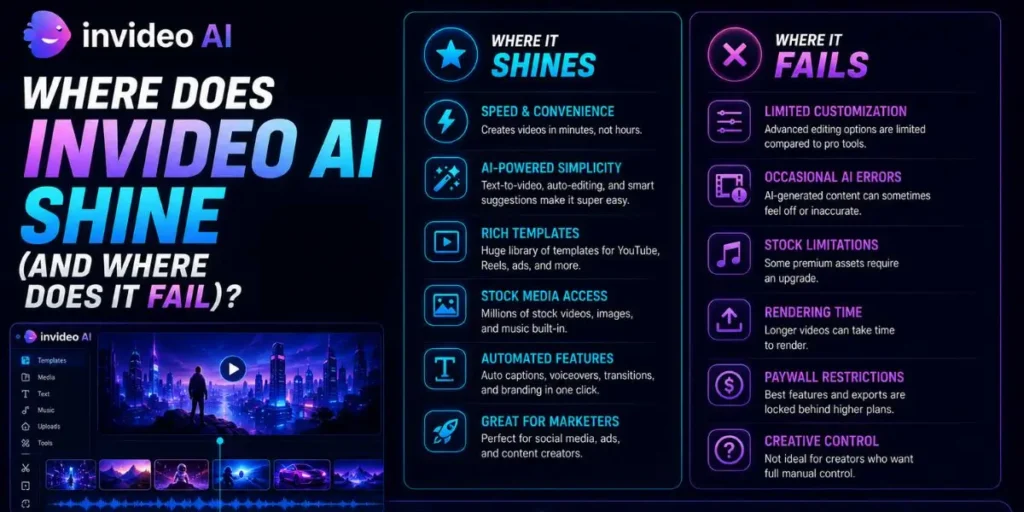
Where does InVideo AI shine (and where does it fail)?
Who It’s Best For:
Solo bloggers, affiliate marketers, faceless YouTube creators, niche site operators, and SaaS teams are trying to turn written content into large volumes of social media videos without hiring a dedicated editor.
I noticed InVideo performs especially well for short-form platforms like TikTok, Reels, and YouTube Shorts. The auto-captions, pacing, and rapid clip transitions naturally fit the style of content that keeps retention high on those platforms.
Plus, explainer videos and lightweight product demos work surprisingly well when the prompts are clear. This works well, except when you need extremely precise editing control.
Once I started experimenting with advanced edits like frame-perfect cuts, custom masking, and detailed color grading, the limitations became obvious. InVideo is built for speed and automation, not deep cinematic editing workflows.
So if you are expecting a full Premiere Pro replacement, this probably is not the right tool. But as a rapid content production engine? It performs incredibly well.
Pros and Cons
Pros:
- Insanely fast workflow from text prompt to finished video.
- Natural-language editing commands save significant time in production.
- A premium stock footage library is included with the subscription.
Cons:
- The browser-based editor can lag on projects with longer timelines or heavy text overlays.
Is InVideo AI worth the investment?
Yes, especially if your biggest priority is saving time.
Let’s look at the value side realistically. Hiring a freelance editor for even a simple YouTube Short can easily cost between $15 and $30 per video. That adds up fast once you start publishing consistently.
Quick Pricing
- Free Plan: $0 (Watermarked exports, basic AI features)
- Plus Plan: $25/mo (No watermarks, 50 mins of AI generation/mo)
- Max Plan: $48/mo (200 mins of AI generation/mo)
AI generation limits apply to all paid tiers.
Check the InVideo official pricing page for the latest updates.
If you’re uploading multiple videos every week, the Plus plan can realistically pay for itself within days.
Compared to traditional editing workflows — where you also need separate subscriptions for stock footage, music libraries, and editing software — InVideo simplifies everything into one monthly platform cost.
Expert Verdict & Comparison Anchor:
InVideo AI is a must-buy for creators focused on scale and publishing speed. It feels significantly faster and more beginner-friendly than Pictory for day-to-day content production, although Runway Gen-3 still performs better when you need fully custom AI-generated visuals instead of stock-based scene assembly.
What is the future of video creation?
AI agents are rapidly changing how content gets produced. We are slowly moving away from software that simply follows commands toward systems that actively support creative decision-making and workflow optimization.
Personally, I would love to see deeper analytics integration in future InVideo AI updates.
Imagine the platform analyzing your TikTok performance, identifying that fast-paced comedic edits perform best on your account, then automatically adjusting future video styles around those patterns.
The broader shift happening here is pretty obvious. Execution is becoming easier every year. Ideas, storytelling, and originality are becoming the actual competitive advantage. By 2026, almost anyone can technically generate videos.
The creators who stand out will be those who bring unique perspectives and authentic voices to the process.
My final verdict on InVideo AI 2026
To wrap things up, InVideo AI absolutely delivers on its main promise: making video creation dramatically faster and less overwhelming.
The strengths easily outweigh the weaknesses as long as you understand what this tool is built for. This is an automated production assistant focused on speed and scalability, not a Hollywood-grade post-production suite.
Honestly, the occasional UI lag feels like a small trade-off considering how much time the platform saves on editing, sourcing stock footage, and workflow management.
I would strongly recommend it to creators dealing with content burnout or publishing bottlenecks.
If you already have blog posts, scripts, or content ideas sitting unused on your hard drive, InVideo AI is one of the fastest ways to turn those ideas into published videos without building an entire editing team.
Frequently Asked Questions
Yes, there is a free plan available. You can test the platform, generate videos, and explore the editor, though exported videos will include an InVideo watermark and limited premium stock access.
No, the platform mainly pulls from a massive premium stock footage library to match your prompts. It does not generate scenes pixel by pixel, as tools such as Sora or Runway do.
No, paid plan users retain commercial rights to the videos they create. You can monetize content on YouTube or TikTok, or use it for client work and advertising campaigns.
Most beginners can generate a first video within minutes. The prompt-based workflow removes most of the traditional technical barriers that normally come with video editing software.
