Grammarly AI Detector vs Turnitin: Which Is More Accurate?
By SM Mehedi Hasan
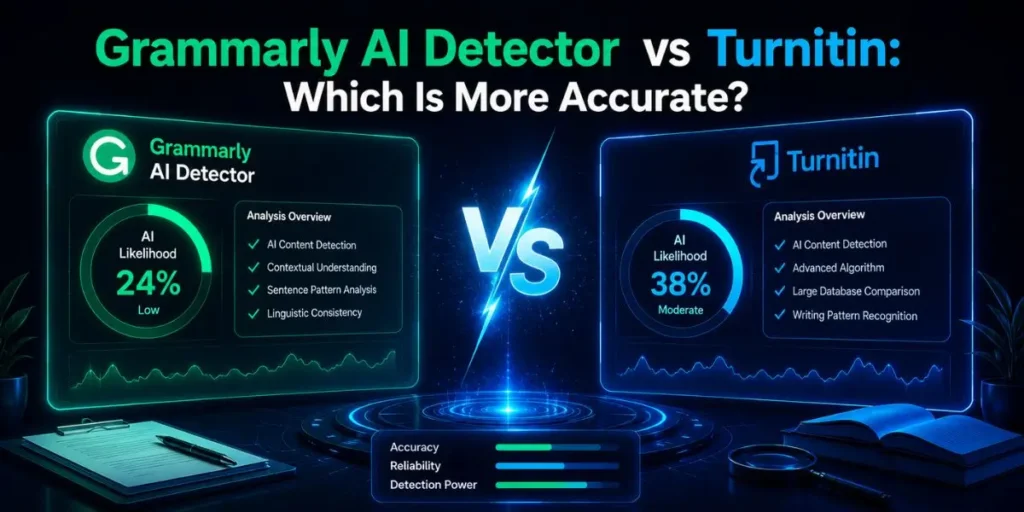
Turnitin is the undisputed winner for academic environments, catching subtle AI paraphrasing that most tools completely miss. Turnitin wins for raw accuracy.
However, if you are a web publisher checking freelance content, Grammarly offers a more accessible, everyday detection tool built right into your existing writing workflow.
| Tool Name | Starting Price | Exclusive Deal |
|---|---|---|
| Grammarly | $12/month (Premium) | None |
| Turnitin | Custom (Institutions only) | None |
If you want simplicity and access → go with Grammarly.
If you want raw academic detection power → Turnitin is the better choice.
My initial observations with AI-generated content were honestly frustrating. A few years ago, spotting AI-written text felt almost effortless because everything sounded robotic, repetitive, and weirdly stiff.
But here’s the thing — modern language models have become much harder to identify because they now mimic human tone, rhythm, and sentence variation surprisingly well.
Most people assume AI detection is only an issue for schools, but actually, it affects publishers, agencies, bloggers, and SEO teams just as much.
Publishing unchecked AI-heavy content can damage trust, hurt rankings, and create serious quality-control problems if you rely on freelance writers.
Compared to what I expected when testing these tools daily, the biggest challenge was not catching obvious ChatGPT output.
It was figuring out which detector could reliably identify edited AI content without constantly flagging legitimate human writing.
So, I put Grammarly’s AI detector and Turnitin head-to-head in real publishing-style workflows to see which one actually holds up.
Table Of Contents
ToggleHow Does Grammarly’s AI Detector Perform?
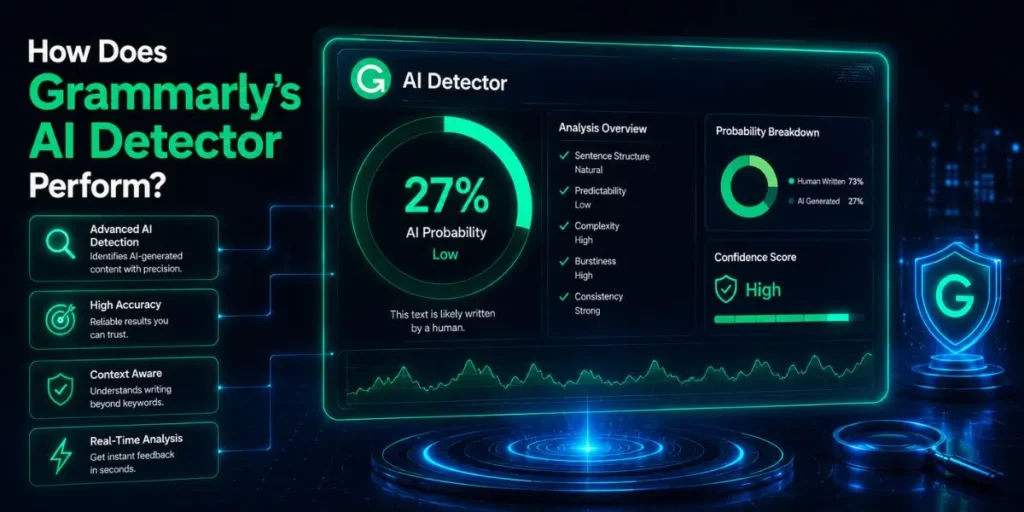
Grammarly detects raw, unedited AI content reasonably well, but its accuracy drops noticeably once someone starts heavily rewriting or humanizing the output.
Overview
Unlike standalone AI detection platforms, Grammarly built its detector directly into the same interface people already use for grammar checking and editing.
That integration makes the experience extremely convenient because you can scan content for AI while editing for spelling, punctuation, and readability issues.
The tool highlights suspicious sections individually and provides an overall AI probability score for the document.
Plus, everything works inside familiar environments like Google Docs, Microsoft Word, and browser extensions, so there is almost no setup friction.
Key Features
- Integrated workflow: Detects AI while also checking grammar and clarity.
- Percentage scoring: Estimates how much of the content appears AI-generated.
- Broad platform support: Works across browsers, Google Docs, Word, and extensions.
Who It’s Best For
If you’re a freelance editor, niche site owner, blogger, or small publishing team, Grammarly fits naturally into everyday content workflows.
And honestly, accessibility is one of its biggest strengths because you do not need enterprise-level access or academic partnerships to start using it.
If you need quick screening and convenience → Grammarly makes sense.
If you need forensic-level academic analysis → Turnitin is far stronger.
Pros and Cons
Pros:
- Extremely simple and beginner-friendly interface.
- Built into a tool that many writers already use daily.
- Fast processing with almost no learning curve.
Cons:
- Struggles with heavily paraphrased AI content.
- Can miss advanced GPT-4 outputs that have been manually edited.
- Not reliable enough for high-stakes academic enforcement.
🧠 In My Experience
Honestly, when I first tried Grammarly’s AI detector, I expected it to feel like a side feature added just to follow the AI trend. And at first, that assumption felt correct.
When I tested highly optimized GPT-4 content that had already been manually cleaned up, Grammarly completely missed it and labeled the text as fully human.
But when a freelance writer submitted a lazy, untouched ChatGPT draft filled with generic transitions and predictable sentence flow, the detector flagged it almost immediately.
One thing that caught me off guard was how dependent Grammarly seemed to be on surface-level AI patterns.
Compared to Turnitin, it struggled once the content became more conversational or intentionally rewritten.
If your workflow involves fast content reviews and basic AI screening → Grammarly works well enough.
But if accuracy matters more than convenience → it starts showing limitations pretty quickly.
Expert Verdict
Choose Grammarly if you want an accessible AI checker built directly into your existing writing workflow.
It works best for bloggers, agencies, freelance editors, and small publishing teams that handle large volumes of everyday content.
But if you are grading academic papers or investigating heavily edited AI writing, Grammarly simply does not go deep enough. For strict enforcement and higher detection accuracy → Turnitin is the stronger option.
Is Turnitin Better at Detecting AI Content?
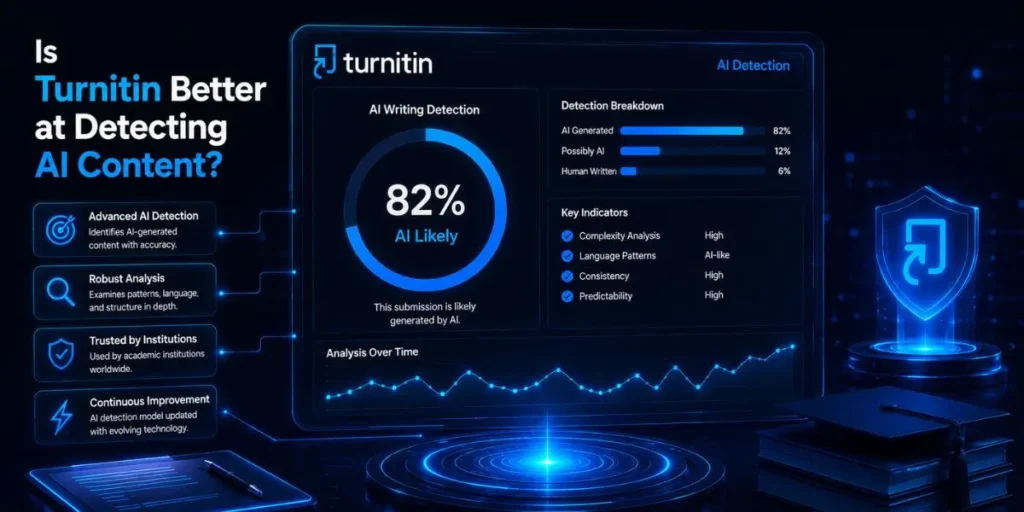
Yes, Turnitin is significantly more accurate at detecting AI-generated content, especially when the text has been paraphrased, rewritten, or partially humanized.
Overview
Turnitin has spent years building systems for plagiarism and academic integrity, so its transition into AI detection feels much more advanced than most consumer-focused tools.
Instead of relying mainly on surface-level wording patterns, Turnitin analyzes sentence predictability, phrasing behavior, and deeper linguistic structures.
But here’s the limitation — Turnitin is designed primarily for schools and institutions. You cannot simply sign up as a solo blogger or freelancer and purchase direct access like you can with Grammarly.
Key Features
- Deep pattern recognition: Detects AI-generated writing from tools like GPT-4, Claude, and Gemini.
- Paraphrase detection: Identifies rewritten or spun AI content more effectively than most competitors.
- Segmented reporting: Shows which specific sections triggered AI detection warnings.
Who It’s Best For
If you’re an educator, university administrator, academic editor, or institution handling large-scale submissions, Turnitin is built specifically for that environment.
And honestly, this distinction matters.
If you need accessibility and everyday publishing support → Grammarly is easier to live with.
If you need institution-level enforcement and deeper detection accuracy → Turnitin is clearly better.
Pros and Cons
Pros:
- Extremely accurate with paraphrased AI content.
- Strong at catching subtle editing tricks and AI humanizers.
- Integrates directly into many Learning Management Systems (LMS).
Cons:
- Unavailable for most solo users and small businesses.
- Higher sensitivity can occasionally create false positives.
- Less practical for casual publishing workflows.
🧠 In My Experience
Compared to similar tools I’ve used, Turnitin feels less like a simple detector and more like a forensic analysis system.
When I tested content that had already gone through advanced AI humanizers and manual edits, Turnitin still flagged a surprisingly large portion of the document.
I noticed it was especially sensitive to repetitive transition structures and overly predictable sentence rhythm — two patterns many AI models still struggle to hide completely.
Grammarly missed several of those same samples entirely. But this level of sensitivity comes with tradeoffs.
I also saw Turnitin occasionally flag highly structured human writing, especially academic-style content written in a formal tone. So while its detection power is impressive, it is not infallible.
If you need the strongest possible academic AI detection → Turnitin is the better choice.
If you just want lightweight AI screening for blogs or marketing content → Grammarly is usually more practical.
Expert Verdict
Turnitin is the clear winner for universities, schools, academic journals, and institutions that need strict AI enforcement with higher detection confidence.
For everyday bloggers or solo publishers, though, accessibility becomes a serious problem because you usually cannot buy Turnitin independently.
In that situation, Grammarly offers a much more realistic day-to-day solution, even if its accuracy ceiling is lower.
Which Tool Leads in Accuracy?
Turnitin leads in accuracy by a very noticeable margin. In my testing, it successfully identified AI-generated content far more consistently than Grammarly, especially after the text had been edited or partially humanized.
Most people assume all AI detectors work using the same underlying system, but actually, the training data behind them matters a lot.
Turnitin has access to enormous volumes of academic writing and student submissions, which gives it a much stronger understanding of how real human writing patterns behave over time.
Grammarly approaches detection differently. It works well for identifying obvious, low-effort AI drafts, but its accuracy drops once writers start manually editing the content or using paraphrasing tools to smooth things out.
Raw AI vs Edited AI Content
When I tested ChatGPT output untouched, both tools performed reasonably well.
Raw AI-generated text still tends to exhibit predictable sentence rhythms, repetitive transitions, and unnatural phrasing patterns that detectors can easily recognize. But here’s where the gap becomes obvious.
Once the content went through manual rewrites, adjective swaps, paragraph restructuring, or AI humanizers, Grammarly started missing a surprising amount of it.
Turnitin, meanwhile, still detected many of those same samples because it seemed to focus more on structural predictability than on surface wording.
If your concern is catching basic AI spam quickly → Grammarly is usually enough.
If your priority is detecting edited or disguised AI writing → Turnitin is significantly more reliable.
False Positives and Reliability
I expected better from Grammarly in high-stakes scenarios.
Understanding false positives and false negatives matters a lot when you manage writers or publish content professionally, and Grammarly occasionally felt too easy to bypass with light editing.
At the same time, Turnitin’s aggressive detection system creates its own problems. Highly structured human writing can sometimes trigger AI warnings simply because the sentence flow appears overly predictable.
So neither tool is perfect. But compared to Grammarly, Turnitin inspires far more confidence when accuracy matters more than convenience.
Can You Rely Purely on AI Detectors?
No, relying entirely on AI detectors is a mistake because these systems predict probabilities rather than proving absolute facts.
Why AI Detection Alone Is Risky
One thing that surprised me during testing was how often legitimate human writing could still trigger AI warnings under certain conditions.
Short, clean, highly structured writing can sometimes look statistically similar to AI-generated content, even when a real person wrote every word.
And honestly, this can become dangerous fast if you blindly trust percentage scores without reviewing the context.
I have seen original drafts flagged simply because the writer used repetitive sentence structure or formal academic phrasing.
If you instantly accuse someone based on that score alone, you risk damaging relationships with good writers unnecessarily.
Use AI Detectors as a Warning System
Compared to treating detectors like judges, I have had much better results treating them like early warning systems.
If a tool flags a document, I usually check:
- The Google Docs edit history
- Previous writing samples from the author
- Sudden tone or style shifts
- Unnatural paragraph consistency
- Repetitive transition patterns
That extra layer of human review matters because AI detectors still make mistakes in both directions.
If you need fast risk screening → AI detectors help a lot.
But if you need final publishing or disciplinary decisions → human judgment still matters more.
Responsible AI Detection Matters
Using these tools responsibly is not just about catching AI. It is also about protecting legitimate writers from false accusations while maintaining content quality standards.
Most people focus entirely on detection accuracy, but actually, workflow balance matters just as much. The best system combines AI scanning with manual editorial review rather than relying entirely on automation.
Which AI Detector Should You Buy?
Your decision mostly comes down to accessibility versus detection power.
Choose Grammarly If…
If you run a small publishing team, freelance operation, niche site, or content agency, Grammarly Premium is usually the more practical option.
It integrates directly into your editing workflow, checks grammar as it scans for AI, and works well for quickly identifying obvious low-quality AI submissions. Plus, almost anyone can access it without institutional approval.
If you want convenience, affordability, and lightweight screening → Grammarly is the smarter everyday choice.
Choose Turnitin If…
Turnitin makes far more sense for universities, academic institutions, enterprise publishing operations, and environments where AI misuse has serious consequences.
Its deeper linguistic analysis and paraphrase detection capabilities are simply stronger than Grammarly’s. But here’s the limitation — accessibility is a major barrier because most independent users cannot purchase it directly.
If you need strict academic-level enforcement and maximum detection accuracy → Turnitin is clearly superior.
Final Recommendation
Choosing between these tools ultimately depends on your environment, risk level, and workflow priorities.
If you are a blogger, freelancer, or agency owner managing large volumes of everyday content, Grammarly offers the best balance between usability and functionality.
But if your reputation depends on catching sophisticated AI manipulation inside academic or institutional environments, Turnitin is still operating at a completely different level.
And honestly, AI detection is becoming a constant cat-and-mouse game. So the best tool is usually the one that fits naturally into your existing workflow while still giving you confidence in the results.
Frequently Asked Questions
Grammarly detects raw, unedited AI content fairly well, especially low-effort ChatGPT drafts. But once the content has been heavily rewritten, paraphrased, or manually edited, its detection accuracy becomes less reliable.
Yes, Turnitin generally performs better in academic environments because it is trained using an enormous proprietary database of student submissions and academic writing patterns.
AI detectors often flag predictable wording, repetitive sentence structure, and uniform phrasing patterns. So if a human writes in a very structured or formulaic style, the detector may incorrectly assume the content is AI-generated.
Extensively rewriting AI-generated content manually can sometimes reduce detection rates. But simple paraphrasing tools and basic AI humanizers usually fail against Turnitin’s more advanced analysis systems.

Is an SEO Specialist and AI Tools Researcher with over 4 years of hands-on experience in search engine optimization. As the founder of Smart AI Helper Pro, he tests and reviews AI writing, SEO, and marketing tools to help creators and business owners grow faster with practical, research-backed strategies.