
How Long Does a Semrush Backlink Audit Take? (Real 2026 Timelines)
By SM Mehedi Hasan
A Semrush backlink audit usually takes 3 to 8 minutes to scan a typical website. Large sites with thousands of backlinks can take several hours. The complete audit, including reviewing and disavowing toxic links, takes most people 30 minutes to a few hours, depending on profile size.
I still remember watching that progress bar the first time, half convinced the tool had frozen. It hadn’t. Semrush was quietly crawling links in the background while I refreshed the page like an impatient kid.
So there are really two answers hiding inside this one question. One is how long the tool takes to run.
The other is how long the whole audit takes you, the human, from start to finish. Most articles blur those two together, and that is exactly why people end up confused.
Table Of Contents
ToggleHow long does a Semrush backlink audit take to run?
For most websites, a Semrush backlink audit takes 3 to 8 minutes to finish scanning. That is the actual tool processing time, not your review time.
Smaller blogs can wrap up in under five minutes, while large sites with massive link profiles can stretch into hours.
The scan time scales almost directly with how many backlinks and referring domains Semrush has to pull and analyze. A fresh hobby blog and a 10-year-old ecommerce store are simply not in the same league here.
| Site type | Approx. backlinks | Typical scan time |
|---|---|---|
| Small blog or new site | Under 1,000 | 2 to 5 minutes |
| Mid-size business site | 1,000 to 10,000 | 5 to 15 minutes |
| Large or established site | 10,000 to 100,000 | 30 minutes to 2 hours |
| Enterprise or news site | 100,000+ | 2 to 8+ hours |
If you are running a normal small to mid-size site, this matters because you basically never need to babysit the screen.
Start the audit, go work on something else, and come back to a finished report. Semrush even sends a notification when it is done.
Why does the audit time confuse so many people?

Because two completely different clocks are running, and nobody tells you that upfront. There is the machine clock (how long Semrush crawls) and the human clock (how long you spend reviewing and acting on the results).
Most people assume “how long does it take” means the scan. But the part that actually eats your day is the review. Going link by link, deciding what to keep, what to remove, and what to disavow, that is where the real hours go.
Here is the piece almost every competing article skips. A Semrush backlink audit pulls up to 500 backlinks per referring domain.
So a site with a few aggressive spammy domains can show thousands of links from just a handful of sources, and your review time balloons even though the scan finished fast.
What factors affect how long a Semrush backlink audit takes?
Several things decide whether your audit is a quick coffee break or an afternoon project. Knowing them up front saves a lot of frustration.
- Total backlinks and referring domains: More links mean more data to crawl and score. This is the single biggest factor, full stop.
- The 500-per-domain limit: Semrush caps at 500 backlinks per referring domain in audits. Sites under negative SEO attacks hit this often, which inflates review time.
- Google Search Console and Analytics integration: Connecting GSC and GA4 adds a minute or two to setup, but it pulls in links that Semrush’s own bot missed and sharpens your toxicity data.
- Manual CSV imports: If you upload your own list of links, Semrush needs extra time to crawl them, and that import cannot be stopped once it starts.
- Free vs paid plan: On a free plan, you can re-run a campaign once per week. Paid SEO Toolkit plans allow unlimited re-runs and automatic re-crawls, so you are never waiting on a weekly reset.
- The final crawl stage: Near the end, the bot checks external links and images. On link-heavy sites, this last step can look stuck when it is actually still working.
Pro tip: Connect Google Search Console before you hit start, not after. Adding it later forces a partial re-crawl, which costs you more time than just doing it at setup.
How do you run a Semrush backlink audit step by step?
- Create a project for your domain. Semrush needs a project folder to store campaign data, so open your dashboard and create one using your root domain without the www. Once it exists, the Backlink Audit tool can attach to it and start pulling history.
- Set your audit scope. Choosing the root domain tells Semrush to analyze every subdomain and path, which gives the broadest view.
Pick this option, and the tool maps your full link footprint instead of a narrow slice.
- Add brand names and target countries. Accurate brand spellings and the right target country let Semrush judge relevance correctly.
Fill these in, and your toxicity scores come back far more trustworthy, which means fewer false flags later.
- Connect Google Search Console and Analytics. These integrations feed real link and traffic data into the audit. Link them, and Semrush lowers the toxic score on links that actually drive traffic, so you avoid killing valuable backlinks by mistake.
- Click Start Backlink Audit and wait. This kicks off the crawl. For most sites, you will see a finished overview in 3 to 8 minutes, complete with an overall toxicity score and a list of analyzed backlinks ready for review.
- Review and assign actions. Now you go through the links and choose Whitelist, Remove, or Disavow. This is the human stage, and how thorough you are here decides whether the whole thing takes thirty minutes or a few hours.
Each step builds on the last. Skip the GSC connection, and your scores will be noisier, which forces a slower, more careful review at the end. So the few seconds you save early get paid back with interest later.
In My Experience
Honestly, when I first ran an audit on a client site with a messy link history, the scan finished in about six minutes, and I thought, “Well, that was easy.” Then I opened the toxic links tab and realized the easy part was over.
The site had picked up links from a few spammy directories, and because of the 500-per-domain pull, one junk domain alone showed nearly 400 links.
Scanning was fast. Deciding what to disavow without nuking a couple of borderline-okay links took me close to two hours. One detail that genuinely helped was connecting to GA4.
A handful of links that looked toxic on paper were actually sending small but real referral traffic, so the integration nudged their scores down and stopped me from disavowing something useful. Without that, I would have made a worse call faster.
How long does the full backlink audit process take from start to finish?
Start to finish, a complete backlink audit for a typical small to mid-size site takes most people 45 minutes to 2 hours. The scan is the short part. The review and the disavow decisions are where your time actually goes.
Here is a realistic walkthrough so the timing feels concrete instead of theoretical.
- Input: A mid-size blog with roughly 4,000 backlinks across 600 referring domains, GSC and GA4 connected at setup.
- Process: Configure the campaign (about 5 minutes), run the scan (about 8 minutes), then review flagged links and sort them into Whitelist, Remove, and Disavow (about 60 to 90 minutes).
- Output: A clean disavow file plus an outreach list for the worst offenders, exported straight from the tool.
- Result: The disavow file goes to Google, and over the following weeks, the site’s toxic signal drops while the genuinely useful links stay untouched.
If you are auditing a brand-new blog with a tiny link profile, you could realistically be done in under 30 minutes total.
The big timelines you see online almost always belong to large sites or deep investigative audits, not everyday checks.
Quick one worth doing: Batch your review by referring domain, not by individual link. Judging a whole domain at once is far faster than ruling on 400 links from the same spammy source one at a time.
What slows down a Semrush backlink audit? (Common pitfalls)
A few avoidable mistakes turn a quick task into a slog. I have walked into most of these myself, so here is what to watch for.
- Choosing the wrong scope. Picking “www” only when you need the root domain means an incomplete audit, and you end up re-running everything. Start with the root domain unless you have a very specific reason not to.
- Skipping GSC and GA at setup. Add them later, and Semrush triggers a partial re-crawl. That re-processing delay is entirely self-inflicted and easy to dodge.
- Disavowing too aggressively. Beginners panic at high toxic scores and disavow everything. That can strip real link equity. Review each flagged link before acting, because some “toxic” links still help you.
- Treating a stuck-looking bar as a crash. The final stage checks external links and images, and on link-heavy sites, it genuinely takes a while. People cancel and restart, which only resets the clock.
- Re-running on a free plan too often. Free accounts re-run once per week. Forget that limit, and you will be stuck waiting for the reset instead of getting fresh data when you need it.
Most of these come down to one root cause: impatience. The tool is faster than your instinct to keep poking it, and trusting the process saves more time than fighting it.
How does Semrush audit speed compare to other tools?
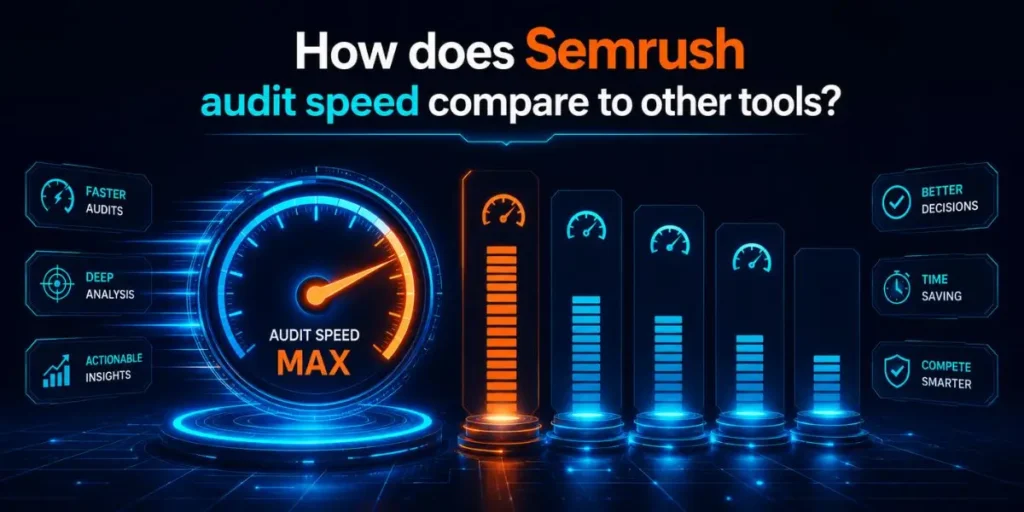
Semrush is one of the few major tools with a dedicated backlink audit feature built specifically around toxicity and disavow workflows. Ahrefs and Moz are excellent for analysis, but they handle auditing differently.
According to Semrush’s own published data, here is how link discovery speed stacks up. Treat vendor numbers with a healthy pinch of salt, but the gap in dedicated audit tooling is real.
| Tool | Dedicated audit tool? | New-link discovery (median) |
|---|---|---|
| Semrush | Yes | ~19 to 40 minutes |
| Ahrefs | No, analysis only | ~100 minutes |
| Moz | No, analysis only | Not provided |
Compared to running a manual cross-tool investigation, where you validate links across Ahrefs, Moz, and Semrush by hand, the dedicated Semrush audit is dramatically faster.
Those deep manual diagnoses can run eight hours or more, but they are a different job from a routine audit.
Worth knowing: If you only need a quick toxicity read, the single-tool Semrush audit is enough. Save the multi-tool, all-day investigation for when a site is losing rankings, and nothing else explains it.
Is the audit time worth it for your SEO?
If you are serious about rankings, yes, and it is not close. Backlinks remain one of Google’s strongest ranking signals, so spending an hour cleaning up a toxic profile can protect you from penalties that take months to recover from.
Compared to the cost of a manual action or a slow algorithmic slide, a regular audit is cheap insurance. I would rather lose an afternoon now than a quarter of traffic later.
How long after a backlink audit until you see results?
Plan for several weeks, not days. The audit itself is fast, but the SEO payoff comes from what you do next, mainly disavowing toxic links, and Google processes a disavow file slowly and quietly.
When I was waiting on results for that messy client site, I made the classic mistake of checking rankings every morning for a week. Nothing moved.
Then, around week three, impressions started climbing, and the authority metrics followed a few weeks after that.
| Stage | What happens | Typical timeframe |
|---|---|---|
| Audit scan | Semrush crawls and scores your links | 3 to 8 minutes |
| Review and disavow | You sort links and submit the file to Google | 30 min to a few hours |
| Google processing | Google re-crawls and applies your disavow | 2 to 6 weeks |
| Visible ranking effect | Toxic signal drops, rankings stabilize | 4 to 12 weeks |
If you are auditing to recover from a manual penalty, the timeline shifts again. After submitting a reconsideration request, Google’s review can take a couple of weeks on its own, separate from the disavow processing.
So the honest takeaway is patience. The tool rewards you fast with data, but search engines move on their own schedule, and no audit speeds that part up.
One habit that helps: Save your audit report and disavow a file with a date in the filename. When you re-audit next quarter, comparing the two side by side shows exactly what changed and whether your cleanup actually worked.
When should you run a deeper, slower audit instead?
Run the long version when fast answers stop making sense. A routine 8-minute scan is perfect for regular maintenance, but some situations demand the slow, investigative approach that can eat a full day.
If you are doing X, like recovering a site that is bleeding rankings with no obvious cause, this matters because a surface scan often misses the pattern.
That is when cross-checking Semrush against Ahrefs and Moz, link by link, earns its hours.
- Sudden unexplained traffic loss: Worth a deep audit, since the cause is often a slow buildup of low-quality links rather than a single bad one.
- Buying or merging a domain: Inherited link profiles hide surprises, so a thorough review before you commit protects you from someone else’s spam history.
- Recovering from a penalty: Here, precision beats speed. Every disavow decision needs care, because over-disavowing can stall your recovery.
For everything else, the quick scan plus a focused review is plenty. Spending eight hours on a healthy small blog is an effort spent in the wrong place.
Frequently Asked Questions
A small website with under 1,000 backlinks usually finishes scanning in 2 to 5 minutes. Connecting Google Search Console first adds a minute or two, but makes your toxicity data noticeably more accurate.
Large link profiles, CSV imports, and the final crawl stage that checks external links all slow it down. A site with hundreds of thousands of backlinks taking several hours is completely normal, not a bug.
Most sites do well with a monthly or quarterly audit. Run one sooner if you notice sudden ranking drops, suspect a negative SEO attack, or spot unfamiliar spammy links pointing at your domain.
Yes. The free plan lets you re-run a single campaign once per week. Paid SEO Toolkit plans unlock unlimited re-runs, automatic re-crawls, and full data exports for faster, repeated audits.
Only very slightly, and it is worth it. GSC and GA4 pull in extra backlinks and real traffic data, which makes your toxicity scores accurate and stops you from disavowing valuable links by mistake.

Is an SEO Specialist and AI Tools Researcher with over 4 years of hands-on experience in search engine optimization. As the founder of Smart AI Helper Pro, he tests and reviews AI writing, SEO, and marketing tools to help creators and business owners grow faster with practical, research-backed strategies.
