
How to Use Ahrefs to See Competitor Backlinks (2026 Guide)
By SM Mehedi Hasan
To see competitor backlinks in Ahrefs, paste their domain into Site Explorer, open the Backlinks report, and apply filters for Dofollow links from sites with DR 40+ and 1K+ traffic.
Use Link Intersect to find domains linking to rivals but not you. Those gaps become your fastest link wins.
Most people open Ahrefs, dump a competitor URL, and stare at 80,000 backlinks with no clue what to do next. I did the same thing in my first week. The data isn’t the hard part.
Knowing which links matter, which ones you can actually steal, and which ones are noise is what separates a useful audit from a wasted afternoon.
This guide walks through the exact workflow I use, the filters that save hours, and the 2026 angles most articles still ignore.
Table Of Contents
ToggleWhat does "competitor backlinks" mean in Ahrefs?
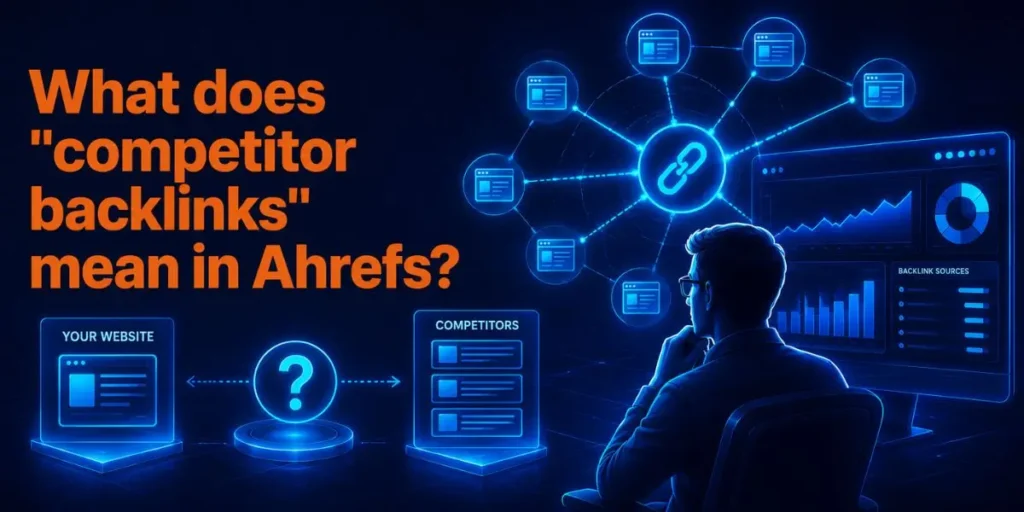
A competitor backlink is any external link pointing to a website that ranks for your target keywords. In Ahrefs, you can view these in Site Explorer under the Backlinks and Referring Domains reports.
Here’s the part people skip. Your real SEO competitors aren’t always your business rivals. They’re whoever outranks you for the keywords you want.
A small affiliate blog can be a tougher backlink competitor than a giant brand in your space.
So before you analyze anyone, you need to confirm who you’re actually fighting in the search results.
How do you find your real SEO competitors first?
Open Site Explorer, enter your own domain, and click the Organic competitors report. Ahrefs shows you the sites that rank for the same keywords, ranked by the amount of keyword overlap.
This matters because guessing your competitors wastes your link budget. When I skipped this step early on, I chased backlinks from a “competitor” who barely overlapped with my keywords.
The links were useless for my rankings. Pick 3 to 5 sites with high keyword overlap. Those are the profiles worth dissecting.
Pro tip
Don’t only pick the biggest sites. A rival with a similar Domain Rating to yours is far more replicable. Their links point to pages at your authority level, making outreach realistic rather than fantasy.
How to use Ahrefs to see competitor backlinks (step by step)
- Open Site Explorer and paste your competitor’s domain or exact URL.
- Click the Backlinks report in the left menu to load their full link list.
- Switch to Referring Domains to see unique linking sites rather than each individual link.
- Apply filters: set Dofollow, then add Domain Rating 40+ and website traffic 1,000+.
- Sort by DR (high to low) to surface the strongest, most valuable links first.
- Click any referring page to see the anchor text and the surrounding context.
- Export to a spreadsheet using the Export button to plan outreach later.
That’s the core loop. But raw backlinks are only step one. The real value lies in comparing several competitors at once, which is the next step.
Why filtering changes everything
Without filters, you’re looking at 80,000 links, most of them spam, scraper sites, and dead pages. With filters, you cut that to a few hundred links worth chasing.
The DR 40+ and 1K+ traffic combo is what I land on after years of testing. Below DR 40, links rarely move the needle. Above it, you’re looking at sites Google actually trusts.
And honestly, skipping filters is the single biggest reason beginners burn out on link building. They drown before they start.
How do you find backlink gaps with Link Intersect?
Use the Link Intersect tool (now Link Intersect 2.0). Enter your domain, then add up to several competitor domains, and Ahrefs shows every site linking to them but not to you.
This is the report I’d keep if I could only keep one. It turns “find backlinks” into “find backlinks I’m clearly missing.”
Here are the steps:
- Open Link Intersect from the Site Explorer menu.
- Enter your domain in the “but doesn’t link to” field.
- Add 2-4 competitor domains to the top fields.
- Hit the Show link opportunities.
- Watch the intersect column. If a site links to 8 of your 10 competitors but not you, it’s almost certainly open to linking to your niche too.
That intersect signal is gold. A site linking to most of your rivals has basically told you it covers your industry. You just need to give it a reason to add you.
A non-obvious insight most guides miss
Everyone treats Link Intersect as a homepage tool. The bigger wins come from running it on specific pages.
Take your best blog post, run it against your competitors’ equivalent pages, and you’ll find link sources tied to that exact topic. Those convert far better in outreach because the relevance is obvious.
Which Ahrefs reports actually matter for competitor backlinks?
Here’s how the main reports compare, so you know which to open and when.
| Report | What it shows | Best for |
|---|---|---|
| Backlinks | Every link to a site | Deep audits |
| Referring Domains | Unique linking sites | Quick quality check |
| Link Intersect | Links rivals have, you don’t | Finding gaps fast |
| Best by Links | A site’s most-linked pages | Spotting link-magnet content |
| Broken Backlinks | Dead pages with live links | Reclaiming lost links |
Each one answers a different question. Most people only ever touch Backlinks and miss the faster wins sitting in Link Intersect and Best by Links.
Best by Links: the report nobody talks about
Run Best by Links on a competitor, and you’ll see which of their pages earned the most links. This tells you what content type pulls links in your niche.
When I ran this on a rival in the finance space, one free calculator page had more links than their entire blog combined. That single insight reshaped my whole content plan. I built a better tool, and the links followed.
In My Experience
Honestly, when I first started auditing competitor backlinks, I assumed more links always meant better. Wrong. A competitor with 5,000 referring domains was getting most of them from one spammy network.
My client with 400 clean domains outranked them.
The thing that surprised me most was how often Ahrefs flags links as “lost” that are still live on the page.
I’ve seen it mark a working link as gone, which sends people on pointless reclamation outreach. Always open the page and confirm before you email anyone.
After using Link Intersect for a few months, my workflow shrank from a full day to about 90 minutes. The filters do the heavy lifting. The judgment is still yours, but the tool gets you to the decisions faster.
One frustration worth flagging: the free backlink checker only shows the top 100 links. For real competitor work, you need at least the Starter or Lite plan. The free version is fine for a peek, not for strategy.
Does competitor backlink analysis help with AI Overviews in 2026?
Yes, indirectly but meaningfully. The same authoritative sites that link to your competitors also feed Google’s AI Overviews and AI Mode, which now pull from trusted, well-linked sources.
This is the gap almost every older guide ignores. Backlinks aren’t just about blue-link rankings anymore. Strong referring domains signal the topical authority that AI answer engines lean on when choosing who to cite.
Ahrefs even built Brand Radar AI for this, tracking brand mentions across ChatGPT, Gemini, Perplexity, Copilot, and Google’s AI surfaces.
It’s an add-on, and a pricey one, but the principle holds without it. Earn links from sources AI trusts, and you’re more likely to get cited.
So when you analyze competitor backlinks, also ask: which of these domains show up inside AI answers? Those are double-value targets.
How much does Ahrefs cost to do this in 2026?

Pricing matters because the report you need determines the plan you buy. Here’s the current breakdown.
| Plan | Price (monthly) | Good for |
|---|---|---|
| Starter | $29 | First look, light checks |
| Lite | $129 | Solo backlink monitoring |
| Standard | $249 | Agencies, full link building |
A few honest notes from using these tiers. The Starter plan launched in January 2026 and is the cheapest real entry point, but it’s limited.
Lite covers basic backlink monitoring. Standard unlocks Content Explorer, which you’ll want for serious link prospecting.
There’s no free trial in 2026. Ahrefs Webmaster Tools is free for your own verified site, but for competitor work, you need a paid plan.
Common pitfalls to avoid
These are the mistakes I see beginners make over and over. Each one quietly wastes time or budget.
- Skipping the filters. You’ll drown in low-value links and chase junk. Always set DR and traffic minimums first.
- Trusting “lost link” flags blindly. Ahrefs sometimes marks live links as lost. Verify on the actual page before outreach.
- Picking competitors by brand size, not keyword overlap. Use the Organic competitors report, not your gut.
- Replicating every link. Most competitor links can’t be copied. Focus on directories, guest posts, and resource pages you can realistically get.
- Ignoring anchor text patterns. A natural profile mixes branded and topical anchors. Over-optimized anchors are a red flag, not a target.
Why do these happen? Mostly because the tool makes it easy to feel productive while doing the wrong thing. Filtering and verifying fixes almost all of it.
Full workflow example (start to finish)
Let me show the whole flow with a realistic case, not theory.
Input: You run a small project management blog. You want links to your “best free task apps” post.
Process:
- You run Organic competitors and find 4 blogs that outrank you for that keyword.
- You drop all 4 plus your domain into Link Intersect.
- You filter for DR 40+ and Dofollow.
- The intersect column shows 12 sites linking to 3 or 4 of those rivals but not you.
Output: A clean list of 12 high-probability link targets, mostly software roundup pages and a few resource directories.
Result: You pitch your post to those 12 sites. Even a 25% success rate lands 3 strong, relevant backlinks pointing at the exact page you’re trying to rank. That’s a realistic, repeatable win.
Compared to blasting cold outreach at random sites, this targeted approach converts several times better because every prospect has already proven they are linked to content like yours.
Frequently Asked Questions
Partly. The free Ahrefs Backlink Checker shows the top 100 backlinks and referring domains. For the full profile and filters, you need a paid plan starting at $29 per month.
Use 3 to 5 with high keyword overlap. Fewer missed opportunities; more adds noise. Link Intersect lets you compare several at once to quickly find shared gaps.
Link Intersect. It shows every domain linking to your competitors but not to you, with an intersect count revealing which sites are most likely to link to your niche.
Indirectly, yes. Links from trusted, high-authority domains build the topical authority that AI Overviews and AI Mode use when selecting sources to cite in answers.
Monthly works for most sites. Track new and lost referring domains so you catch fresh link tactics early and react before a competitor’s advantage compounds.

Is an SEO Specialist and AI Tools Researcher with over 4 years of hands-on experience in search engine optimization. As the founder of Smart AI Helper Pro, he tests and reviews AI writing, SEO, and marketing tools to help creators and business owners grow faster with practical, research-backed strategies.
