
What Does Grammarly Premium Include? Full Feature List (2026)
By SM Mehedi Hasan
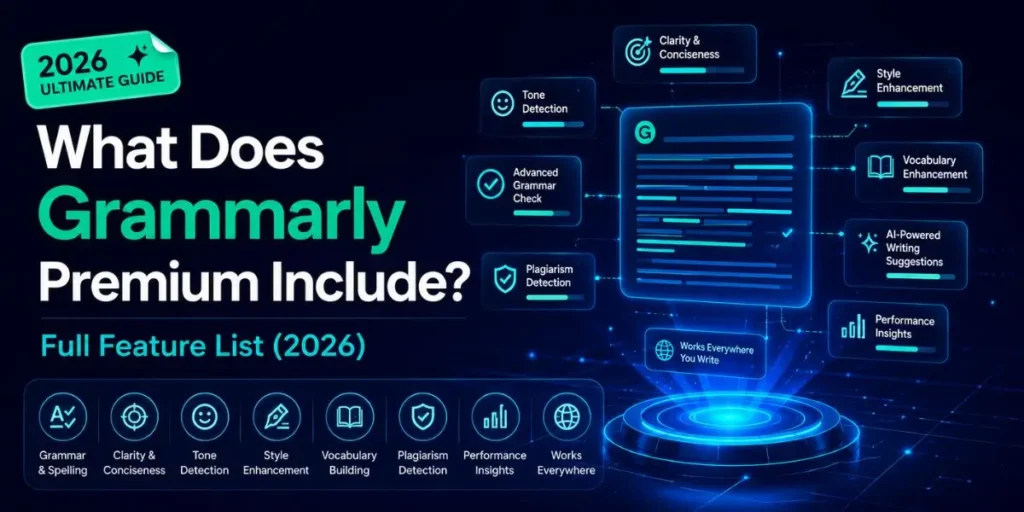
Grammarly Premium in 2026 (now called Grammarly Pro) includes advanced grammar corrections, full-sentence AI rewrites, tone detection and adjustments, plagiarism checking across 16 billion web pages, 2,000 monthly AI prompts, clarity and engagement suggestions, vocabulary enhancement, Snippets, brand tone, and AI writing agents.
All features work across browsers, Word, Outlook, Slack, and mobile apps.
Before going further, one important clarification: Grammarly renamed “Premium” to “Pro” in late 2024. If you see Grammarly Premium mentioned in older articles, they’re referring to the same paid tier, now called Pro.
The features were carried over and expanded. Nothing was removed from what Premium offered. So, every feature listed here is included in the current Pro plan.
This guide breaks down every feature category in the paid plan, explains what each one actually does (not just what it’s called), compares it with the free version, and covers the 2026 additions that most competitors haven’t updated their articles to include yet.
Table Of Contents
ToggleFree vs Premium (Pro): Full Side-by-Side Comparison
| Features | Grammarly Free | Grammarly Premium |
|---|---|---|
| Spelling and grammar corrections | Yes | Yes (advanced) |
| Basic punctuation checks | Yes | Yes |
| Basic tone detection | Yes | Yes |
| Conciseness suggestions | Basic | Full |
| Clarity suggestions | No | Yes |
| Full-sentence rewrites | No | Yes |
| Tone adjustments | No | Yes |
| Engagement suggestions | No | Yes |
| Delivery suggestions | No | Yes |
| Vocabulary enhancement | No | Yes |
| Writing goals / style settings | No | Yes |
| AI prompts (GrammarlyGO) | 100/month | 2,000/month |
| AI Paraphraser | No | Yes |
| AI Agents (proactive) | No | Yes |
| Plagiarism checker (results) | No | Yes |
| AI content detector | No | Yes |
| Snippets | No | Yes |
| Brand tone / custom voice | No | Yes |
| Auto-citations | Yes | Yes |
| Works in Word / Outlook / Slack | Yes | Yes |
| Works in Google Docs | Yes | Yes |
| Mobile app access | Yes | Yes |
| Credit card required | No | Yes |
| Price (annual billing) | $0 | $12/month |
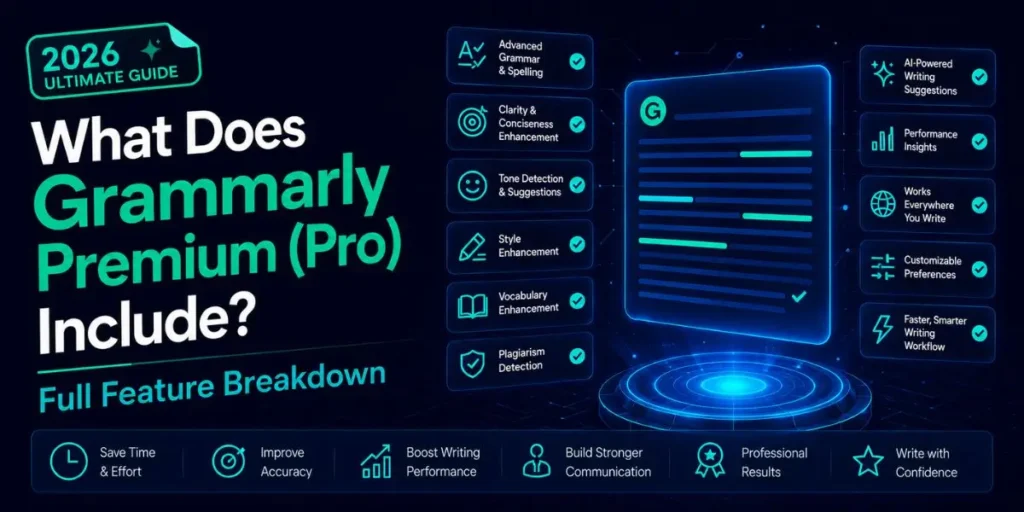
What Does Grammarly Premium (Pro) Include? Full Feature Breakdown
Feature Category 1: Correctness
Grammar, Spelling, and Punctuation
Free + Pro
Both the free and paid plans cover core correctness: spelling errors, grammar mistakes, punctuation issues, and basic sentence structure problems.
The free plan catches the obvious ones: subject-verb disagreement, basic comma errors, and misspelled words.
Pro extends this further into nuanced grammatical rules, context-sensitive corrections, and less common errors that free-tier checks miss.
When I ran the same essay through both tiers, Pro flagged eight additional corrections that free missed entirely, including a subtle sentence fragment and an ambiguous pronoun reference.
Pro also includes advanced punctuation detection, specifically around Oxford commas, em dash usage in formal vs informal writing contexts, and conditional sentence structures.
Feature Category 2: Clarity
Clarity Suggestions and Concise
Pro Only
Clarity suggestions are one of the clearest dividing lines between the free and paid plans. The free version won’t flag a sentence that’s grammatically correct but unnecessarily complicated to read. Pro will.
Specifically, clarity features include suggestions to split overly long sentences, remove redundant phrases like “in order to,” and replace them with “to,” replace passive voice constructions with active ones when they add confusion, and flag unnecessarily complex vocabulary in favor of simpler words that convey the same meaning more directly.
This works well, except when Grammarly over-simplifies technical writing. If you’re writing for a specialist audience, some of its clarity suggestions will make your writing sound less authoritative, not more.
The suggestion to replace “utilize” with “use” in an academic context isn’t always the right choice. You can still dismiss each suggestion, but it’s worth noting this limitation if you write for expert audiences.
Full-Sentence Rewrites
Pro Only
This is one of the most-used Pro features for everyday writing. When Grammarly identifies a sentence that’s technically correct but awkward, convoluted, or hard to follow, it offers a rewritten version of the entire sentence, not just a word-level fix.
You see the suggested rewrite in the sidebar, compare it to your original, and either accept, modify, or dismiss it. The rewrite preserves your meaning while improving flow.
When I was editing a 1,500-word product brief, full-sentence rewrites turned three genuinely clunky sentences into clean, professional phrasing without me needing to think through the restructuring myself.
The key distinction from AI generation tools: full-sentence rewrites work on text you’ve already written. Grammarly isn’t creating new content. It’s restructuring your existing words into a clearer version.
That’s a meaningful difference for users who want assistance without AI-generated content.
Feature Category 3: Delivery and Tone
Tone Detection and Adjustments
Pro Only
Tone detection is available in limited form on the free plan, but tone adjustment is Pro-only. The free plan will tell you if your email sounds “formal” or “direct.” The Pro plan goes further, offering suggestions to change that tone.
You set a goal for your tone (confident, empathetic, engaging, direct, witty, personable) and Grammarly flags phrases in your text that contradict that goal, then suggests alternatives.
Writing an apology email that’s accidentally coming across as dismissive? Tone adjustment catches specific word choices that create that impression and offers replacements.
In 2026, this feature will integrate with the generative AI layer. You can ask Grammarly to “rewrite this paragraph to sound more empathetic,” and it uses both the tone detection data and AI to produce a version that matches your intent.
The six tone options are confident, engaging, direct, witty, personable, and empathetic, and three formality levels: casual, formal, and neutral.
Engagement and Delivery Suggestions
Pro Only
Beyond tone, Grammarly Pro includes two additional suggestion categories that the free plan doesn’t surface: engagement and delivery. These are different types of writing feedback that target different problems.
Engagement suggestions flag writing that’s repetitive, dull, or likely to bore the reader. They suggest varying sentence structure, replacing overused words, and adding variety to word choice.
Delivery suggestions focus on how the writing will land with the reader, flagging anything that might come across as unclear, passive-aggressive, or unintentionally cold.
Most people don’t realize these categories exist separately from basic grammar. When I first used Pro, I assumed the extra suggestions were just more grammar checks.
Seeing “Engagement” and “Delivery” as distinct tabs in the sidebar was unexpected and genuinely useful for email writing, where tone precision matters most.
Feature Category 4: Vocabulary and Style
Vocabulary Enhancement
Pro Only
Vocabulary suggestions go beyond synonyms. When Grammarly notices you’ve used a word three times in a paragraph, or that a word is imprecise for your context, it suggests more appropriate alternatives with explanations for why each works better.
This feature is especially useful for non-native English writers and for professionals who want to use precise technical vocabulary.
The suggestions include context-specific options, meaning Grammarly distinguishes between different uses of the same word and won’t suggest a legal term in a casual email context.
Style Guides and Writing Goals
Pro Only
Writing goals let you set the context for your document before Grammarly starts suggesting.
You specify the domain (academic, business, creative, casual), the intent (to inform, to persuade, to describe, to tell a story), the audience (general, knowledgeable, expert), and the formality level.
Grammarly then tailors all suggestions accordingly. A persuasive business proposal gets different suggestions than a casual blog post, even if the grammar is identical.
Setting writing goals correctly substantially improves the quality of feedback. Most users skip this step entirely, so they get generic suggestions rather than context-specific ones.
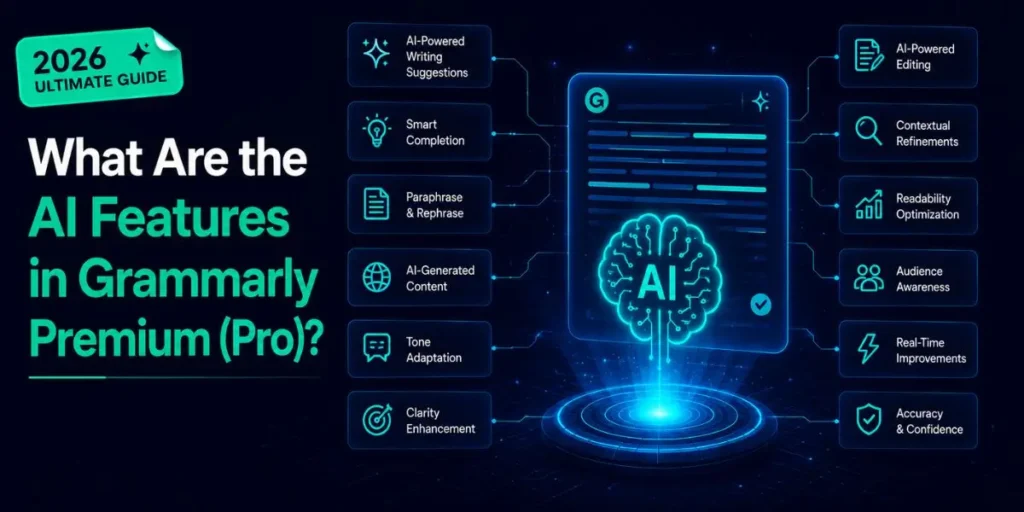
What Are the AI Features in Grammarly Premium (Pro)?
Generative AI Prompts (GrammarlyGO)
Pro: 2,000/month
The free plan includes 100 AI prompts per month. Pro increases that to 2,000 per month, which is twenty times the allocation.
Each prompt is a single AI request: asking Grammarly to draft a paragraph, rewrite a sentence, summarise a document, generate a reply, or improve a section.
At 2,000 prompts monthly, a daily user making 10 requests per working day uses about 220 prompts in a month, well within the limit.
Heavy AI users doing multiple rewrites per document will consume more, but 2,000 is enough for most professional workflows without hitting the ceiling.
GrammarlyGO in 2026 has evolved to generate context-aware content. It reads your current document and generates additions or rewrites that match your existing voice and topic, rather than producing generic filler text.
The quality of prompts in 2026 has improved compared to those produced by GrammarlyGO in earlier versions.
AI Agents (2026 Addition)
New in 2026
This is the most significant new addition in 2026 that most feature guides haven’t updated their content to cover yet. Grammarly AI agents are different from the standard AI prompt system.
Instead of waiting for you to ask a question, agents work proactively in the background while you’re writing.
An agent reads your full document, detects the context (whether you’re drafting a legal summary, a marketing email, or a Slack update), and surfaces relevant suggestions without you needing to prompt it.
In the Grammarly Editor and via the browser extension, you can activate Superhuman Go mode to turn agents on across any website you type on.
Agents in Pro can evaluate argument strength, find sources, assess how your message will likely land with a reader, and flag logic gaps.
These aren’t grammar checks. They’re editorial-level feedback that used to require a human editor.
The feature is still maturing in 2026, but the directional shift toward proactive AI assistance rather than reactive prompting is clear.
AI Paraphraser
Pro Only
The paraphraser lets you select any section of your text and generate alternative versions using different tones, formality levels, or structural approaches.
Unlike full-sentence rewrites (which improve clarity within the existing structure), the paraphraser can produce substantially different versions of the same idea.
You pick a voice profile before paraphrasing: Scholar, Creative, Confident, or a custom brand voice you’ve defined. Grammarly generates three alternatives, and you choose the one that best fits your intent.
This is useful for writers who have a strong first draft but want to explore different angles before committing to a final version.
What About Plagiarism and Originality Checking?
Plagiarism Checker
Pro Only
The plagiarism checker scans your text against over 16 billion web pages and ProQuest’s academic database. Results come back in a few seconds, showing a similarity percentage and direct links to the matching sources.
The free plan detects plagiarism, but doesn’t show you where or what it found. To see the actual flagged passages and source links, Pro is required.
The check has a per-document limit of 100,000 characters (roughly 20,000 words) and supports English only.
One limitation that competing articles rarely explain clearly: the plagiarism checker is strong for web-sourced content, but less reliable for paraphrased academic plagiarism.
Dedicated tools like Scribbr or Turnitin are more accurate for thesis-level work. Grammarly’s checker is best suited for blog posts, professional documents, and general essays, where web-based matches are the primary concern.
AI Content Detection
Pro Only
In addition to plagiarism detection, Grammarly Pro includes an AI content detector that flags passages likely written by generative AI tools. This is useful for editors, teachers, and anyone reviewing submitted content for originality.
The detector is not perfect, just like all AI detectors in 2026. It produces a probability score rather than a binary yes/no.
High AI scores on human-written content can sometimes appear when the writer has accepted many Grammarly rewrite suggestions, which smooths the natural variation that detectors use as a signal.
Treat the AI score as a directional indicator, not definitive proof.
Team and Productivity Features (Included in Pro)
Most competitors skip this section entirely because it wasn’t part of the old Premium plan. But since Premium became Pro, these former Business plan features are now included at the same price.
Snippets
Pro Only
Snippets are a text expansion feature that saves significant time for anyone who types the same phrases, paragraphs, or templates repeatedly.
You save a block of text as a snippet with a short trigger word, then type the trigger (starting with the backslash key \) anywhere Grammarly is active, and the full text inserts instantly.
A sales rep who opens every email with the same three-sentence introduction can save that as a snippet. A customer service team can store ten standard replies and insert them with two keystrokes.
Snippets are searchable, can include formatting, and sync across all devices tied to your account.
Brand Tone and Style Guides
Pro Only
Brand tone lets teams or individual Pro users define a specific writing voice that Grammarly enforces across all content.
You can create a custom voice profile that describes how your brand sounds, the vocabulary to use, and the tone to maintain. Grammarly then flags deviations and suggests corrections that align with your defined voice.
Style guides go further for teams: specify terms to always avoid, preferred spellings for industry-specific words, and which grammar rules to enforce or ignore.
This is especially useful for content teams that need multiple writers to produce consistent output. For individual users, setting a custom voice profile ensures that Grammarly’s AI features write in your style rather than a generic one.
In My Experience
The Feature That Changed My Daily Workflow Most
After using this for a week, paying close attention to which Pro features I actually reached for every day, the Snippets feature was the unexpected standout.
I had set up six snippets for frequently used email openings, a standard project update format, and my email signature block with links.
Within three days, those six snippets saved me from having to type the same 400 words across multiple emails. Not dramatic per message, but noticeable by the end of the week.
Compared to what I expected from the paid plan upgrade, the tone adjustment surprised me the most. I assumed it would just flag if my writing sounded “too casual” for a business context.
In practice, it highlighted specific phrases within sentences, not just overall tone, that were undercutting the message. An email I’d written that said “we’ll try to get that done” got flagged because “try” signals uncertainty.
The suggestion to replace it with “we’ll have that ready by Friday” was small but meaningfully different in how it reads to a client.
One frustration worth noting: the AI Agents feature, while genuinely interesting, remains inconsistent. Some days, it surfaces useful proactive suggestions mid-document without any prompting.
Other times, it stays silent on sections that clearly have structural problems. It feels like a feature that’s 70% of the way to what it promises. Useful enough to appreciate, not reliable enough to depend on for critical work.
What Does Grammarly Premium Include That Free Users Don’t Realize They’re Missing?
Most people upgrading from free to Pro expect more grammar suggestions and are surprised to find that the upgrade is much broader than that. Three things stand out as consistently underestimated.
- The AI prompt increase from 100 to 2,000 per month is a bigger deal than it sounds. A hundred prompts disappear quickly in a week of active writing. Two thousand supports daily professional use without rationing.
- Snippets for team consistency are the most underused feature, even among Pro subscribers. People set up Grammarly for grammar help and never realize it can also serve as a text-expansion tool, saving minutes every day.
- The engagement and delivery suggestion categories are hidden on the free plan, so free users have no idea they exist. They’re among the most practically useful features for anyone writing professional communications, not just grammar-heavy documents.
Pro Tip
After upgrading, go to Grammarly’s Account settings and spend five minutes in the Feature Customization panel.
You can turn specific suggestion categories on or off, set your preferred AI prompt shortcut key, configure Snippets, and define your brand voice.
Most Pro users never visit this panel and end up using only 40% of what they’re paying for.
Common Mistakes When Using Grammarly Premium
- Not setting writing goals before running a check. Without goals, Grammarly applies generic suggestions regardless of your audience or intent. A legal brief and a casual social post need different feedback.
Set the domain, intent, audience, and formality before checking long documents.
- Accepting all suggestions without reading them. Pro produces more suggestions than free.
Accepting everything blindly can change your voice, oversimplify technical content, and occasionally replace correct phrasing with something that doesn’t fit the specific context.
Review each suggestion in relation to your intended meaning.
- Using the plagiarism checker as the only originality check for academic submissions. Grammarly’s checker is good for web content, but it has gaps when it comes to paraphrased academic sources.
For dissertations or research papers, use Grammarly as a first-pass check and a dedicated academic tool like Scribbr for final verification.
- Forgetting that Snippets need to be set up before they’re useful. The Snippets feature does nothing until you populate it.
New Pro subscribers often enable the backslash trigger, see an empty library, and assume the feature is broken. Build your snippet library in the first week to get ongoing value from it.
- Not reviewing tone suggestions in the context of the full message. Tone suggestions sometimes flag individual sentences that are technically fine within the full context of a longer piece.
Read the surrounding paragraph before accepting a tone change suggestion on a single sentence.
Frequently Asked Questions
The free plan covers grammar, spelling, and punctuation, with 100 AI prompts per month. Premium (now called Pro) adds full-sentence rewrites, tone adjustments, clarity and engagement suggestions, plagiarism detection, AI paraphraser, Snippets, brand tone, and 2,000 AI prompts monthly.
For daily professional writers, students, and content creators, yes. The gap between free and Pro is significant. The plagiarism checker, full-sentence rewrites, tone adjustments, and 2,000 AI prompts per month add real value for anyone writing more than a few emails a day.
They are the same product with different names. Grammarly renamed Premium to Pro in late 2024. Pro includes all the features Premium had, plus former Business plan features like team collaboration tools, style guides, and Snippets at the same $12/month price.
Yes. Grammarly Pro includes a plagiarism checker that scans against 16 billion web pages and ProQuest’s academic database. The free plan detects plagiarism, but won’t show which passages are flagged or link to the sources.
Grammarly Pro includes 2,000 AI prompts per month. The free plan includes 100. Each prompt is a single AI request, such as drafting a paragraph, rewriting a sentence, or summarising text, using GrammarlyGO’s generative AI features.

Is an SEO Specialist and AI Tools Researcher with over 4 years of hands-on experience in search engine optimization. As the founder of Smart AI Helper Pro, he tests and reviews AI writing, SEO, and marketing tools to help creators and business owners grow faster with practical, research-backed strategies.
