
How Does Semrush Help With Content Ideation? A Practical 2026 Workflow
By SM Mehedi Hasan

Semrush helps with content ideation by pulling topics, audience questions, and keyword gaps from real search data and AI platforms.
Tools like Topic Research, the Keyword Magic Tool, Topic Finder, and the new AI Toolkit turn a single seed keyword into a prioritised content plan you can actually publish, not just a messy list of guesses.
Table Of Contents
ToggleWhat is content ideation in Semrush, and why does it matter?
Content ideation in Semrush is the process of generating, validating, and prioritising topic ideas using search and competitor data instead of guesswork.
It matters because most blog calendars fail at the idea stage, not the writing stage.
I noticed this pattern after auditing dozens of stalled blogs. The articles were fine. The topics were the problem. They targeted things nobody searched for, or things a hundred bigger sites already owned.
Semrush fixes that by attaching numbers to every idea before you commit. Search volume, intent, keyword difficulty, and now AI search demand all sit next to each topic. So you stop writing on hope and start writing on evidence.
But here is the part most guides skip. Ideation in 2026 is no longer just about Google.
People ask ChatGPT, Gemini, and Perplexity full questions, and Semrush now tracks those, too. That shift changes which ideas are worth your time.
Which Semrush tools help with content ideation?
Several tools work together, and each handles a different stage of the idea pipeline. Here is the quick map before we go deep on each one.
| Tool | What it does for ideas | Best for |
|---|---|---|
| Topic Research | Surfaces subtopics, headlines, and questions | Broad brainstorming from a seed |
| Keyword Magic Tool | Returns thousands of keyword variations with intent | Finding searchable angles fast |
| Topic Finder | Flags low-competition topics with traffic potential | Quick wins and niche gaps |
| AI Toolkit | Shows what people ask AI platforms about your topic | High-intent, 2026-ready ideas |
Most people treat these as four separate tools. They are really four steps in one chain, and the value shows up when you run them in order.
How do you find content ideas with Semrush Topic Research?

- Open Topic Research and enter a broad seed keyword tied to your niche, like “content marketing” or “email automation.”
- Set your target location to the United States so the data reflects USA search behaviour, not a global blend.
- Click “Get content ideas” to generate topic cards grouped by subtopic.
- Switch between Cards, Explorer, and Overview views to read the same data three ways.
- Open the Mind Map view to see how subtopics branch and connect.
- Save anything promising to your Favourite Ideas list so you can return to it later.
Why start here instead of keyword tools? Because Topic Research thinks in themes, not exact phrases.
It hands you headlines that real audiences engage with and the questions they ask, which is exactly the raw material a fresh angle needs.
Each card also shows resonance and backlink predictions. These are estimates, not promises, but they help you spot which ideas might earn links and shares before you write a single word.
Honestly, the location setting is the piece that people forget. If you target a USA audience and leave the location set to global, your topic data gets diluted by searches from markets that use different terminology. Set it first, always.
How does the Keyword Magic Tool help with content ideas?
The Keyword Magic Tool turns one seed keyword into thousands of related search terms, each tagged with intent, volume, and difficulty.
It pulls from a database of more than 27 billion keywords, so the coverage is broad enough to surface angles you would never brainstorm on your own.
Here is how I use it for ideation specifically:
- Enter your seed keyword and let the tool group results into topic clusters on the left sidebar.
- Apply a keyword difficulty filter, usually under 30, to find terms you can realistically rank for.
- Set a minimum volume, around 200, so you skip dead phrases.
- Open the Questions tab to see only question-based searches.
- Filter by intent and keep informational or commercial terms depending on the article type.
The Questions tab is where ideation gets real. A single seed can yield over a thousand question keywords, which make natural blog titles, FAQ entries, and short-form video hooks.
So instead of inventing a headline, you borrow one straight from how people actually type into Google. That alone removes most of the guesswork from a content plan.
In My Experience
Honestly, when I first tried the Keyword Magic Tool for ideation, I overvalued search volume. I chased a 9,000-volume keyword, ignoring its difficulty score. The post never ranked, because ten authority sites already owned it.
The lesson stuck. Now I filter difficulty before I even look at volume, and I lean on Personal Keyword Difficulty, which scores how hard a term is for my specific domain rather than the average site.
A keyword that looks impossible at a generic level is sometimes wide open for a smaller blog, and that detail has entirely changed how I pick topics.
How does Topic Finder turn keywords into content ideas?
Topic Finder is a content ideation tool inside the newer Content Toolkit that suggests high-potential topics backed by real-time SEO data. It prioritises for you by labelling opportunities, so you know which to chase first.
When you enter a starting topic, it returns ideas sorted into useful buckets:
| Label | What it means | Why it helps |
|---|---|---|
| Low-hanging fruit | High volume, low difficulty | Rank faster with less effort |
| Niche domination | Low difficulty, modest volume | Build authority in a tight space |
| Topic efficiency | Best traffic-to-difficulty ratio | Smart priority for limited time |
Most people assume that more search volume always wins. Topic Finder pushes back on that.
A niche-domination topic with modest volume often converts better and ranks quicker than a crowded, high-volume term you will never reach.
The tool also refreshes suggestions weekly through Topic Rotation, so your idea list never goes stale. And once you pick a topic, it can go straight into the AI Article Generator or an SEO brief, closing the gap between idea and draft.
Can Semrush find content ideas from AI search like ChatGPT and Gemini?
Yes, and this is the biggest 2026 upgrade most ideation guides ignore.
The Semrush AI Toolkit analyses how brands appear across AI platforms, including ChatGPT, Gemini, Perplexity, and SearchGPT, then surfaces the real questions people ask those tools.
Inside the toolkit, the Audience and Content report groups those AI questions by intent and topic. Exploring them reveals gaps your current strategy misses and high-intent ideas that traditional keyword tools simply do not capture.
Here is why this matters for ideation right now:
- AI Overviews and chat answers now appear across a large share of searches, so being the source they pull from is its own traffic channel.
- AI questions tend to be longer and more specific, which means lower competition and clearer intent.
- Covering these questions positions your content to get cited by AI tools, not just ranked by Google.
If you are planning content for a USA audience this year, this report is where I would start, not finish. The questions people ask AI are often the ones no competitor has answered yet.
In My Experience
The thing that surprised me most was how different the AI questions were from the Google keyword list for the same topic. For one client in the finance niche, Google keywords centred on definitions and comparisons.
The AI questions were oddly practical, full of “can I” and “should I” phrasing tied to specific situations.
We built six articles around those AI-only questions. Within weeks, they started showing up as cited sources in chat answers, something our keyword-driven posts rarely did.
After using this for a month, I treat the AI Toolkit as a separate idea pipeline, not a backup to keyword research.
How do you prioritise which content ideas to actually write?
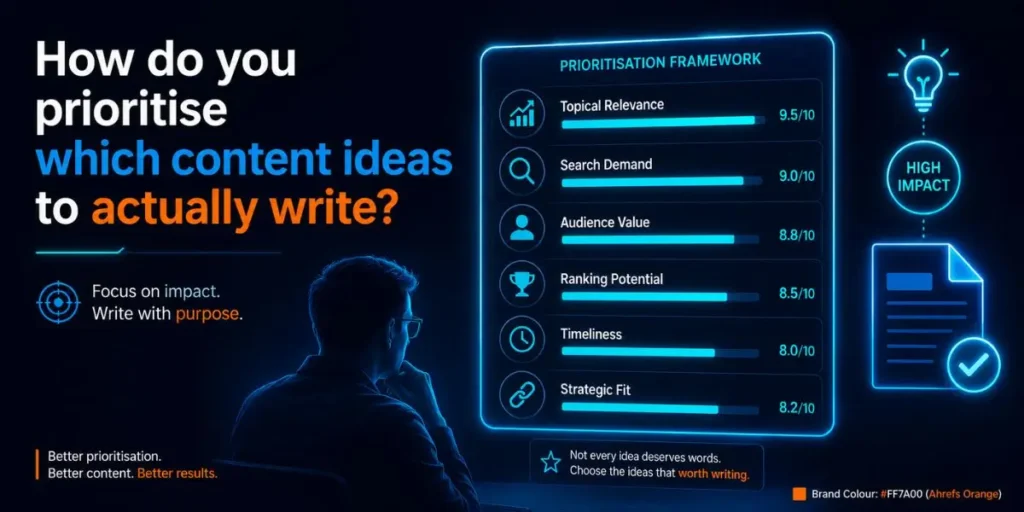
Prioritise by matching intent, difficulty, and demand to your site’s real ranking strength, not by volume alone. A long idea list is worthless until you know which three things to write first.
Run every shortlisted idea through this quick filter:
| Signal | What to check | Green light |
|---|---|---|
| Intent | Does it match your goal? | Info or commercial fit |
| Difficulty | Personal Keyword Difficulty score | Low for your domain |
| Demand | Volume plus AI question presence | Steady, real searches |
Compared to ranking topics by gut feeling, this filter saves weeks of time. I rank each idea on those three signals, and anything that wins on two of three goes to the top of the calendar.
Resonance and backlink predictions from Topic Research add a fourth layer for bigger bets. If a topic scores high on resonance, it earns a spot even at greater difficulty, because the shares and links can offset a slower climb.
What are common pitfalls when using Semrush for content ideation?
Plenty of people open these tools and still end up with a weak plan. Here are the mistakes I see most often, why they happen, and how to avoid them.
- Chasing volume, ignoring difficulty. It happens because big numbers feel exciting. Filter difficulty first, then sort by volume, so you only see winnable terms.
- Skipping intent. People grab a keyword without checking whether searchers want to learn or to buy. Always read the intent tag before adding an idea, or your traffic will never convert.
- Leaving the location global. For a USA blog, global data blends in markets that search differently. Set the location to the United States on every report.
- Topic cannibalisation. Two ideas that are really the same query end up fighting each other in search. Group near-duplicate keywords into a single strong article rather than three thin ones.
- Treating tools as the whole job. The data points you at ideas, but it cannot add your angle. Pair every Semrush idea with your own experience, or the post reads like everyone else’s.
And one more. People ignore Reddit. Search tools tell you what people look for, but Reddit shows how they actually talk about it. Pairing the two gives your headlines a human edge that the data alone misses.
Workflow example: From seed keyword to a finished content plan
Here is a full run, start to end, the way I would do it for a USA-focused blog.
Input: A seed keyword, “project management software,” and a goal of five winnable blog ideas.
Process:
- Run the seed through Topic Research with the location set to the United States, then save eight promising subtopics and their top questions.
- Drop the seed into the Keyword Magic Tool, open the Questions tab, and filter difficulty under 30 with volume over 200.
- Check Topic Finder for low-hanging fruit and niche-domination labels on the same theme.
- Pull the AI Toolkit Audience and Content report to find questions people ask ChatGPT and Perplexity about the topic.
- Score every surviving idea on intent, Personal Keyword Difficulty, and demand.
Output: A ranked list of five ideas, each with a target question, an intent tag, a difficulty score, and a note on whether it appeared in AI search.
Result: A content plan where every post has proof of demand before you write. No recycled topics, no guesses, and a clear reason each idea earned its spot.
That is the difference between a calendar that ranks and one that just fills space.
How does Semrush content ideation fit AI Overviews and 2026 SEO?
It fits by helping you write content that answers questions directly, which is exactly what AI Overviews pull from. Semrush surfaces the questions, and your job is to answer them clearly enough to get cited.
If you are optimising for AI Overviews, this matters because the ideas you choose decide whether you are even in the running. Question-based topics with clear, concise answers get featured. Vague, keyword-stuffed posts get skipped.
So the ideation stage and the AI visibility stage are now linked. Pick questions from the AI Toolkit, structure each article around a direct answer, and you are building content that the AI layer can actually use.
Unlike the old playbook, ranking on Google and earning AI citations now start from the same idea list.
Frequently Asked Questions
Yes. It combines keyword data, competitor topics, and AI search questions in one place, so you generate and validate ideas with evidence rather than guessing what your audience wants.
Mostly yes. Topic Research and the Keyword Magic Tool require a subscription, and the Content Toolkit with Topic Finder runs separately at $60 per month for full ideation features.
Topic Research is the strongest starting point for broad brainstorming, while the Keyword Magic Tool Questions tab gives you ready-made, searchable blog titles fast.
Yes. The AI Toolkit’s Audience and Content report surfaces real questions people ask ChatGPT, Gemini, and Perplexity, grouped by intent, which reveals high-value ideas competitors usually miss.
Group near-identical keywords into one article and save chosen ideas to a Favourites list. Checking saved ideas before each plan stops you from targeting the same query twice.

Is an SEO Specialist and AI Tools Researcher with over 4 years of hands-on experience in search engine optimization. As the founder of Smart AI Helper Pro, he tests and reviews AI writing, SEO, and marketing tools to help creators and business owners grow faster with practical, research-backed strategies.
