
How to Get a Refund from Grammarly in 2026 (Every Scenario Covered)
By SM Mehedi Hasan
To get a refund from Grammarly in 2026, go to support.grammarly.com, submit a support ticket explaining your situation, and request a refund directly.
Grammarly’s official policy says refunds are only issued when required by law, but many users successfully receive them by contacting support quickly after an accidental or unwanted charge.
Grammarly’s refund policy reads strictly on paper. But the actual experience many users report is more flexible, especially if you contact them fast and explain your situation clearly.
The problem is that most people either don’t know how to contact support properly or write vague messages that don’t give support agents a reason to make an exception.
This guide covers every refund scenario: accidental annual subscriptions, auto-renewals you missed, App Store purchases, Google Play charges, and situations where Grammarly itself wasn’t working.
Each one has a different path, and knowing which one applies to you saves a lot of frustration.
Table Of Contents
ToggleWhat Is Grammarly's Official Refund Policy in 2026?
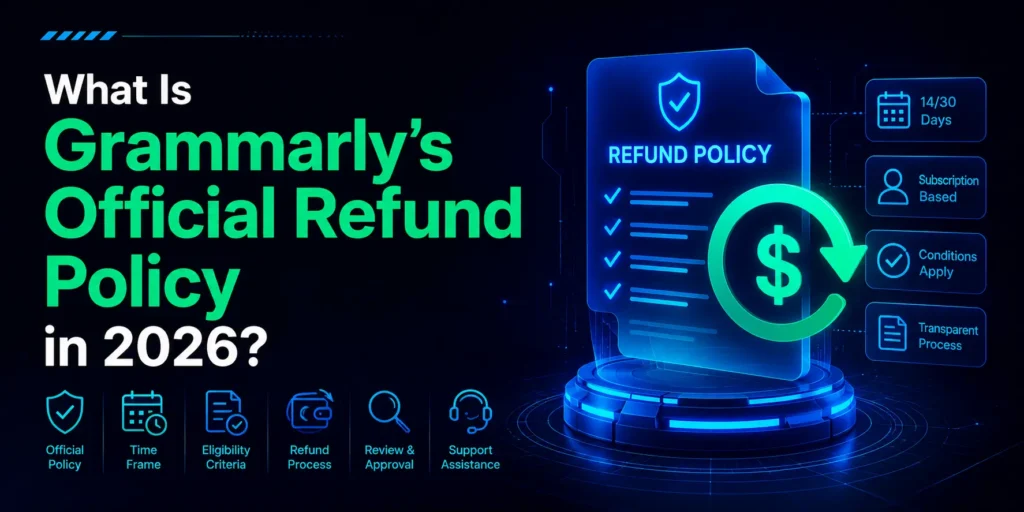
Grammarly’s Terms of Service state clearly: refunds are only issued when required by applicable law.
That’s it. There’s no 30-day money-back guarantee, no cooling-off period built into their standard policy, and no automatic refund if you cancel partway through a billing cycle.
But here’s what most guides miss: Grammarly handles refund requests on a case-by-case basis. Their support documentation mentions specific exceptions, and users consistently report receiving refunds for accidental charges, auto-renewals they didn’t notice, and situations where the service genuinely didn’t work.
The outcome depends significantly on how quickly you act and how you frame your request.
| Scenario | Refund Likely? | Best Approach |
|---|---|---|
| Accidental annual subscription (caught same day) | Yes, likely | Contact support immediately |
| Auto-renewal you forgot to cancel | Sometimes | Contact within 48 hours |
| Purchased via Apple App Store | Yes, via Apple | Use reportaproblem.apple.com |
| Purchased via Google Play | Yes, via Google | Contact Google support |
| Service wasn't working for extended period | Sometimes | Document the issue, contact support |
| Changed mind after several months of use | Unlikely | Cancel to stop future billing |
| Price change within current subscription | Yes, within 10 days | Contact support, cite ToS |
| Upgrade from Premium to Business | Prorated refund | Automatic or via support |
Speed matters more here than almost anywhere else. The sooner you contact Grammarly after an unwanted charge, the better your chances. Waiting a week or two significantly reduces the likelihood of a goodwill refund.
The Pricing Display Problem Most Guides Don't Mention
Before getting into the steps, there’s a context issue worth understanding. Grammarly’s pricing page shows a per-month cost for the annual plan, not the total annual charge.
So you see something like “$12/month” and expect to be charged $12. Then your card gets hit for $144 all at once.
This is the single most common reason people contact Grammarly for a refund, and it’s been a persistent complaint across consumer forums for years.
Grammarly is aware of this confusion. Support agents dealing with “I didn’t know it was annual” requests have seen that message thousands of times.
Framing your request as a genuine misunderstanding of the billing structure, rather than simple regret, tends to land better.
Billing Trap to Know
Grammarly subscriptions auto-renew by default, and there is no option to remove your saved payment method from the billing page.
The only way to stop future charges is to cancel the subscription before the next billing date. Even if you stop using Grammarly, you will be charged again unless you explicitly cancel.
Method 1: How to Get a Grammarly Refund via Support Ticket (Main Method)
This is the primary method for users who subscribed directly through Grammarly’s website, not through Apple or Google. There is no phone number for Grammarly support, so everything goes through a written ticket.
1. Cancel Your Subscription First
Before requesting a refund, cancel your subscription so you don’t get charged again while waiting for a response. Log in to your Grammarly account at account.grammarly.com/subscription.
Scroll to the bottom and click Cancel Subscription. Confirm through the pop-up. You’ll still have access until the current billing period ends. Note: you can only cancel from a desktop browser, not from the mobile app or a mobile browser.
2. Go to the Grammarly Support Page
Open support.grammarly.com in your browser. Scroll to the bottom of the page and look for the Contact Us or Submit a Request option. This opens the support ticket form.
3. Fill Out the Support Form With Specific Details
Select “Billing and Subscription” as your issue category. In the subject line, write something specific like “Refund Request: Annual Charge” rather than just “Refund.”
In the message body, include your email address, the exact charge amount, the date it appeared on your statement, and a clear explanation of why you’re requesting a refund. Vague messages like “I want my money back” rarely get approved.
4. Wait for a Response
Grammarly support responds to billing tickets by email, usually within 24 hours. Check your inbox and your spam folder.
If you don’t hear back within 24 hours, follow up by replying to the original ticket email rather than submitting a new one.
5. Receive Your Refund
If approved, Grammarly processes refunds back to the original payment method. According to Grammarly’s response on BBB complaints, refunds can take up to 10 business days to appear on your statement.
In some cases, the charge may simply be removed from pending rather than appearing as a separate credit line.
What to Write in Your Refund Request (Template)
This is the part most guides skip entirely. The wording of your message genuinely affects the outcome. Here’s a template that covers the key elements support agents need to process a goodwill refund:
Refund Request Template, Copy and Customize
Subject: Refund Request, Accidental Annual Charge on [Date] Hi Grammarly Support, I’m writing to request a refund for a charge of [amount] that appeared on my account on [date].
I subscribed, thinking I was signing up for a monthly plan, but I was billed the full annual amount at once.
I realized the billing structure only after I was charged. I’ve already cancelled the subscription to prevent future charges. I haven’t used the account since the charge occurred, and I’d appreciate a full refund given the misunderstanding.
My account email is: [your email] Charge amount: [e.g., $144.00 or $144 USD] Charge date: [date from your bank statement] Thank you for reviewing this request. [Your name]
Keep the tone calm and factual. Don’t threaten chargebacks in the first message. Don’t apologize excessively either. Just state the facts clearly and make a specific ask.
Pro Tip
If you don’t get a satisfactory response through the support form, reach out to Grammarly on Instagram by sending a direct message.
Several users on Quora and Reddit have confirmed that this gets escalated to the support team fast, often resolved the same day. Include your ticket number in the DM so they can find your existing case.
Method 2: How to Get a Grammarly Refund via Apple App Store
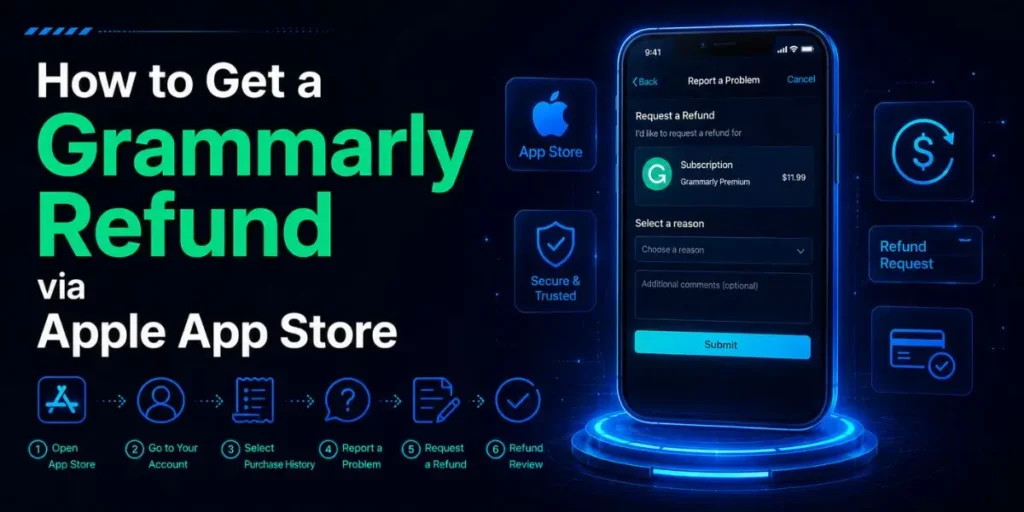
If you subscribed to Grammarly through an iPhone or iPad, the refund process goes through Apple entirely, not through Grammarly’s support team.
Grammarly cannot process refunds for App Store purchases since that billing relationship is between you and Apple.
- Open a browser and go to reportaproblem.apple.com
- Sign in with the Apple ID you used to purchase Grammarly.
- Find the Grammarly charge in your purchase history.
- Click “Report” next to the Grammarly subscription.
- In the dropdown, select “I’d like to request a refund.”
- Choose the most relevant reason from the options provided
- Click Submit
Apple typically responds within 24 to 48 hours. If your refund is approved, you’ll receive a notification from Apple, and the money will return to the card associated with your Apple account.
If Apple declines the refund, you can try contacting Apple support directly by phone or chat for a manual review.
Apple Refund Reality
Apple’s refund policy for subscriptions is generally more lenient than Grammarly’s own policy, especially for recent purchases or first-time subscription purchases.
Acting within a few days of the charge significantly improves approval odds. Older charges (more than 90 days) are much harder to reverse through Apple.
Method 3: How to Get a Grammarly Refund via Google Play Store
If you subscribed to Grammarly through an Android device via the Google Play Store, you need to contact Google support directly. The process is slightly different from Apple’s.
- Open the Google Play Store app on your Android device.
- Tap the profile icon in the top right corner.
- Go to Payments and Subscriptions, then Subscriptions.
- Find Grammarly and cancel the subscription first if it’s still active.
- Then go to play.google.com/store/account/subscriptions on a browser.
- Find your Grammarly purchase and click “Report a problem.”
- Select the relevant reason and submit.
Alternatively, contact Google support directly through the Google Play Help Center and request a refund by explaining your situation to a support agent.
Google’s refund window for apps and subscriptions is technically 48 hours for most cases, but support agents can review cases outside that window, especially for annual subscriptions.
When Does Grammarly Issue Refunds Even Without a Request?
There are specific situations where Grammarly’s own Terms of Service acknowledge a refund entitlement, not just goodwill exceptions.
Price Changes in Your Current Subscription
If Grammarly increases pricing during your active subscription period and you don’t agree to the new terms, you can cancel your account within 10 days of the change notice and receive a refund for the unused portion.
This is written into their Terms of Service directly. Keep an eye on billing emails from Grammarly for any pricing update announcements.
Upgrading from Premium to Business
When you upgrade from an individual Premium plan to Grammarly Business, you receive a prorated refund for the unused days remaining on your Premium subscription.
This adjustment happens automatically or can be requested through support if it doesn’t appear on your next billing statement.
Service Outage or Technical Failure
If Grammarly experienced a documented outage or sustained technical failure during your subscription period, and you can demonstrate the service was unusable, support has been known to issue partial refunds as a goodwill gesture.
Reference the specific dates and what wasn’t working in your ticket. Check status.grammarly.com for historical incident logs that you can cite.
In My Experience
What Actually Increases Your Chances of Getting the Money Back
Compared to similar subscription tools, Grammarly’s support team is more responsive than its written policy suggests.
The “refunds only when required by law” line sounds like a hard wall. In practice, it isn’t, as long as you’re contacting them quickly and framing the request correctly.
One thing that caught me off guard while researching user experiences across forums: the speed of the initial contact matters much more than the amount charged.
Someone who contacts support the same day they were charged a $144 annual fee has a significantly better shot at a goodwill refund than someone who waits two weeks and sends a longer, more detailed message.
The window seems to be roughly 24 to 72 hours for the best outcomes.
I noticed when reading through Reddit threads and Quora responses that people who got refunds almost always mentioned they hadn’t used the service between the charge and the request.
That detail matters. If you’ve been actively using Grammarly for two months and then request a refund, the case for a goodwill exception is much weaker than if you were charged and immediately reached out.
The Instagram DM tip keeps appearing in user reports from 2024 and 2025. Several people described getting a same-day escalation after messaging Grammarly on Instagram when the support ticket took too long.
The response came from the social media team, who forwarded the case to billing internally. It’s not a guaranteed path, but it’s faster than waiting in a ticket queue.
What to Do If Grammarly Denies Your Refund Request
If support denies your request and you believe the charge was genuinely unfair or deceptive, you have a few options beyond accepting the decision.
Follow Up Once More With Additional Context
Reply to the denial email directly. Don’t submit a new ticket. Add any context you left out of the first message, such as screenshots showing the confusing pricing display, or confirmation that you haven’t used the service.
One follow-up is reasonable. Multiple follow-ups become less effective quickly.
Dispute the Charge With Your Bank or Credit Card
If Grammarly refuses and you genuinely believe the charge was unauthorised or based on misleading pricing, you can dispute it as a chargeback with your bank or card provider.
According to Grammarly’s BBB responses, chargeback investigations can take up to 40 days.
Be aware that initiating a chargeback may result in Grammarly closing your account, so this path is more appropriate when you no longer want to use the service.
File a Complaint with the BBB or Consumer Protection Agency
Grammarly responds to BBB complaints and has resolved many billing disputes through that channel.
Filing takes a few minutes at bbb.org. Consumer protection agencies in your country may also have jurisdiction over subscription billing practices if you believe the pricing display was genuinely deceptive.
Before Disputing
Always contact Grammarly support directly before initiating a chargeback. Banks require evidence that you attempted to resolve the issue with the merchant first.
A support ticket with a denial email serves as that evidence if you need to escalate.
Common Mistakes That Get Refund Requests Denied
- Waiting too long before contacting support. The longer you wait, the harder it is to argue you didn’t knowingly use the service. Contact support within 24 to 48 hours of an unwanted charge for the best outcome.
- Sending a vague message. “I want a refund,” without specifics gives support agents nothing to work with. Include the charge date, exact amount, your account email, and a clear explanation of what happened.
- Requesting a refund for App Store purchases through Grammarly support. If you subscribed via iPhone, Grammarly cannot process that refund. Go through Apple. Sending the request to the wrong party just delays everything.
- Threatening chargebacks in the opening message. Leading with “I’ll dispute this with my bank” tends to make support agents less likely to approve a goodwill exception, since the ticket may immediately route to a disputes team rather than a billing team. Keep the first message reasonable and escalate only if needed.
- Do not cancel the subscription before requesting a refund. If you request a refund but don’t cancel, you’ll get charged next cycle again. Cancel first, then submit the ticket. These are two separate actions.
- Submitting multiple tickets for the same issue. Each new ticket goes to the back of the queue and can fragment your case. Send one clear ticket, then follow up by replying to the same email thread.
How Long Does a Grammarly Refund Take?
If Grammarly approves your refund, the money typically returns to your original payment method within 5 to 10 business days. This is confirmed across multiple BBB complaint responses from Grammarly’s team.
For some payment methods, the original charge may simply be reversed rather than appearing as a separate credit line on your statement.
PayPal refunds generally process faster, sometimes within 3 to 5 business days. Credit card refunds depend on your card provider’s posting cycle and may take the full 10 business days.
If more than 10 business days have passed since you received approval confirmation, contact Grammarly support with your ticket number and ask for a status update.
Pro Tip
Screenshot your subscription cancellation confirmation and save your support ticket number.
If your refund doesn’t arrive within the expected window, you’ll need both of these to follow up effectively without re-explaining the entire situation from scratch.
How to Prevent Future Unwanted Grammarly Charges
Once your current situation is resolved, a few habits prevent the same problem from recurring.
- Set a calendar reminder before your annual renewal date. Check your Grammarly subscription page to find the exact renewal date, then set a reminder 7 to 10 days before it. That gives you time to cancel before the new charge hits.
- Understand the pricing before subscribing. The per-month price shown on Grammarly’s pricing page is the annual plan divided by 12 months. The actual charge is that number multiplied by 12, billed upfront. If a plan says $12/month and you’re on the annual plan, you’ll be charged roughly $144 at once.
- Note that you cannot remove your card from Grammarly’s billing page. The only way to stop future charges is to cancel the subscription entirely. Removing the card is not an option Grammarly currently provides.
Frequently Asked Questions
Grammarly’s policy states refunds are only given when required by law, but many users receive goodwill refunds for accidental charges by contacting support quickly. App Store and Google Play purchases are refunded through Apple and Google, respectively.
Go to support.grammarly.com and submit a billing support ticket. There is no phone number. Include your account email, charge amount, charge date, and a clear reason for your request. Expect a response within 24 hours.
Yes, many users have succeeded with this. Contact Grammarly support the same day, explain the pricing confusion, confirm you haven’t used the account, and cancel the subscription first. Goodwill refunds for accidental annual charges are commonly approved when requested quickly.
Between 5 and 10 business days from the approval date, depending on your payment method. Credit card refunds may take the full 10 days. PayPal refunds often process faster. If 10 business days pass without the refund, contact support with your ticket number.
Reply to the denial email once with any additional context. If still denied, you can dispute the charge with your bank or credit card provider, or file a BBB complaint. Always contact Grammarly first before initiating a bank dispute.

Is an SEO Specialist and AI Tools Researcher with over 4 years of hands-on experience in search engine optimization. As the founder of Smart AI Helper Pro, he tests and reviews AI writing, SEO, and marketing tools to help creators and business owners grow faster with practical, research-backed strategies.
