
How Does SEMrush Calculate Traffic?
By SM Mehedi Hasan
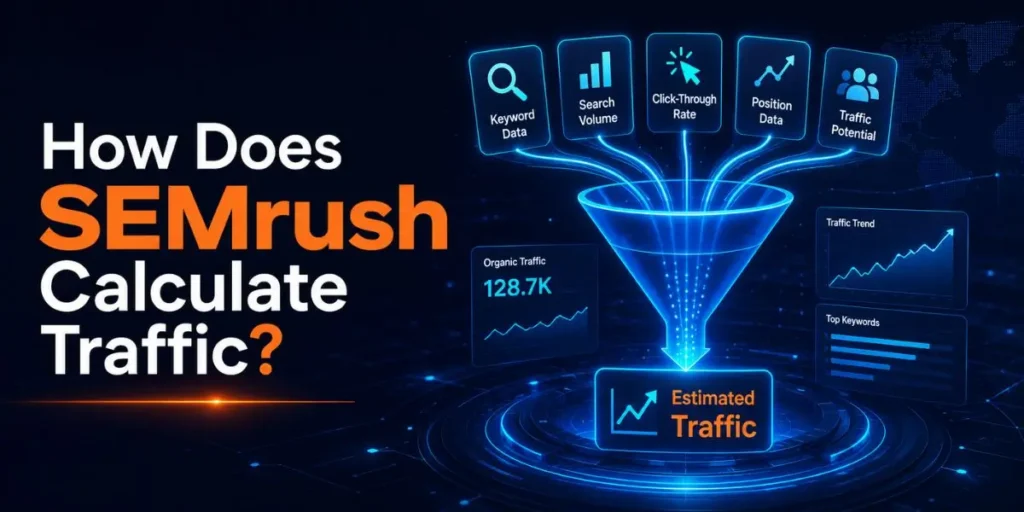
Semrush calculates traffic two different ways: Domain Overview multiplies a site’s keyword rankings by search volume and click-through rate, while Traffic Analytics uses anonymized clickstream data from millions of real users. That split is why the same website often shows two different traffic numbers in one Semrush account.
Most people open Semrush, type a domain, see an “Organic Traffic” figure, and assume it came straight from that website’s analytics. It didn’t. Semrush has zero access to anyone’s Google Analytics unless they connect it manually.
Every traffic number you see is an estimate built from outside signals, and understanding how those estimates are made changes how much you should trust them.
Table Of Contents
ToggleHow Does Semrush Calculate Traffic?
Semrush calculates traffic by estimating it, not measuring it.
The platform never sees a website’s real server logs, so it reconstructs visitor counts from two separate data engines: a keyword-based formula for organic search, and a clickstream-based model for total traffic across all channels.
Here is the part that trips people up. These two engines live in different tools, run on different data, and produce different numbers for the same domain. Neither one is “wrong.” They answer different questions.
- Domain Overview / Organic Research estimates how much organic traffic a site could get from its Google rankings.
- Traffic Analytics estimates the total traffic a site receives from search, direct, referral, social, paid, and other sources.
So when someone asks how Semrush calculates traffic, the honest answer is: it depends on which traffic number you’re looking at. I’ll break down both, because mixing them up is the single biggest mistake I see beginners make.
What Two Systems Does Semrush Use to Calculate Traffic?

Semrush runs two parallel estimation systems, and each one pulls from a completely different data source. One is built on keyword math. The other is built on real browsing behavior collected from a panel of users.
| System | Data source | What it measures |
|---|---|---|
| Domain Overview | Keyword rankings + search volume + CTR | Organic search potential |
| Traffic Analytics | Anonymized clickstream data | All traffic channels combined |
That table looks simple, but the gap between these two methods is where most of the confusion lies. Let’s look at each one properly.
How Does Domain Overview Estimate Organic Traffic?
Domain Overview estimates organic traffic with a keyword-position formula, not real visit data. It looks at every keyword a domain ranks for, checks each ranking position, and predicts how many clicks each position should generate.
The logic runs like this:
- Find the rankings. Semrush identifies which keywords the domain ranks for and at what position, using its own SERP-tracking database.
- Pull the search volume. Each keyword has an average monthly search volume stored in Semrush’s keyword database.
- Apply a click-through rate. A position-based CTR estimate estimates the share of searchers who actually click. Position 1 earns far more clicks than position 8.
- Multiply and add it all up. Every keyword’s estimated clicks are combined into a single organic traffic figure.
This is the famous Semrush formula, and it only ever touches organic search. Direct visits, social shares, email clicks, and referral traffic are invisible to this method. That matters because a site can have huge brand traffic and still show modest Domain Overview numbers if it doesn’t rank for many keywords.
How Does Traffic Analytics Estimate Traffic?
Traffic Analytics estimates traffic from clickstream data, which is anonymized browsing activity from millions of real internet users. Instead of guessing clicks from rankings, it watches a sample of actual sessions and scales that sample up to represent the whole.
Semrush sources this clickstream data from third-party providers like browser extensions, apps, and similar panels. The path a user takes through the web gets aggregated, stripped of personal identity, and turned into behavior patterns.
Because it follows real journeys, Traffic Analytics can break traffic down by channel: direct, referral, organic search, paid search, organic social, paid social, email, and display advertising.
But this method has its own catch. Traffic Analytics sits inside Semrush . Trends add-on, which costs extra on top of a normal subscription. So the deeper, channel-level traffic data isn’t something every Semrush user can even see.
What Is the Semrush Traffic Formula?
The Semrush organic traffic formula is: Traffic = Visibility × CTR × Search Volume, calculated per keyword and then summed across every keyword a domain ranks for. It’s a stacked estimate, not a single measurement.
Each piece carries a specific meaning:
- Visibility reflects how prominently the site shows up in search results for its keywords. Higher rankings push this up.
- CTR (click-through rate) is the estimated share of searchers who click a result at that position.
- Search volume is the average monthly number of searches for the keyword.
Here’s a simplified worked example showing how a few keywords roll up into one total. The numbers are illustrative, just to show the mechanics.
| Keyword | Search volume | Est. CTR | Est. traffic |
|---|---|---|---|
| best running shoes | 10,000 | 5% | 500 |
| trail running tips | 4,000 | 3% | 120 |
| marathon training plan | 8,000 | 6% | 480 |
Add those three lines, and you get 1,100 estimated visits. Now imagine running across thousands of keywords. That’s exactly how Domain Overview builds a site’s organic traffic estimate. One keyword at a time, then stacked.
And this is also why the estimate moves the moment rankings shift. A site that climbs from position 6 to position 2 on a high-volume keyword can see its estimated traffic jump overnight, even though no real visitor data changed. The formula was simply recalculated.
How Does Semrush Turn Clickstream Data Into Traffic Intelligence?
Semrush processes clickstream data through a four-stage pipeline before it reaches your dashboard. Raw browsing activity is messy, so most of the work is spent on cleaning and modeling rather than on collection.
The four stages run in order:
- Data collection. Semrush receives terabytes of anonymized clickstream data from a panel of third-party providers every one to two days. This captures aggregated online journeys of millions of real users.
- Data cleaning. The raw data gets aligned to a common format, then a machine learning model strips out anomalies. Semrush cross-checks it against its own backlinks and SERP-position databases to confirm the patterns match each country and device.
- Data modeling. The cleaned data gets normalized for domain popularity and typical behavior across countries, demographics, devices, and industries. Very weak or low-activity user patterns are filtered, so both popular and niche sites are estimated more accurately.
- Data delivery. The modeled output becomes the visit counts, engagement metrics, and audience data you see in the Traffic & Market dashboards.
So a “traffic number” isn’t a raw count Semrush happened to record. It’s the output of a trained model that has reshaped a sample into a full Internet estimate.
That distinction sounds academic until you start trusting these numbers for client reports.
In My Experience
Honestly, when I first started using Semrush, I treated the organic traffic figure like gospel and pasted it straight into client decks. Bad idea.
I once pulled a domain that Domain Overview showed at roughly 12,000 monthly organic visits, then checked Traffic Analytics and saw a very different total once direct and referral traffic got added in.
Same tool, same domain, two stories. What fixed my workflow was a small habit: always note which Semrush report a number came from before I quote it.
The keyword-based estimate and the clickstream-based estimate are not interchangeable, and pretending they are is how marketers end up defending numbers they don’t actually understand.
Why Does Semrush Show Different Traffic Numbers for the Same Site?
Semrush shows different traffic numbers for one site because the two systems measure different things using different data.
Domain Overview only counts estimated organic search clicks, while Traffic Analytics counts all channels through clickstream sampling. They were never designed to match.
Three things drive the gap:
- Channel scope. Domain Overview ignores direct, referral, social, and email traffic. Traffic Analytics includes them. A strong-brand site with many direct visits will appear much larger in Traffic Analytics.
- Data method. One is a ranking formula. The other is a sampled behavior model. Different inputs, different outputs.
- Applied filters. Device choice (desktop vs mobile), the regional database you picked, and the date range all shift Traffic Analytics numbers independently.
So if a colleague says “Semrush says this site gets 50K visits” and you see 30K, you’re probably both right. You’re just reading different reports. Always confirm the source before arguing about the figure.
How Accurate Is Semrush Traffic Data?
Semrush traffic data is directionally accurate but not precise, and accuracy scales with site size.
Larger sites with steady traffic tend to land closer to reality, while small or new sites can be off by a wide margin because they barely register in the clickstream sample. Independent testing backs this up.
A 2026 study by Promodo analyzing 184 websites found the average error margin across major SEO tools (Semrush, Similarweb, Ahrefs) sat around 50%, with anomalies appearing regardless of niche or site size.
Several practitioner tests have shown Semrush under-reporting smaller sites by 30% to 60% compared to their Google Search Console clicks.
Here’s a realistic way to think about reliability by site type:
| Site size | Typical accuracy | Best use |
|---|---|---|
| Large, stable traffic | Reasonably close | Trend tracking, benchmarking |
| Mid-size | Moderate variance | Competitive comparison |
| Small or brand-new | Often well off | Rough directional signal only |
The takeaway isn’t that Semrush is unreliable. It’s that the tool was built for competitive estimation, not for measuring your own exact traffic. For your own site, Google Analytics and Search Console will always beat any estimate.
In My Experience
The thing that surprised me most was how badly small sites get undercounted. I had a fresh blog pulling a few hundred real visitors a day in Analytics, and Semrush showed it as essentially flat for months.
Nothing was broken. The site just wasn’t large enough to show up in the clickstream panel yet.
About six months later, as traffic grew, Semrush’s estimate finally began to align with reality. So if you launch a site and Semrush insists you have no traffic, don’t panic and don’t assume your Analytics is lying.
The estimate simply needs enough volume to model you properly. Patience here saved me from a few unnecessary “why is my traffic gone” spirals.
What Filters Change the Traffic Number You See?
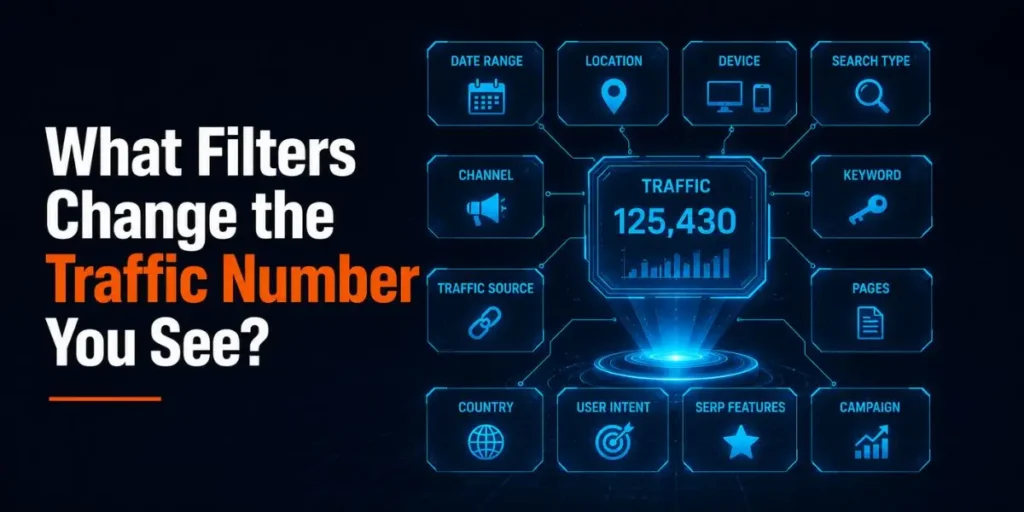
Several filters quietly change the traffic number before you even read it, and missing them leads to apples-to-oranges comparisons. The same domain can show different totals depending on the settings active in your report.
The main ones to watch:
- Device. Desktop-only and mobile-only views report separately. Pick the wrong one and you’ll under-count.
- Regional database. Semrush stores data per country. A US-database view and an “all regions” view answer different questions, which matters a lot for a site like yours targeting a US audience.
- Date range. Daily, weekly, and monthly windows pull different slices, and Semrush now processes data daily for sharper granularity.
When you compare two competitors, lock these filters identically for both. I’ve watched people “discover” that a competitor doubled their traffic when all that happened was one report sat on mobile and the other on desktop.
How Can You Get More Accurate Traffic Data in Semrush?
You get more accurate data by connecting your own Google Analytics 4 and Search Console to Semrush, which replaces estimates with your real numbers for your own site. To improve reliability, focus on trends rather than exact figures when analyzing competitor data.
Follow these steps to tighten up your own reporting:
- Connect GA4 and Search Console. Link both inside Semrush so your own site reports real traffic, not modeled estimates. This is the single biggest accuracy upgrade available.
- Set the correct regional database. For a US-focused site, select the US database so volume and CTR assumptions match your actual audience.
- Match filters across comparisons. Keep device, region, and date range identical when you stack competitors side by side.
- Read direction, not decimals. Treat competitor numbers as “rising, falling, or flat” signals rather than exact visitor counts.
- Cross-check with a second source. Compare Semrush against Similarweb or Ahrefs when a number looks suspicious, since each tool’s error message leans differently.
Once GA4 is connected, your own dashboards stop being guesses entirely. The estimation engine only kicks in for domains you can’t verify, which is exactly where estimates belong.
What Recent Changes Affect How Semrush Calculates Traffic in 2026?
Semrush has shifted to daily data processing and a new AI model, making traffic estimates more granular and more likely to change between checks. If your numbers look slightly different week to week, this is often why.
A few updates worth knowing about:
- Daily and weekly traffic data. Semrush previously processed traffic only on a monthly scale.
The newer model processes data daily, so the Traffic & Market dashboards now report daily and weekly competitor metrics, rather than just monthly snapshots. - Higher-fidelity AI model. The upgraded machine learning model sharpens prior estimates.
Better focus can cause figures to shift, so an estimate you saved months ago may no longer match today’s view, even if nothing changed on the site. - Expanded data coverage. A reworked data processing model widened Semrush’s traffic data coverage by 20%, pulling more sites into the sample and improving estimates for domains that previously showed too little data.
- MCP Server for AI tools. In 2026, Semrush launched its Model Context Protocol server, letting you query traffic, keyword, and competitor data directly through AI assistants.
SEO Pro, Guru, and Semrush One plans include 50,000 API units per month for this.
So the calculation method hasn’t changed in spirit, but the engine behind it keeps getting retrained. That’s good for long-term accuracy, and it’s also why treating any single estimate as a fixed truth is a mistake.
The model that produced last quarter’s numbers has already learned more since then.
Unlike the static formula many guides describe, the underlying system is constantly moving. Pin your reports to trends and date ranges you can reproduce, not to one frozen figure you happened to screenshot.
Common Pitfalls to Avoid
Most traffic-reading mistakes come from treating an estimate like a measurement. These are the errors I see beginners repeat, and why each one happens.
- Comparing Domain Overview to a competitor’s Traffic Analytics number. They use different methods, so the comparison is meaningless. Compare like with like.
- Trusting tiny or brand-new site estimates. Small sites fall outside the clickstream sample, so the number can be wildly low. This isn’t a bug; it’s a sampling limit.
- Ignoring active filters. A mismatched device or region setting silently skews everything. Check filters before you draw conclusions.
- Using Semrush to measure your own traffic. Your Analytics and Search Console are the ground truth. Semrush estimates are for sizing up sites you can’t see directly.
- Quoting a single month as fact. Estimates wobble month to month. A three-month trend tells a far more honest story than one snapshot.
The pattern behind all of these is the same. People want one clean number, but estimation tools don’t give you one. They give you a useful approximation with rules attached.
Workflow Example: Sizing Up a Competitor’s Traffic
Here’s a realistic end-to-end flow for using Semrush traffic data effectively, shown as input, process, output, and result.
Input: You want to know whether a competitor in the US SEO tools niche is worth chasing, so you have their domain and a goal: estimate their organic reach and momentum.
Process:
- Open Domain Overview, set the regional database to the United States, and read their estimated organic traffic plus top keywords.
- Switch to Traffic Analytics (if you have Trends) to see their full channel mix, including the breakdown of direct vs. search traffic.
- Pull a three-month trend instead of a single month to see if they’re rising or sliding.
- Cross-check the organic figure against Similarweb to sanity-test the scale.
Output: You now have a directional read: roughly how big they are, where their traffic comes from, which keywords drive it, and whether they’re growing.
Result: Instead of a single shaky number, you walk away with a defensible competitive picture. You can decide whether to target their keywords, knowing the estimate’s limits and which channels actually feed their growth.
Pro Tips for Reading Semrush Traffic Data
A few habits separate people who use these numbers well from people who get burned by them.
Try locking your regional database to the US the moment you start a session, since a stray “all regions” setting is the most common reason US-focused estimates look off.
Worth remembering: the gap between Domain Overview and Traffic Analytics is itself a signal.
A site whose total traffic dwarfs its organic estimate is winning on brand, direct, and referral, which tells you something keyword data alone never would.
One more thing I lean on. When a competitor’s number looks too good to be true, pull the trend line before reacting. A single inflated month often corrects itself, and trends rarely lie the way snapshots do.
Frequently Asked Questions
No, not unless you manually connect it. By default, Semrush has no access to your analytics and builds traffic estimates from keyword rankings and clickstream data. Connecting GA4 and Search Console replaces estimates with your real numbers.
Because Semrush estimates traffic from external data while Analytics measures real visits on your server. Estimates commonly differ by 30% to 60% on smaller sites, since they appear only rarely in Semrush’s clickstream sample.
For your own site, trust Google Analytics and Search Console over any Semrush estimate. For competitors you can’t measure directly, Traffic Analytics gives the fullest picture, while Domain Overview is best for organic-only comparisons.
Generally no. New and small sites often show near-zero or heavily underreported traffic because they lack sufficient clickstream data to model. Accuracy improves as a site’s traffic grows, usually after several months.
The organic formula is Traffic = Visibility × CTR × Search Volume, calculated per keyword and summed across all ranking keywords. Traffic Analytics uses a separate clickstream model instead of this formula to estimate total multi-channel traffic.

Is an SEO Specialist and AI Tools Researcher with over 4 years of hands-on experience in search engine optimization. As the founder of Smart AI Helper Pro, he tests and reviews AI writing, SEO, and marketing tools to help creators and business owners grow faster with practical, research-backed strategies.